
How to Automatically BCC in Outlook 2010
May 31, 2011 / by Marco / Categories : Technology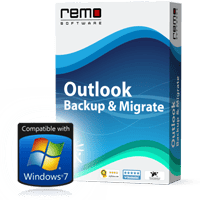
So today I wanted to automatically add in the BCC my gmail account so that I can easily retrieve and archive sent messages from Outlook 2010. WIthin 4 minutes I was able to get this working thanks to these instructions:
http://www.groovypost.com/howto/microsoft/how-to-automatically-bcc-in-outlook-2010/
Now if you’re like me and want to backup your outlook information then you need to get this tool called Outlook Backup & Migrate.
Some of the features are:
- Compatible with Windows XP, Vista and Windows 7
- Powerful internal scheduler to backup e-mail settings automatically. (You can set up a backup schedule daily, weekly or monthly)
- Simple and intuitive user interface so that even a beginner can master the program
- Helps to restore all your Microsoft Outlook e-mail and other settings
- Endowment to select the desired items of Outlook either to backup or restore
- Supports migration Outlook from one environment to another
- Competent to burn backup archive or selected outlook items to CD/DVD
- Creates several “restore points”, which adds flexibility to slip back to previous Outlook state without reconfiguring complete settings in Microsoft Outlook
- Facilitates in splitting the backup file to manage backup data on various storage devices efficiently
- Provides various standard compression levels to your backup archive to save space on your backup media
- Protect Outlook backup file with a password with strong security to prevent unauthorized access to your private Outlook data.

Marco / admin / 30 Nov
Writing day to day ramblings about making money, business, technology, sharing awesome deals and everything else that I know I'll forget. Follow my personal blog https://marcotran.com.au
I've recently also turned Vegan and started this website Veggie Meals - check it out
"When technology speaks for itself, that is art" - MT
Affiliate Compensated: there are some articles with links to products or services that I may receive a commission.
OTHER ARTICLES YOU MAY LIKE

REVIEWING AND UNBOXING THE TOOCKI USB-C RIGHT ANGLE 1.2M CABLE
USB C cables are among the most ordinary accessories we own, yet they can make a surprisingly noticeable difference to how comfortable our devices are to use while charging. The Toocki USB C right angle cable is a good example of a simple accessory that tries to solve a very common irritation, because instead of […]
read more
SUPABASE BACKUP TUTORIAL: USE DBEAVER TO EXPORT YOUR DATABASE SAFELY
If you are building anything serious on Supabase, whether that is a client portal, a SaaS app, an internal dashboard, or even a small side project that is starting to get traction, having a reliable database backup process is one of those tasks that quickly moves from optional to essential. Supabase makes a lot of […]
read more


