
How to manage Windows credentials
May 29, 2013 / by Marco / Categories : Technology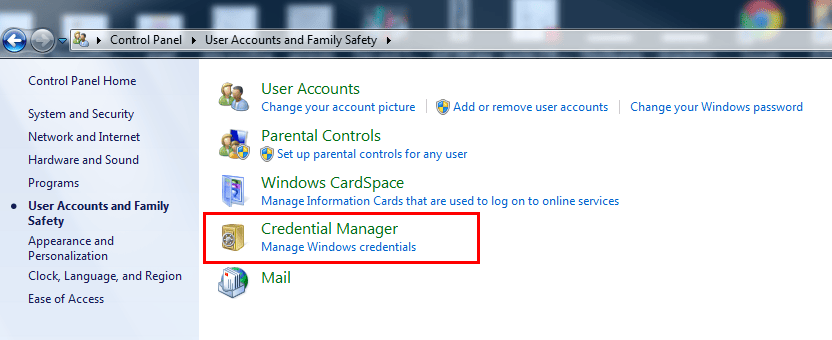
Have you mapped a drive and realised the credentials you used was incorrect. The best way to delete this in Windows is to follow these steps:
- Click Start
- Control Panel
- Click user Accounts and Family Safety
- Click Credential Manager
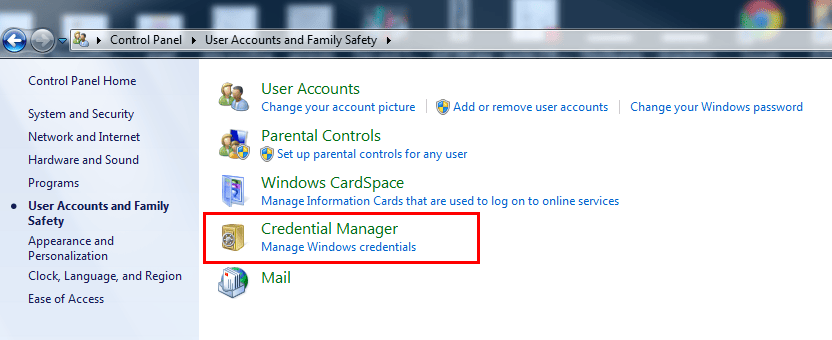
- Select the account you want to Remove to vault

Marco / admin / 30 Nov
Writing day to day ramblings about making money, business, technology, sharing awesome deals and everything else that I know I'll forget. Follow my personal blog https://marcotran.com.au
I've recently also turned Vegan and started this website Veggie Meals - check it out
"When technology speaks for itself, that is art" - MT
Affiliate Compensated: there are some articles with links to products or services that I may receive a commission.
OTHER ARTICLES YOU MAY LIKE

HOW TO USE SPLIT VIEW IN GOOGLE CHROME
Google Chrome is full of useful features that many people never notice until they appear by accident during everyday browsing. One of those quietly helpful tools is Split View, a feature that makes it much easier to work with two tabs side by side in the same browser window. If you regularly compare documents, read […]
read more
Dynal: The Complete Guide to Effortless Content Creation and Networking
Unlock seamless content creation and effective networking with Dynal’s comprehensive guide, designed to enhance your productivity and online presence.
read more

