
Set up a touch screen as the non-primary monitor
October 4, 2013 / by Marco / Categories : Hardware, Technology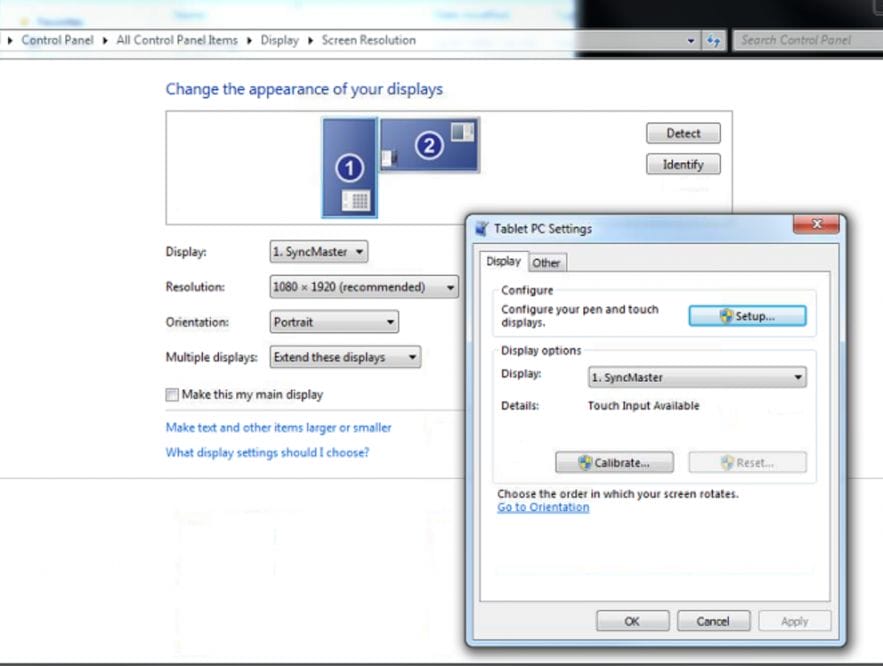
I just spent a few hours trying to figure out how to set up the secondary extended monitor as touch screen, so I thought I’d better document this before I forget. Now, by default the touch screen seems to work fine if the monitor was set up as the primary (the main monitor). Since I use the touch screen as the extended monitor (secondary), then the touch screen options did not work.
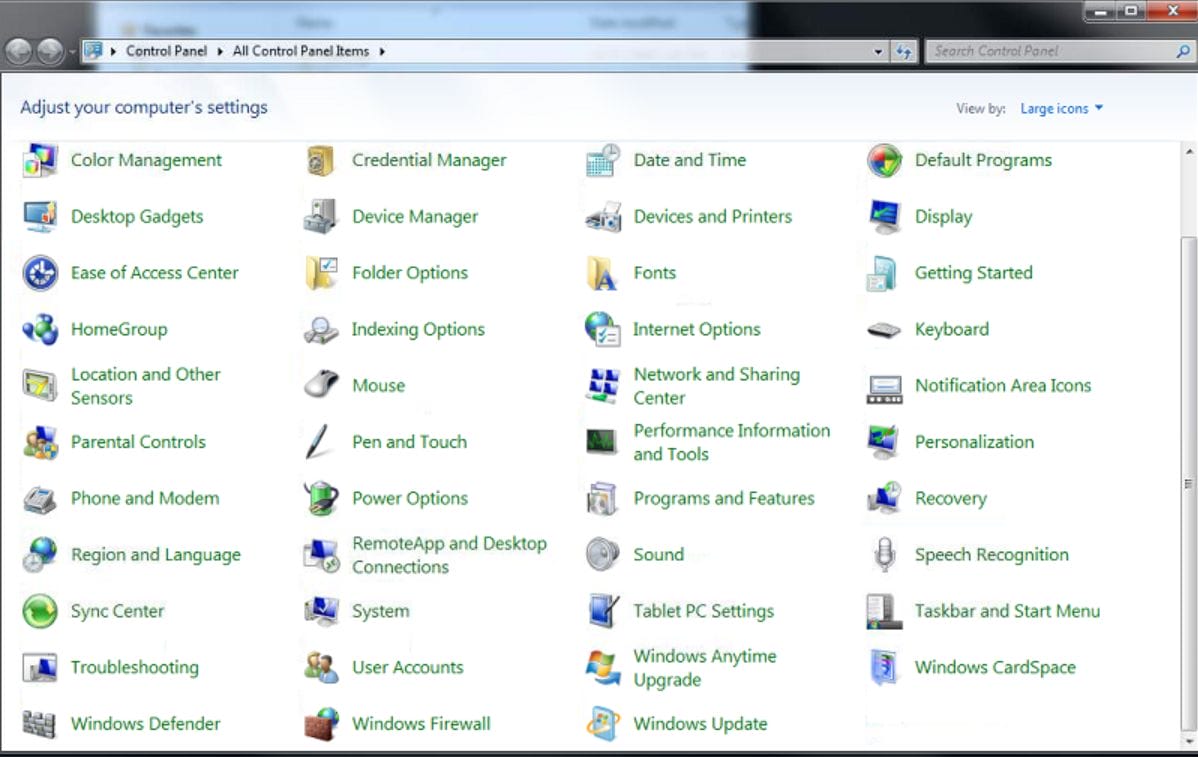
The trick was to change the following set up in the Tablet PC Settings:
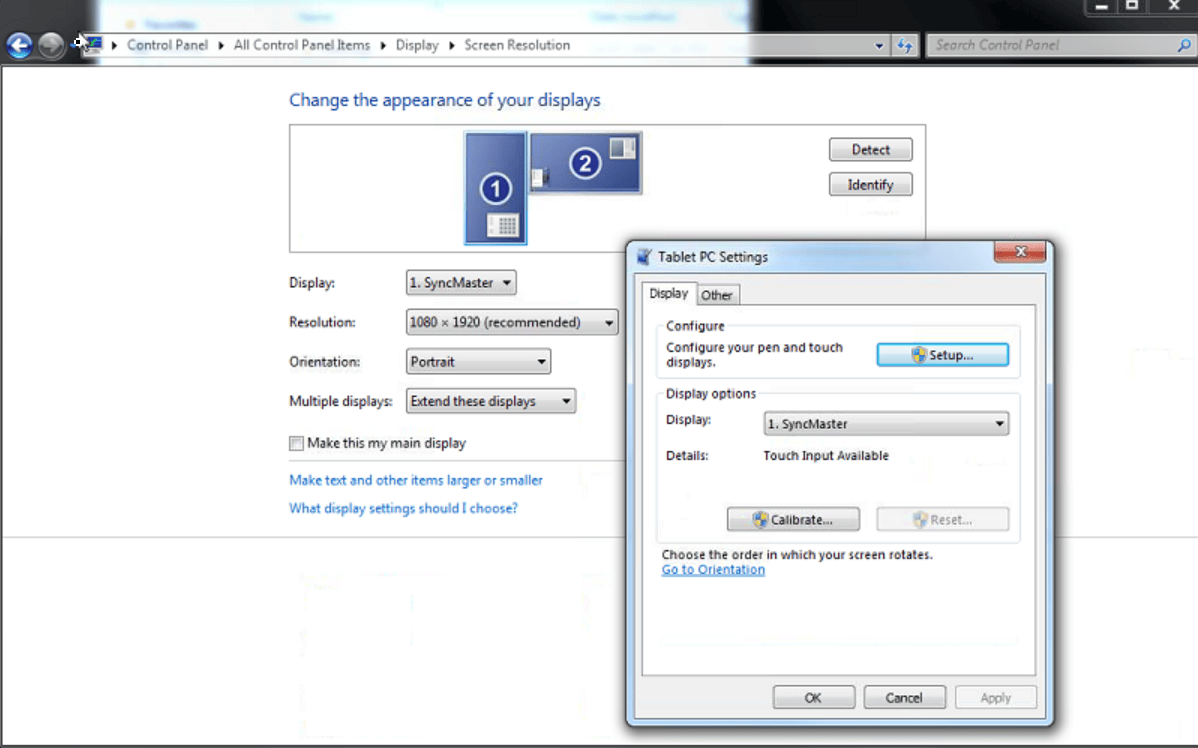
On configure, click set up:
Select touch input:
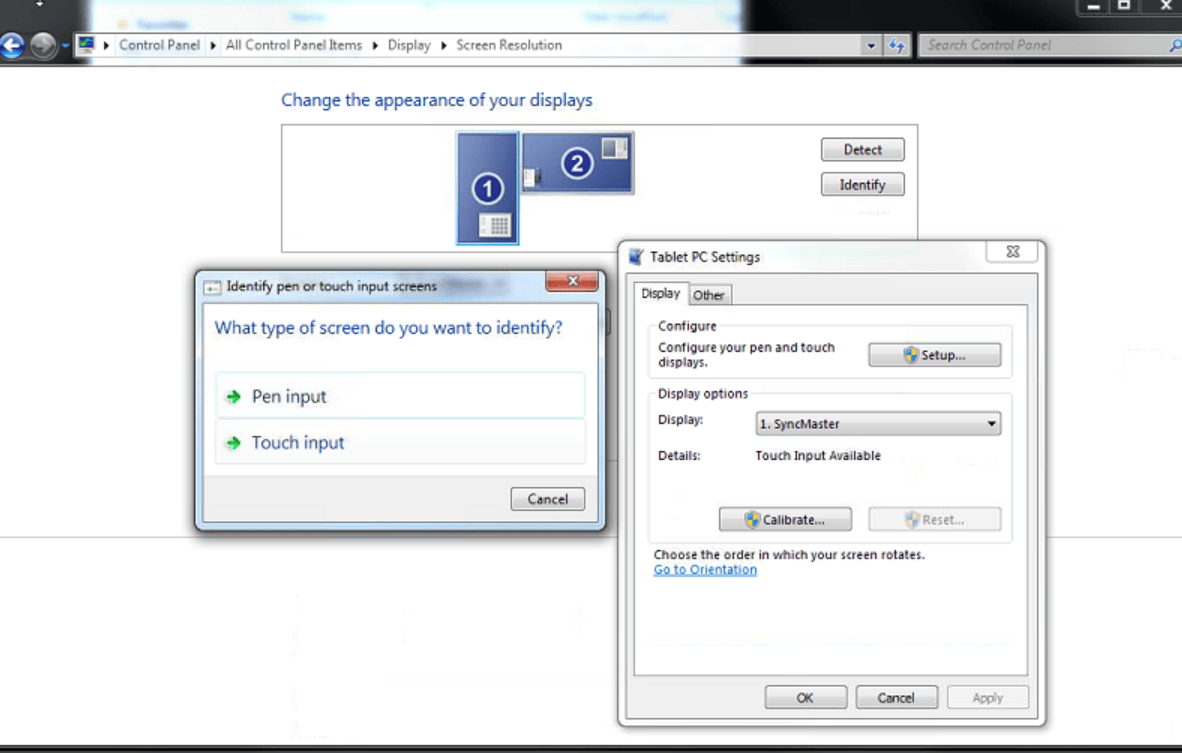
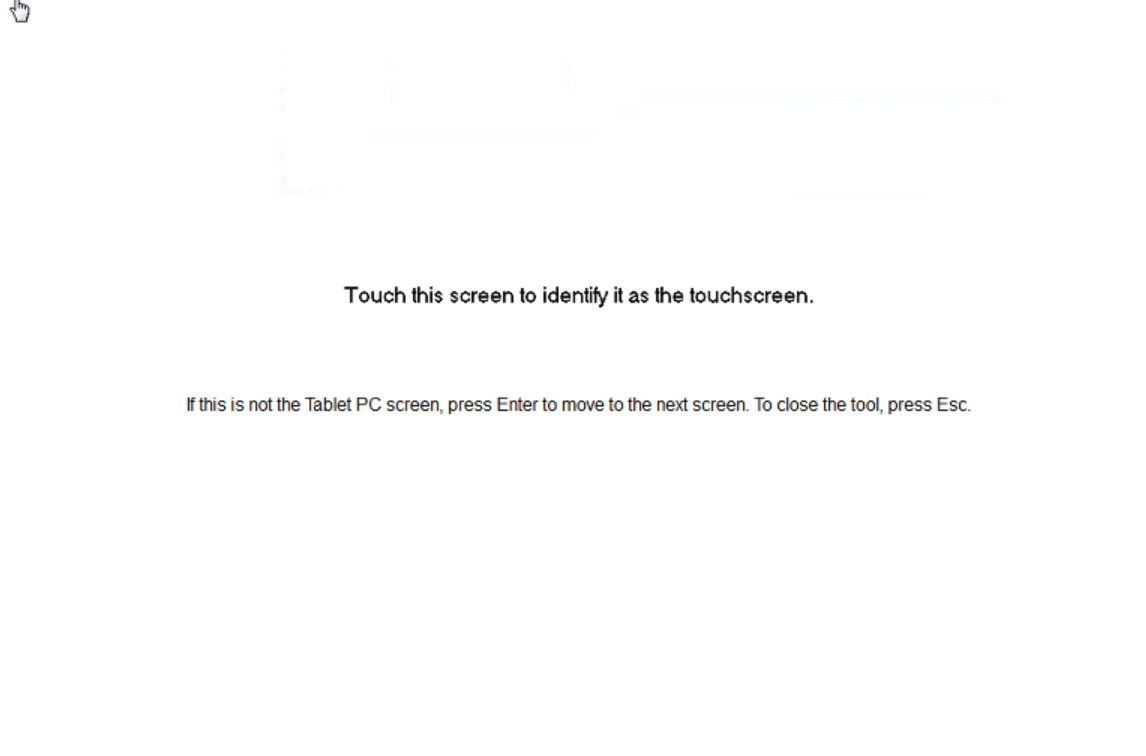
Touch the screen that is the one you will be using as a touch screen. Then calibrate and click OK and test.
Our Sponsors
- Advertise Me Pty Ltd

Digital Signage Solutions


Marco / admin / 30 Nov
Writing day to day ramblings about making money, business, technology, sharing awesome deals and everything else that I know I'll forget. Follow my personal blog https://marcotran.com.au
I've recently also turned Vegan and started this website Veggie Meals - check it out
"When technology speaks for itself, that is art" - MT
Affiliate Compensated: there are some articles with links to products or services that I may receive a commission.
OTHER ARTICLES YOU MAY LIKE

REVIEWING AND UNBOXING THE TOOCKI USB-C RIGHT ANGLE 1.2M CABLE
USB C cables are among the most ordinary accessories we own, yet they can make a surprisingly noticeable difference to how comfortable our devices are to use while charging. The Toocki USB C right angle cable is a good example of a simple accessory that tries to solve a very common irritation, because instead of […]
read more
SUPABASE BACKUP TUTORIAL: USE DBEAVER TO EXPORT YOUR DATABASE SAFELY
If you are building anything serious on Supabase, whether that is a client portal, a SaaS app, an internal dashboard, or even a small side project that is starting to get traction, having a reliable database backup process is one of those tasks that quickly moves from optional to essential. Supabase makes a lot of […]
read more


