
MOVAVI: A Professional Photo Editor for Mac – only 14!
March 21, 2016 / by Marco / Categories : Business, deals, design, entrepreneur, website

NOW ON: MOVAVI: A Professional Photo Editor for Mac – only 14!
Expires: March 23, 2016, 11:59 pm EST

Movavi Photo Editor for Mac is so easy to use, even beginners can transform their ordinary photos into artistic masterpieces. This intuitive interface lets you perform basic editing functions like resizing, cropping and rotating, but it does so much more. Remove unwanted objects from photos. Change up the background of a photo without affecting the main image. Add all sorts of filters and effects to give your photos a variety of different looks. It’s so easy to use, your friends may think you’ve taken some photography classes without telling them!
Highlights:
- Give your photos a professional edit, without the hassle of a complex editing program.
- Super easy-to-use, Movavi helps you quickly do a lot to your photos, with very little effort.
- Perform basic editing functions such as: Resize, Crop, Rotate, Flip and Level.
- Completely change up background images by magically swapping photo backdrops.
- Besides removing blemishes and imperfections, you can easily remove entire subjects (like Photobombers!) from your photos.
- Create your own semi-transparent text watermarks to protect your images.
- Add text captions to your photos, and have the ability to change up a variety of parameters such as fonts, alignment, line width and more.
- Add filters and tweak image parameters with a few easy clicks: Magic Enhance, Contrast, Brightness, Saturation, Temperature, Sepia, Oil Painting, Black-and-White, and more!
- Works with images in many of today’s popular formats including: JPG, PNG, GIF, TIFF, BMP, PIX and more.
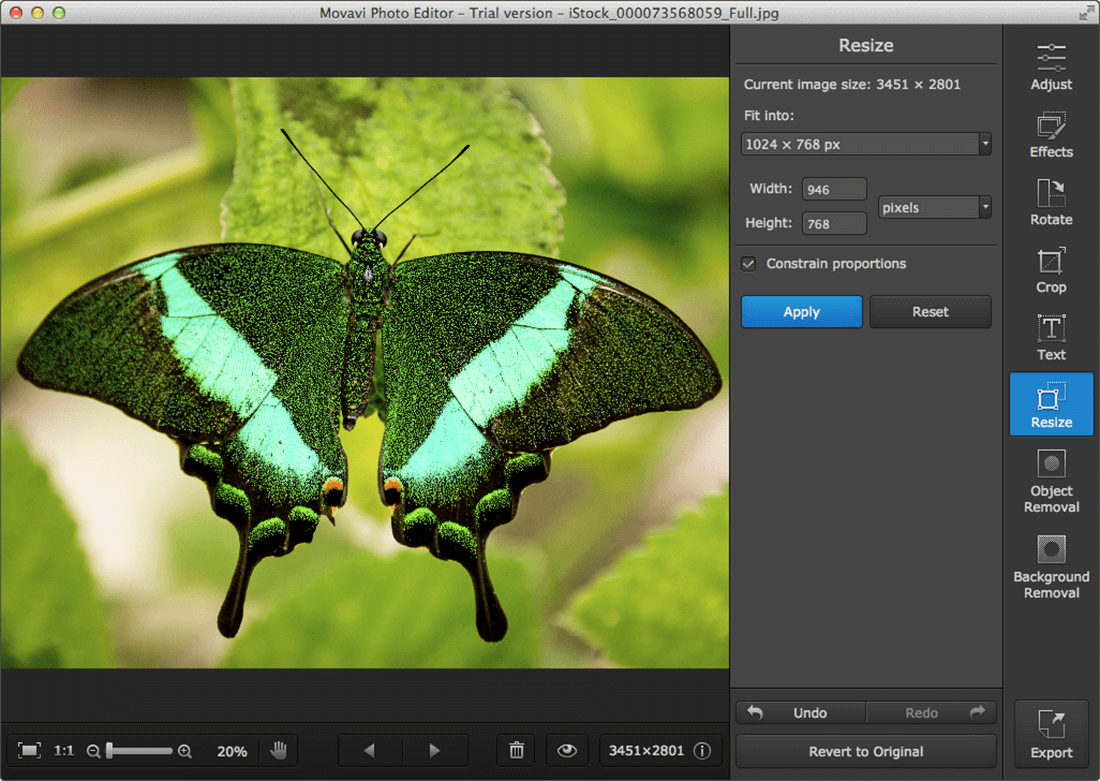
Screenshots:




Pricing:
Normally, Movavi Photo Editor for Mac sells for $29.95, but for a limited time only, you can get this amazing image tool for only $14! That’s a 53% savings off the regular price.
Click the BUY NOW button to give all of your photos a major facelift today!
Deal terms:
- You will receive the download and license key instantly, after completing your purchase.
- Your license works on Mac only.
- Mac version: Mac OS X 10.6 or later (including El Capitan)
- Display resolution of 800×600, 32-bit color, 128 MB RAM, minimum 150 MB free hard disk space for installation, 1 GB for ongoing operations.

Marco / admin / 30 Nov
Writing day to day ramblings about making money, business, technology, sharing awesome deals and everything else that I know I'll forget. Follow my personal blog https://marcotran.com.au
I've recently also turned Vegan and started this website Veggie Meals - check it out
"When technology speaks for itself, that is art" - MT
Affiliate Compensated: there are some articles with links to products or services that I may receive a commission.
OTHER ARTICLES YOU MAY LIKE

EASY TYRE PRESSURE SENSOR RESET TUTORIAL | RENAULT KOLEOS & SIMILAR CARS
If you have recently adjusted your tyres, topped up the air pressure, or seen a warning appear on your dashboard, knowing how to reset the tyre pressure monitoring system on a Renault Koleos can save you time and unnecessary worry. The process is quite straightforward once you know where to look in the vehicle menu, […]
read moreHOW TO USE GOOGLE WORKSPACE STUDIO FLOW IN GMAIL FOR SMART EMAIL AUTOMATION
Google keeps slipping new productivity features into Workspace, and sometimes the most useful ones are the tools you almost discover by accident while checking email. That is exactly the case with Studio Flow, a feature that has started appearing inside Gmail and wider Google Workspace environments, and it looks like Google is pushing further into […]
read more

