
Auto-Trace Almost Any Image with Super Vectorizer 2 for Mac – only $9!
March 20, 2017 / by Marco / Categories : Business, deals, design, entrepreneur, website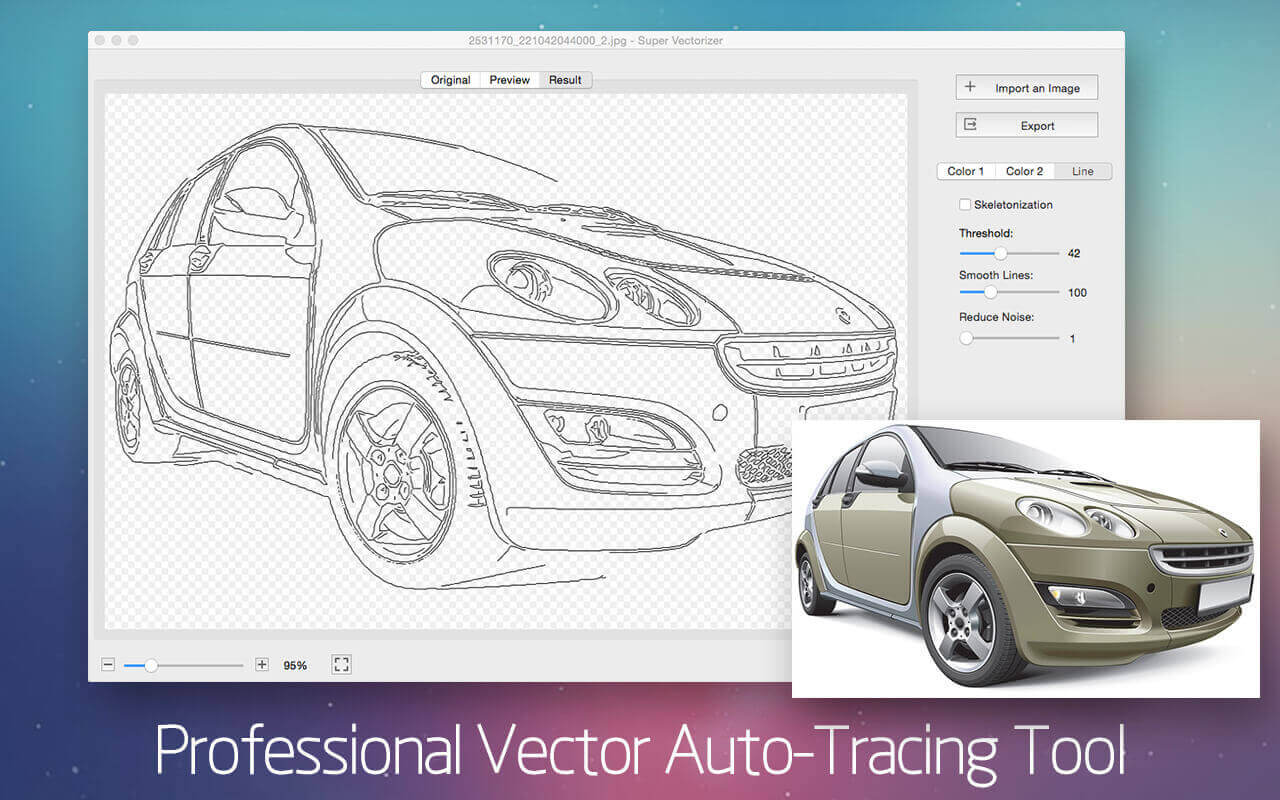

NOW ON: Auto-Trace Almost Any Image with Super Vectorizer 2 for Mac – only $9!
Expires: March 27, 2017, 11:59 pm EST
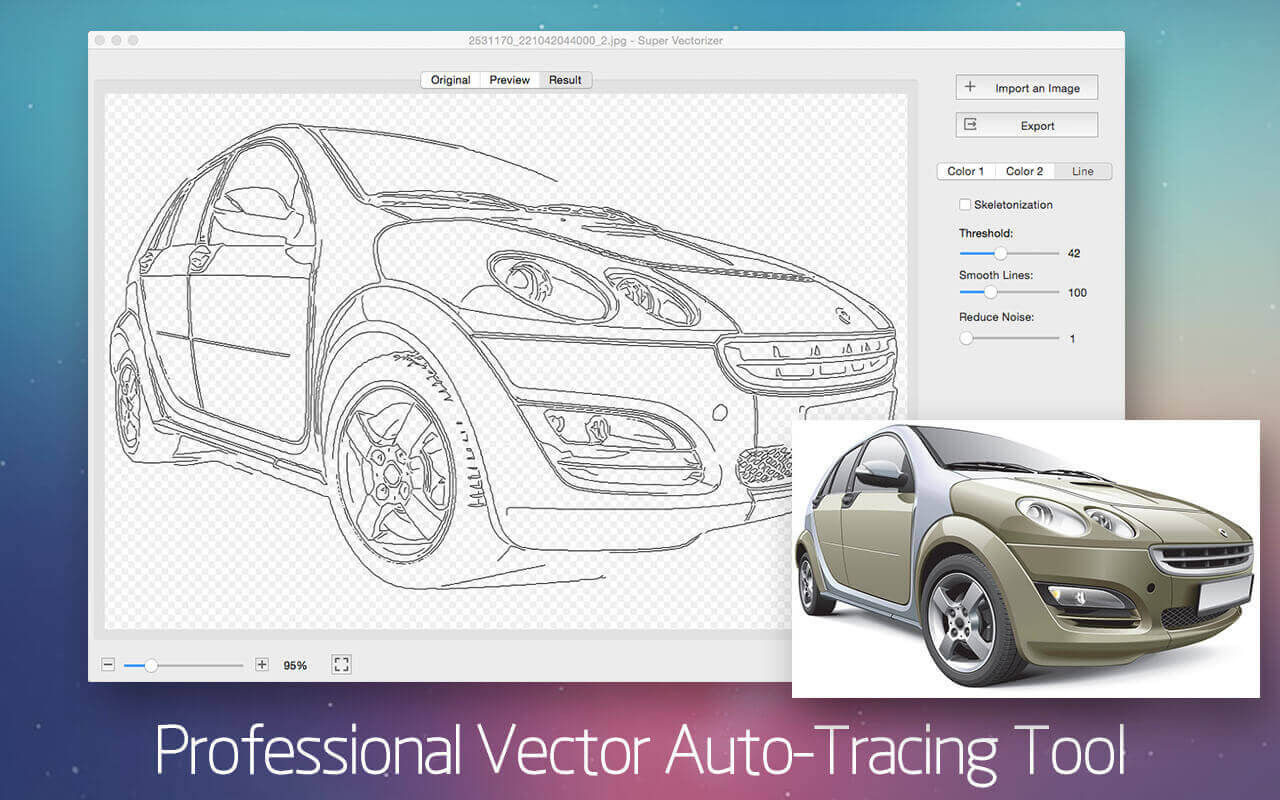
Now you can easily convert just about any image into a scalable vector! With the Super Vectorizer 2 for Mac, you can turn even a handmade pencil drawing into a scalable vector image. With support of up to 64 colors and able to trace images in more than 70 different file formats, this is one tool you can’t afford to live without!
Highlights:
- Professional auto vector-tracing app for Mac.
- Easily convert bitmap images (JPG, GIF, PNG) to scalable vectors: AI, SVG, DXF, PDF.
- Convert handmade drawings into vectors.
- Vectorize images by edge, color, gray color, skeletonization or line.
Automatic tracing for images in 70+ formats. - Supports up to 64 colors.


Pricing:
Normally, this helpful tool sells for $29.99 but for a limited time only, you can get Super Vectorizer 2 for Mac for only $9! That’s a savings of 70% off the regular price.
Click the BUY NOW button to start vectorizing today!
Deal terms:
- You will receive a setup file along with your unique license key (order confirmation email).
- System requirements: Mac OS X 10.8 or later.
- Lifetime license: 1 license for 1 Mac.
- For personal use in non-business environment.
- Support Center: http://www.effectmatrix.com/FAQS.htm

Marco / admin / 30 Nov
Writing day to day ramblings about making money, business, technology, sharing awesome deals and everything else that I know I'll forget. Follow my personal blog https://marcotran.com.au
I've recently also turned Vegan and started this website Veggie Meals - check it out
"When technology speaks for itself, that is art" - MT
Affiliate Compensated: there are some articles with links to products or services that I may receive a commission.
OTHER ARTICLES YOU MAY LIKE
USE THESE TOOLS TO BUILD YOUR BUSINESS
Building a business has never been short on ambition, but it has often been short on time, budget, and operational headroom. Founders are expected to market like a media team, sell like a seasoned closer, support customers around the clock, manage projects with precision, and still find space to think strategically. That is exactly why […]
read more
HOW TO USE SPLIT VIEW IN GOOGLE CHROME
Google Chrome is full of useful features that many people never notice until they appear by accident during everyday browsing. One of those quietly helpful tools is Split View, a feature that makes it much easier to work with two tabs side by side in the same browser window. If you regularly compare documents, read […]
read more


