
FIXED METABOX DOESN’T GO TO STANDBY OR SLEEP
April 22, 2018 / by Marco / Categories : Business, Windows
After a few months of struggling with this issue, I managed to fix the problem. The issue was the Metabox wouldn’t go to standby or sleep mode after x minutes that was set on the Power Settings in Windows 10. I basically changed all the settings in the Power and Sleep Additional Power Settings and nothing would fix it.
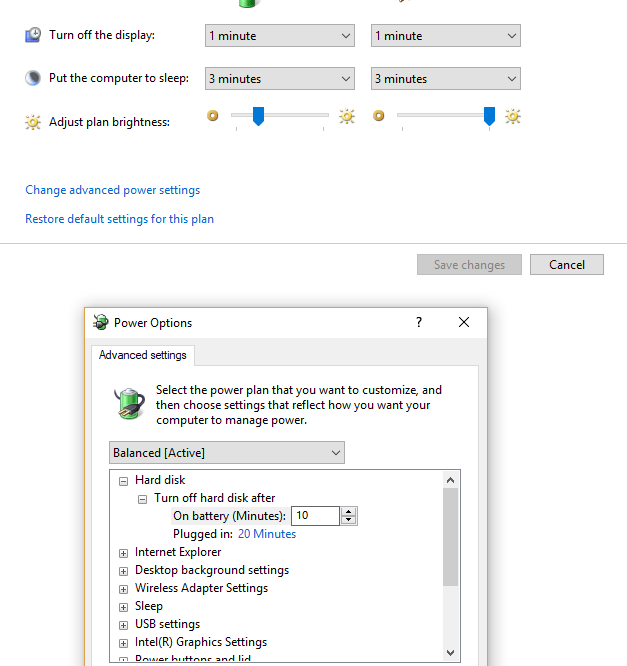
The fix was to use a command line I never knew existed (I’ve been using windows since Windows 3.11).
The command was:
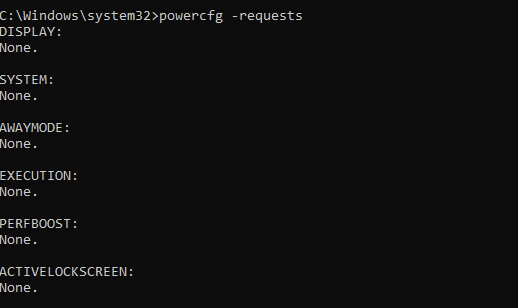
powercfg -requests
You have to use that in an Administrator command prompt. When I entered that command it returned the following:
C:\Windows\system32>powercfg -REQUESTSOVERRIDE DRIVER "Realtek High Definition Audio" SYSTEM

C:\Windows\system32>powercfg -requests
DISPLAY:
None.

SYSTEM:
[DRIVER] Realtek High Definition Audio (HDAUDIO\FUNC_01&VEN_10EC&DEV_1220&SUBSYS_15589501&REV_1000\4&27ae6d24&0&0001)
An audio stream is currently in use.

AWAYMODE:
None.

EXECUTION:
None.

PERFBOOST:
None.

ACTIVELOCKSCREEN:
None.
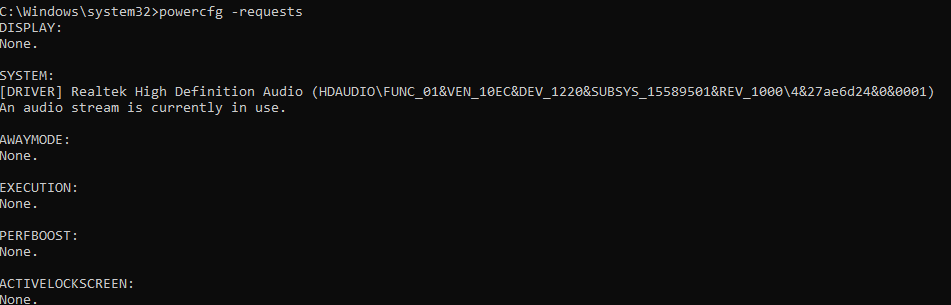
So the Realtek High Definition Audio showed that it was in use and needed to be removed. To do this:
powercfg -REQUESTSOVERRIDE DRIVER "Realtek High Definition Audio" SYSTEM
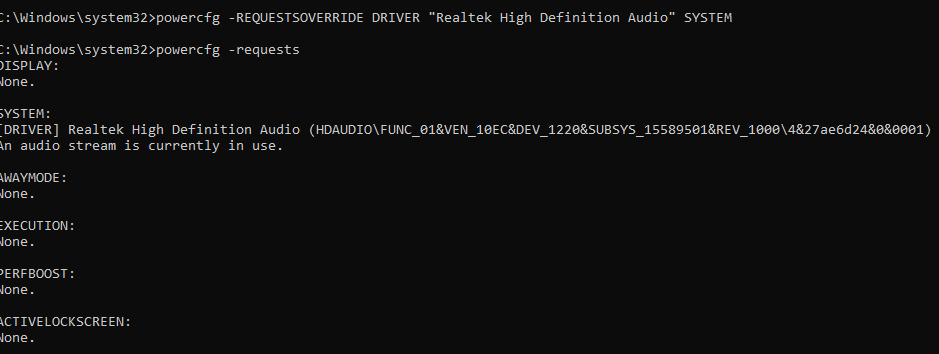
Check again and it’s now removed. Yuppie!!!

Marco / admin / 30 Nov
Writing day to day ramblings about making money, business, technology, sharing awesome deals and everything else that I know I'll forget. Follow my personal blog https://marcotran.com.au
I've recently also turned Vegan and started this website Veggie Meals - check it out
"When technology speaks for itself, that is art" - MT
Affiliate Compensated: there are some articles with links to products or services that I may receive a commission.
OTHER ARTICLES YOU MAY LIKE
HOW TO USE GOOGLE WORKSPACE STUDIO FLOW IN GMAIL FOR SMART EMAIL AUTOMATION
Google keeps slipping new productivity features into Workspace, and sometimes the most useful ones are the tools you almost discover by accident while checking email. That is exactly the case with Studio Flow, a feature that has started appearing inside Gmail and wider Google Workspace environments, and it looks like Google is pushing further into […]
read more
USE FUSEBASE TO AUTOMATE TEAMWORK AND COLLABORATION
If your business is growing, your team is juggling too many moving parts, and your client communication is spread across email threads, chat apps, documents, task boards, and endless follow ups, there is a good chance the real problem is not effort but fragmentation. Most businesses do not lose time because people are lazy. They […]
read more

