
HOW TO FIX: LOW DISK SPACE ERROR MESSAGE AFTER WINDOWS 10 UPDATE
May 11, 2018 / by Marco / Categories : Business, Software, Windows
I recently had to perform a Windows 10 Update (had no choice). After the update I kept on getting this error message:
Low Disk Space
You are running out of disk space on Local Disk (D:).
Click here to see if you can free space on this drive.
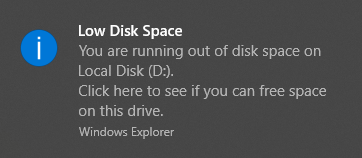
This new drive didn’t exist before the update and it appears to be an OEM Partition and it’s been assigned a drive letter.
The popup message was really getting annoying and it would appear every time I restarted the laptop. Apparently, there was a way to hack the registry to disable this popup message but I didn’t want to do this as I actually wanted to be notified when my C: was running out of disk space.
I tried going into Disk Management to remove the drive letter but there was no option to do this when I right clicked. See below:

THE FIX
I had to use the command tool called Diskpart. You need to run this tool in the command prompt as an administrator. Just follow the below steps or watch the video.
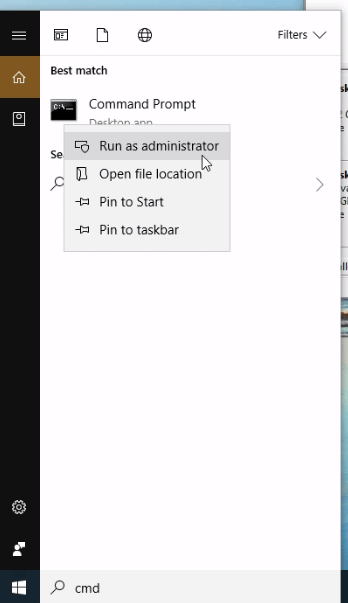
In the search type:
cmd

Right click and select Run as Administrator
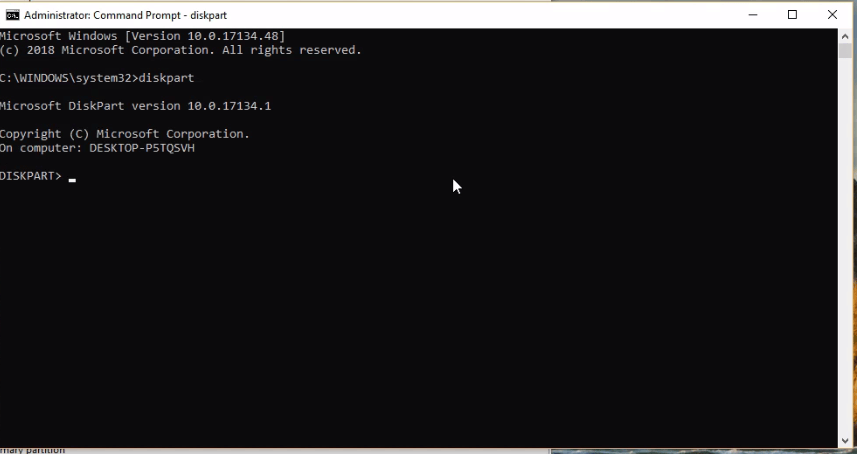
type:
diskpart
type
list volume
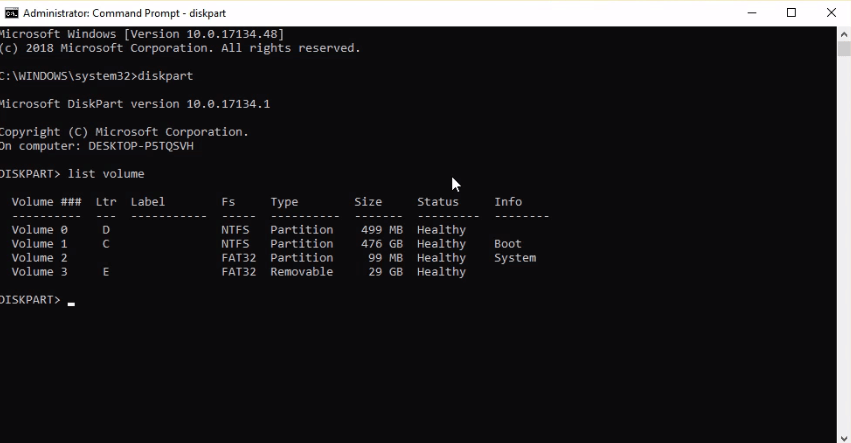
Check the volume number of the disk drive letter you want to remove
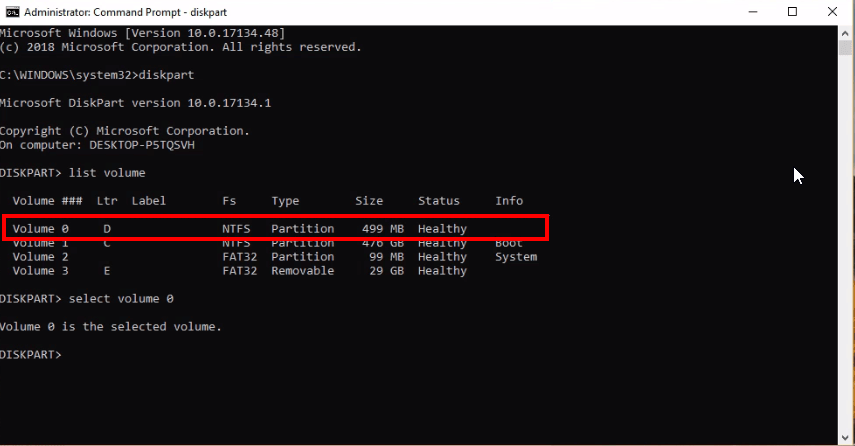
type:
select volume [number]
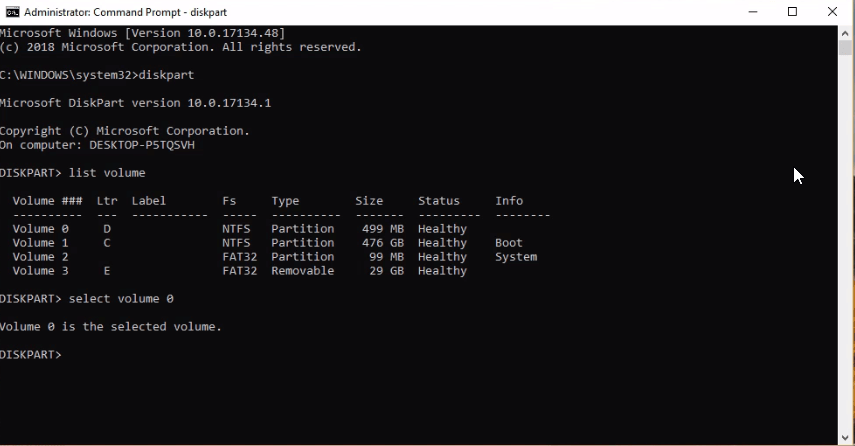
type:
remove letter [drive]
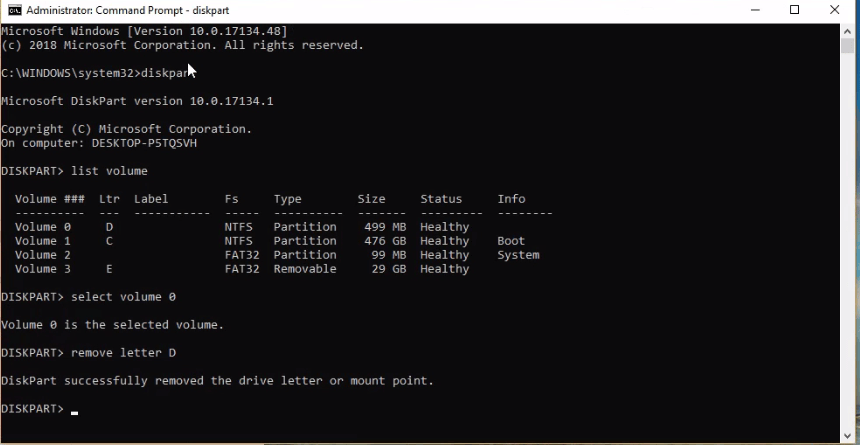
Now the popup message no longer appears!!! Hope this has helped some of you.
Our Sponsors
- Advertise Me Pty Ltd

Digital Signage Solutions
- Fitness Mania
Everything to do with fitness products ranging from gym equipment, fitness clothing, protein powder and lots more.
- My Healthy App
My Healthy App curates all the best and latest mobile health apps.




Marco / admin / 30 Nov
Writing day to day ramblings about making money, business, technology, sharing awesome deals and everything else that I know I'll forget. Follow my personal blog https://marcotran.com.au
I've recently also turned Vegan and started this website Veggie Meals - check it out
"When technology speaks for itself, that is art" - MT
Affiliate Compensated: there are some articles with links to products or services that I may receive a commission.
OTHER ARTICLES YOU MAY LIKE
HOW TO USE GOOGLE WORKSPACE STUDIO FLOW IN GMAIL FOR SMART EMAIL AUTOMATION
Google keeps slipping new productivity features into Workspace, and sometimes the most useful ones are the tools you almost discover by accident while checking email. That is exactly the case with Studio Flow, a feature that has started appearing inside Gmail and wider Google Workspace environments, and it looks like Google is pushing further into […]
read more
USE FUSEBASE TO AUTOMATE TEAMWORK AND COLLABORATION
If your business is growing, your team is juggling too many moving parts, and your client communication is spread across email threads, chat apps, documents, task boards, and endless follow ups, there is a good chance the real problem is not effort but fragmentation. Most businesses do not lose time because people are lazy. They […]
read more

