
iKlips II Lightning iOS Flash Drive for $69
August 11, 2018 / by Marco / Categories : Business, deals, design, entrepreneur, website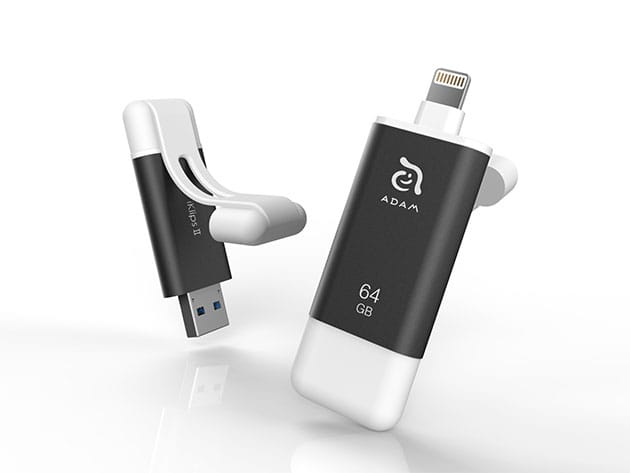

KEY FEATURES
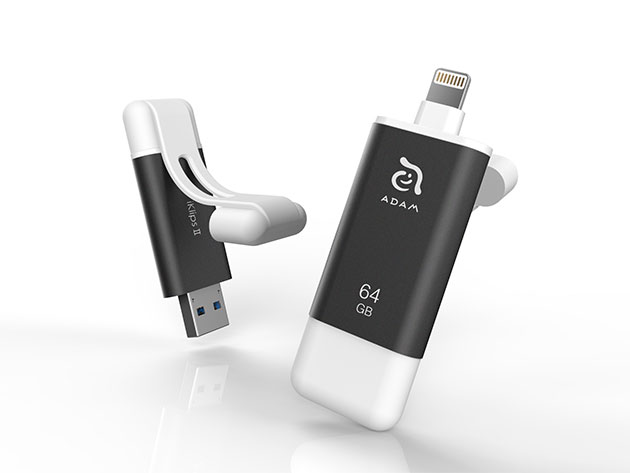
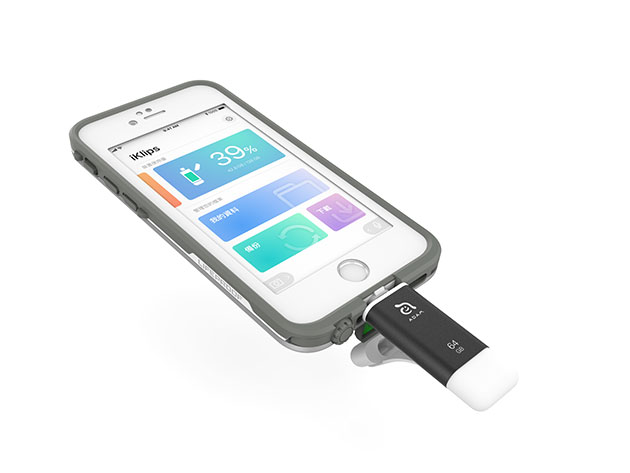
The iKlips II is far more advanced than your average flash drive. Housed inside a high-strength aluminum shell, the iKlips II is the only external flash drive to support the ex-FAT file format, which allows you to transfer files of any size from your iPhone or iPad to your computer. What’s more, this flash drive comes loaded with blazing-fast memory for 4K and 1080p HD videos, so you can put those fancy new iPhone cameras to use and easily offload your media for convenient storage and safekeeping.
- Transfer files of all sizes between iOS & PC or Mac
- Take anywhere thanks to its compact size & high-strength aluminum shell
- Use the extended connector to plug into your iPhone without removing its case
- Rapidly transfer 4K & 1080p videos
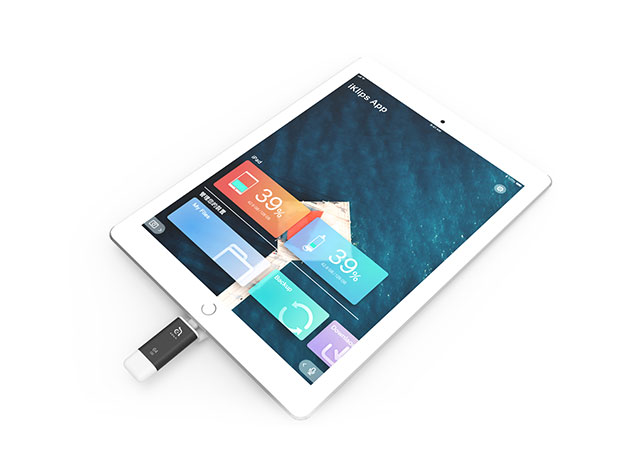
- Easily manage your files via the free iKlips iOS app
- Record videos & take pictures and store them directly to the flash drive via the iKlips app
- Use the iKlips app to secure your files w/ touch ID
PRODUCT SPECS
Specs
- Color: dark grey
- Size: 64GB
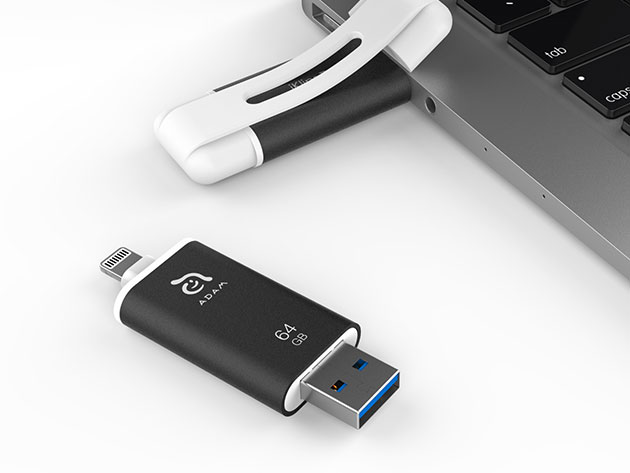
- Input interface: Lightning connector; USB type-A connector for USB 3.1
- Note: the two connectors cannot be plugged into any device simultaneously.
- Transfer speed: Lightning read/write speed up to 35/20 MB/s; USB 3.1 read/write speed up to 130/50 MB/s
- MFi-certified
- Certificates: CE/FCC/BSMI/C-tick/WEEE
- Memory solution: flash memory
- Format: FAT32, ex-FAT
- App requirement: free iKlips app
- Dimensions: 2.5″H x 0.7″L x 0.3″W
- Weight: 0.5oz
Compatibility
- iPhone X, 8, 8 Plus, 7, 7 Plus, SE, 6s, 6s Plus, 6, 6 Plus, 5s, 5c, and 5
- iPad Pro, mini 4, Air 2, mini 3, Air, mini 2, mini, and iPad (4th gen.)
- iPod touch 5 and 6th generations
- iOS 8 or above, macOS, Windows XP/7/8/10
- iKlips iOS companion app: iOS 8 or later
Includes
- iKlips II iOS Flash Drive (64GB/Dark Grey)
- Manufacturer’s 3-year warranty

Marco / admin / 30 Nov
Writing day to day ramblings about making money, business, technology, sharing awesome deals and everything else that I know I'll forget. Follow my personal blog https://marcotran.com.au
I've recently also turned Vegan and started this website Veggie Meals - check it out
"When technology speaks for itself, that is art" - MT
Affiliate Compensated: there are some articles with links to products or services that I may receive a commission.
OTHER ARTICLES YOU MAY LIKE

HOW TO USE SPLIT VIEW IN GOOGLE CHROME
Google Chrome is full of useful features that many people never notice until they appear by accident during everyday browsing. One of those quietly helpful tools is Split View, a feature that makes it much easier to work with two tabs side by side in the same browser window. If you regularly compare documents, read […]
read more
Mootion in 2026: The Essential Tool for Social Media and Presentation Success
Mootion in 2026 revolutionizes social media and presentations with innovative features, enhancing engagement and visual storytelling for impactful communication.
read more

