
Proxyman: Web Debugging Proxy for $29
April 13, 2020 / by Marco / Categories : Business, deals, design, entrepreneur, website


KEY FEATURES
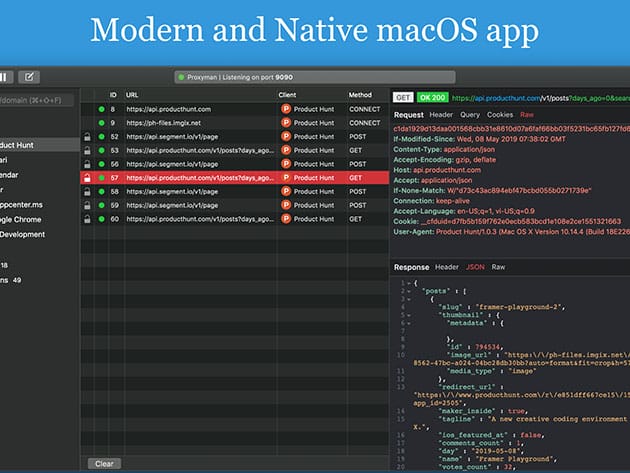
Simplified HTTPS debugging for everyone! Proxyman is a native, high-performance macOS application, which enables developers to observe and manipulate HTTP/HTTPS requests. Proxyman acts as a man-in-the-middle that logs all HTTP/HTTPS traffic between your applications and SSL Web Server. Proxyman will dynamically generate certificates on-the-fly, which enables developers to see HTTPS in plain text. It’s fully packed with a set of built-in tools that facilitate debugging procedures. Entirely written in Swift, CC+, and designed to run uninterruptedly at high performance with minimum system resource consumption, Proxyman optimizes RAM usage, battery life while maintaining the stability of your internet connection. Dedicatedly built as a native app, Proxyman is a superb tool that helps developers to complete their tasks and collaborate with the team.
- Strictly follows macOS Human Interface Guideline & focuses on a thorough UI/UX Program for better user experience
- Designed to run uninterruptedly at high-performance w/ minimum system resource consumption
- Acts as a middle man that logs all HTTP/HTTPS traffic between your applications & SSL Web Server
- Integrated w/ iOS simulators & iOS and Android devices
- Provides full set of built-in tools that facilitate debugging procedures
#1 Product of the Day on Product Hunt
Trusted by developers from Walmart, Atlassian, Shape, Futurice, and TablePlus
Trusted by 10,000+ independent developers
PRODUCT SPECS
Features
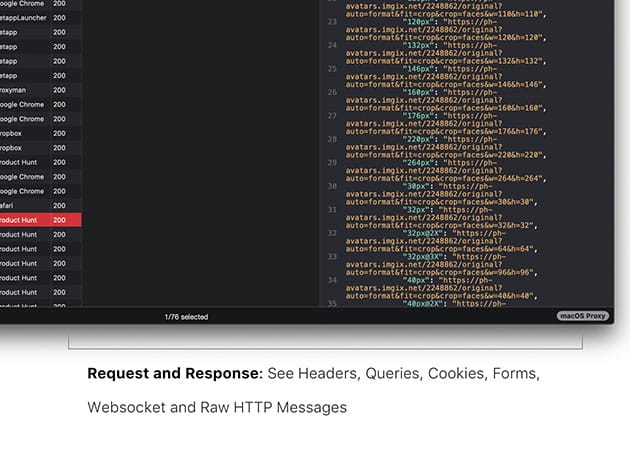
- Intercept Requests/ Responses
- SSL Proxying
- Proxying on iOS/ Android
- Export Requests/ Responses
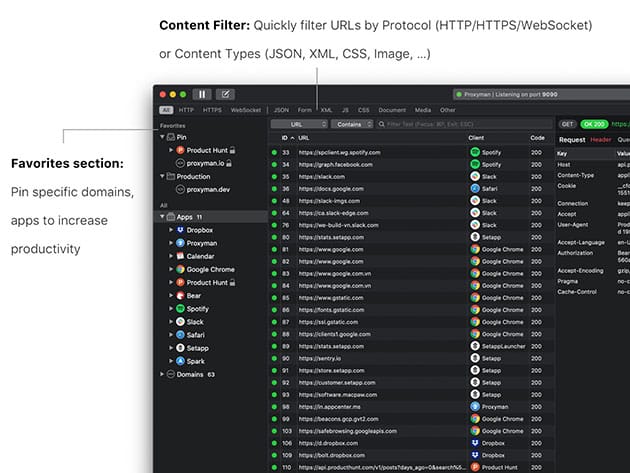
- Content Filter
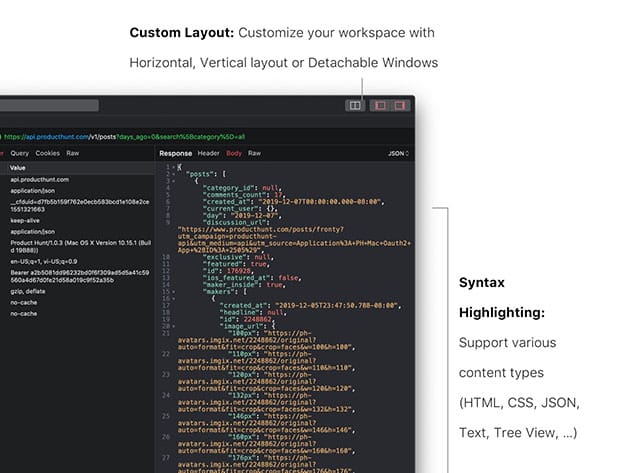
- Syntax Highlighting
- JSON/ Tree View Format
- Horizontal/Vertical Layout
- Finder Categorize
- Multiple Tabs
- Proxy Helper Tool
- Local Map
- Remote Map
- Breakpoint
- No Caching
- Repeat Requests
- Compose Requests
- WebSocket Debugging
- Whitelist/Blacklist
- External Proxying
System Requirements
- macOS 10.12+
Important Details
- License type: combo
- Length of access: 1 year
- Redemption deadline: redeem your code within 30 days of purchase
- Max number of devices: 2
- Access options: desktop
- Software version: 1.17.1
- Updates included

Marco / admin / 30 Nov
Writing day to day ramblings about making money, business, technology, sharing awesome deals and everything else that I know I'll forget. Follow my personal blog https://marcotran.com.au
I've recently also turned Vegan and started this website Veggie Meals - check it out
"When technology speaks for itself, that is art" - MT
Affiliate Compensated: there are some articles with links to products or services that I may receive a commission.
OTHER ARTICLES YOU MAY LIKE

USE THESE TOOLS TO BUILD YOUR BUSINESS
Building a business has never been short on ambition, but it has often been short on time, budget, and operational headroom. Founders are expected to market like a media team, sell like a seasoned closer, support customers around the clock, manage projects with precision, and still find space to think strategically. That is exactly why […]
read more
HOW TO USE SPLIT VIEW IN GOOGLE CHROME
Google Chrome is full of useful features that many people never notice until they appear by accident during everyday browsing. One of those quietly helpful tools is Split View, a feature that makes it much easier to work with two tabs side by side in the same browser window. If you regularly compare documents, read […]
read more

