
Proxyman: Web Debugging Proxy for $29
April 13, 2020 / by Marco / Categories : Business, deals, design, entrepreneur, website

KEY FEATURES
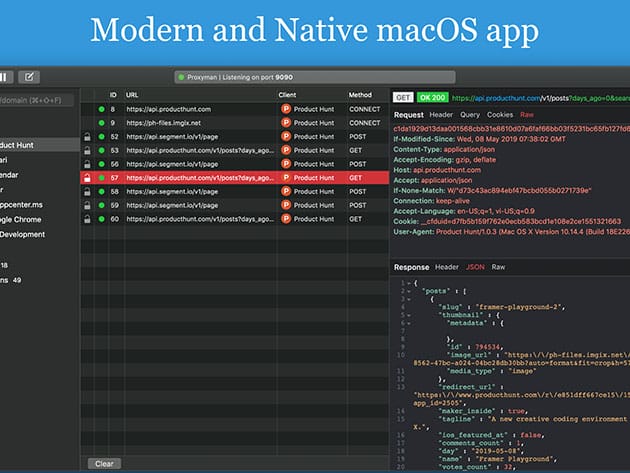
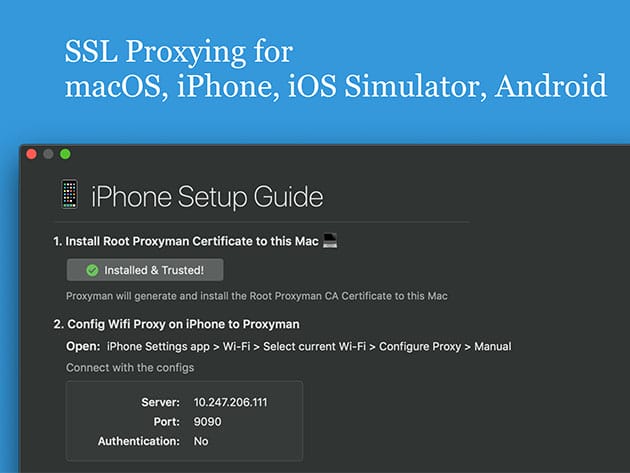
Simplified HTTPS debugging for everyone! Proxyman is a native, high-performance macOS application, which enables developers to observe and manipulate HTTP/HTTPS requests. Proxyman acts as a man-in-the-middle that logs all HTTP/HTTPS traffic between your applications and SSL Web Server. Proxyman will dynamically generate certificates on-the-fly, which enables developers to see HTTPS in plain text. It’s fully packed with a set of built-in tools that facilitate debugging procedures. Entirely written in Swift, CC+, and designed to run uninterruptedly at high performance with minimum system resource consumption, Proxyman optimizes RAM usage, battery life while maintaining the stability of your internet connection. Dedicatedly built as a native app, Proxyman is a superb tool that helps developers to complete their tasks and collaborate with the team.
- Strictly follows macOS Human Interface Guideline & focuses on a thorough UI/UX Program for better user experience
- Designed to run uninterruptedly at high-performance w/ minimum system resource consumption
- Acts as a middle man that logs all HTTP/HTTPS traffic between your applications & SSL Web Server
- Integrated w/ iOS simulators & iOS and Android devices
- Provides full set of built-in tools that facilitate debugging procedures
#1 Product of the Day on Product Hunt
Trusted by developers from Walmart, Atlassian, Shape, Futurice, and TablePlus
Trusted by 10,000+ independent developers
PRODUCT SPECS
Features
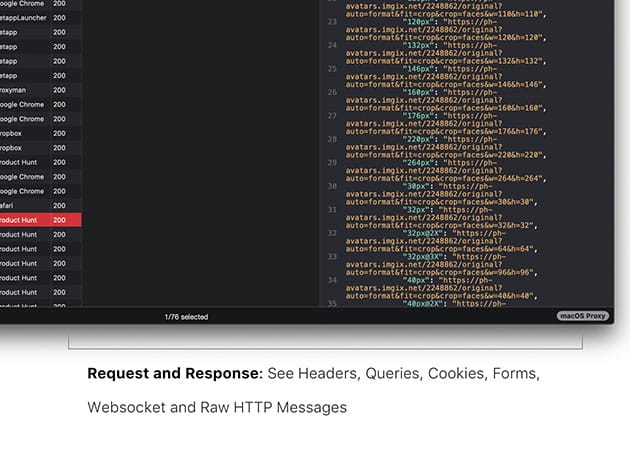
- Intercept Requests/ Responses
- SSL Proxying
- Proxying on iOS/ Android
- Export Requests/ Responses
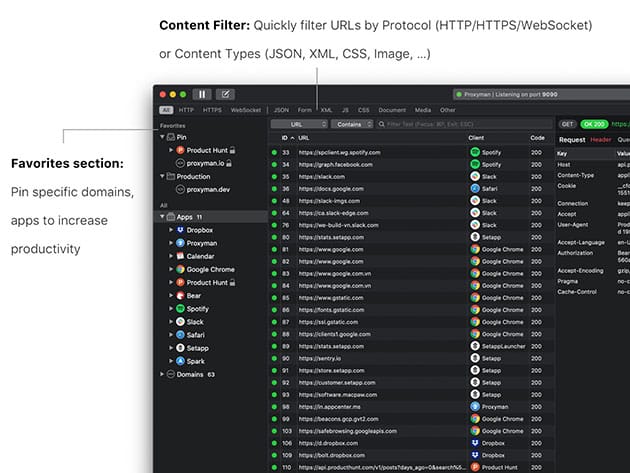
- Content Filter
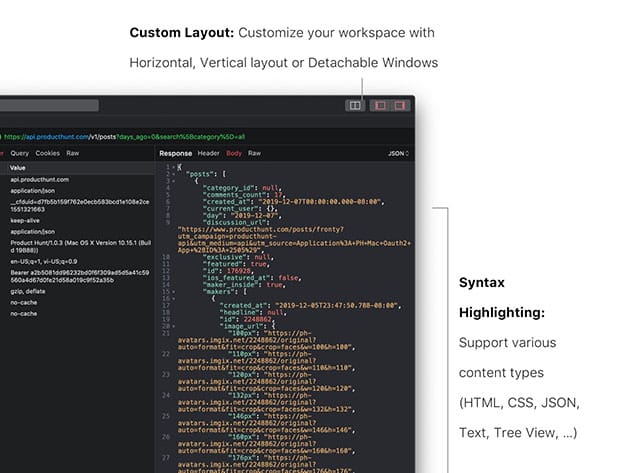
- Syntax Highlighting
- JSON/ Tree View Format
- Horizontal/Vertical Layout
- Finder Categorize
- Multiple Tabs
- Proxy Helper Tool
- Local Map
- Remote Map
- Breakpoint
- No Caching
- Repeat Requests
- Compose Requests
- WebSocket Debugging
- Whitelist/Blacklist
- External Proxying
System Requirements
- macOS 10.12+
Important Details
- License type: combo
- Length of access: 1 year
- Redemption deadline: redeem your code within 30 days of purchase
- Max number of devices: 2
- Access options: desktop
- Software version: 1.17.1
- Updates included

Marco / admin / 30 Nov
Writing day to day ramblings about making money, business, technology, sharing awesome deals and everything else that I know I'll forget. Follow my personal blog https://marcotran.com.au
I've recently also turned Vegan and started this website Veggie Meals - check it out
"When technology speaks for itself, that is art" - MT
Affiliate Compensated: there are some articles with links to products or services that I may receive a commission.
OTHER ARTICLES YOU MAY LIKE

REVIEWING AND UNBOXING THE TOOCKI USB-C RIGHT ANGLE 1.2M CABLE
USB C cables are among the most ordinary accessories we own, yet they can make a surprisingly noticeable difference to how comfortable our devices are to use while charging. The Toocki USB C right angle cable is a good example of a simple accessory that tries to solve a very common irritation, because instead of […]
read more
QUICK FIX TO CHANGE THE MAX SELL POWER TO LESS THAN 500W ON THE DEYE INVERTER
There are many reasons a home owner or installer might want to place a tight cap on how much solar power is exported to the public grid. Some households live under a strict export cap imposed by their local distribution network operator, others want to reduce export to focus on self consumption and battery charging, […]
read more

