
13.3” IPS Dispay Screen for Raspberry Pi, Windows & Gaming for $134
April 27, 2020 / by Marco / Categories : Business, deals, design, entrepreneur, website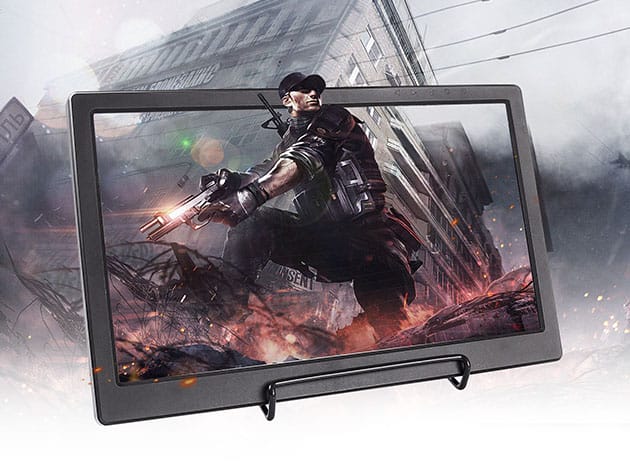


KEY FEATURES
Introducing this SunFounder 13.3-inch monitor which is so lightweight that you can carry it or move it outside easily, it also allows being powered with a portable battery when you are outside. As a professional IPS monitor, it is made with a mature technology that is capable of outstanding performance in showing the HD picture. That would be the best choice to use it as a gaming monitor. In addition, It’s perfect for a portable Raspberry Pi system PS3, PS4, WiiU, XBOX360, and Windows, a power-bank can drive this monitor, make you have no worries for the item charge issues.
- 13.3″ full HD screen w/ 1920×1080 resolution, IPS panel, 72% color gamut & wide visual angle
- Fast response speed & accurate color rendition perfect for both STEM learning and gaming
- Only 0.6″ thin, best portable monitor for travel & business occasions
- Multiple video interfaces support HDMI, USB output/input, & 3.55mm earphone output
- Works perfectly for Raspberry Pi, Windows System, PS3, PS4 & XBOX360
Note: Customers must be 18 years old+ to purchase
PRODUCT SPECS
Specs
- Screen size: 13.3″
- Dimensions: 12.72″L x 8.07″W x 0.6″D
- Visible area: 11.53″ x 6.50″
- Resolution: 1920 x 1080 FHD
- Pitch: 0.05×0.15mm
- Power: DC12V, USB 5V IN or 5V OUT
- Input signal: HDMI-1, HDMI-2
- Consumption: 10W
- Audio: two-way audio output, 8 Ω2W Headphone jack
- Operation mode: the Key operation
- Panel Type: IPS
- Display color: 262K
- Contrast: 800:1
- Brightness: 300cd/m2
- Interface type: Digital
- Backlight: LED
- Response time: 5ms
- Working temperature: 68°F ~ 176°F
- Working voltage: 5-12V
- Signal input:
- 3.5mm headphone output interface
1 channel 5V MIcro USB input and output interface, - Control mode: Multi-function OSD operation or Adjust brightness and color by potential
- OSD language: Simplified Chinese, Traditional Chinese, English, Japanese, Korean, Spanish, French, German, Italian, Portuguese
Viewing angle: 178 degrees wide viewing angle - Manufacturer’s 1-year warranty
Compatibility
- Raspberry Pi, Windows Sytem, PS3, PS4, XBOX360
Includes
- 13.3″ monitor
- HDMI cable
- 12V 2A power adapter
- USB cable
- Folding metal rack
- Manual

Marco / admin / 30 Nov
Writing day to day ramblings about making money, business, technology, sharing awesome deals and everything else that I know I'll forget. Follow my personal blog https://marcotran.com.au
I've recently also turned Vegan and started this website Veggie Meals - check it out
"When technology speaks for itself, that is art" - MT
Affiliate Compensated: there are some articles with links to products or services that I may receive a commission.
OTHER ARTICLES YOU MAY LIKE
HOW TO USE GOOGLE WORKSPACE STUDIO FLOW IN GMAIL FOR SMART EMAIL AUTOMATION
Google keeps slipping new productivity features into Workspace, and sometimes the most useful ones are the tools you almost discover by accident while checking email. That is exactly the case with Studio Flow, a feature that has started appearing inside Gmail and wider Google Workspace environments, and it looks like Google is pushing further into […]
read more
USE FUSEBASE TO AUTOMATE TEAMWORK AND COLLABORATION
If your business is growing, your team is juggling too many moving parts, and your client communication is spread across email threads, chat apps, documents, task boards, and endless follow ups, there is a good chance the real problem is not effort but fragmentation. Most businesses do not lose time because people are lazy. They […]
read more

