
HDR Projects 7 Professional: Photo Editing Software for $39
May 11, 2020 / by Marco / Categories : Business, deals, design, entrepreneur, website



KEY FEATURES
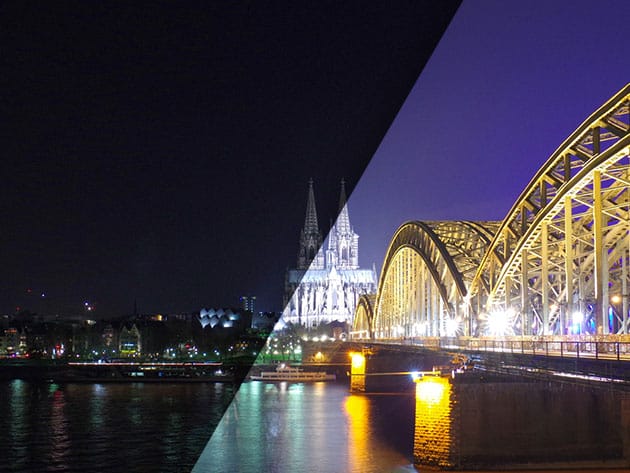
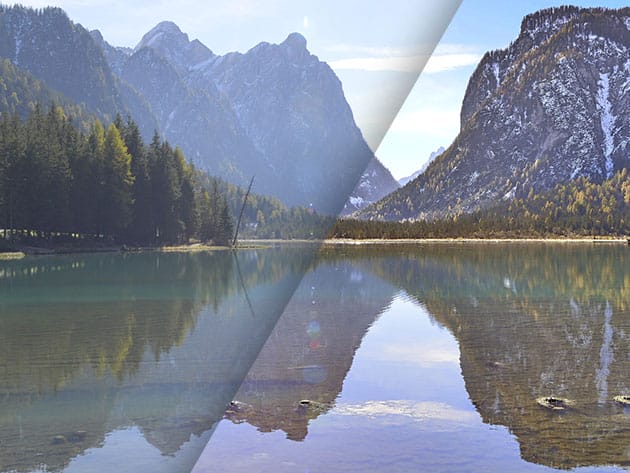
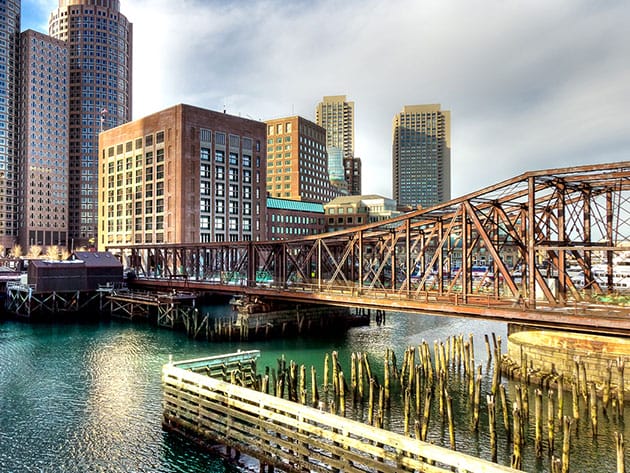
Have you ever photographed a scene and are surprised that the image looks different and lifeless on screen? HDR technology helps you to fix that! Spectacular photos in next to no time – that’s what the HDR Projects series is all about. Only a few steps and your photos are left perfectly exposed with unimaginable stunning contrast and detail. Alongside the reliable quality-enhancing tools you know and love, this seventh edition offers a wide range of new features for impressive image results. You can simply load your images in HDR Projects and let the program do all the work. Choose from over 100 image suggestions to find the one you like best.
#5 Best HDR Software in 2020 — CaptainKimo.com
- Standalone version & plugin for Adobe® Lightroom Classic® and Photoshop®
- 4K support for the program interfaces
- Image alignment according to subject type: Landscape, architecture & many more
- Color-exact tone mapping for clear & realistic color rendering
- 8 digital color filters for selective simulation of chromatic photo filters
- 5 new HDR distribution presets guaranteeing optimal utilization of image light information
- Best results with minimal effort
- Optimized for individual images & image series, with or without tripods
PRODUCT SPECS
System Requirements
- Windows
- Windows 10/8/7, 64Bit
- Processor: Intel i5
- Storage: 2GB – 4GB HDD
- Pixel screen resolution: 1280×1024
- Graphics card: DirectX-8 compatible, 128MB, 32bit color depth
- Mac
- OS X 10.7 or later, 64 Bit
- Processor: Intel/G5
- Storage: 2GB – 4GB HDD
- Pixel screen resolution: 1280×1024
Important Details
- Length of access: lifetime
- Redemption deadline: redeem your code within 30 days of purchase
- Max number of devices: 2
- Access options: desktop
- Software version: 7
- All minor updates included

Marco / admin / 30 Nov
Writing day to day ramblings about making money, business, technology, sharing awesome deals and everything else that I know I'll forget. Follow my personal blog https://marcotran.com.au
I've recently also turned Vegan and started this website Veggie Meals - check it out
"When technology speaks for itself, that is art" - MT
Affiliate Compensated: there are some articles with links to products or services that I may receive a commission.
OTHER ARTICLES YOU MAY LIKE

REVIEWING AND UNBOXING THE TOOCKI USB-C RIGHT ANGLE 1.2M CABLE
USB C cables are among the most ordinary accessories we own, yet they can make a surprisingly noticeable difference to how comfortable our devices are to use while charging. The Toocki USB C right angle cable is a good example of a simple accessory that tries to solve a very common irritation, because instead of […]
read more
QUICK FIX TO CHANGE THE MAX SELL POWER TO LESS THAN 500W ON THE DEYE INVERTER
There are many reasons a home owner or installer might want to place a tight cap on how much solar power is exported to the public grid. Some households live under a strict export cap imposed by their local distribution network operator, others want to reduce export to focus on self consumption and battery charging, […]
read more

