WINDOWS 11 UPGRADE
November 5, 2021 / by Marco / Categories : Business, Technology
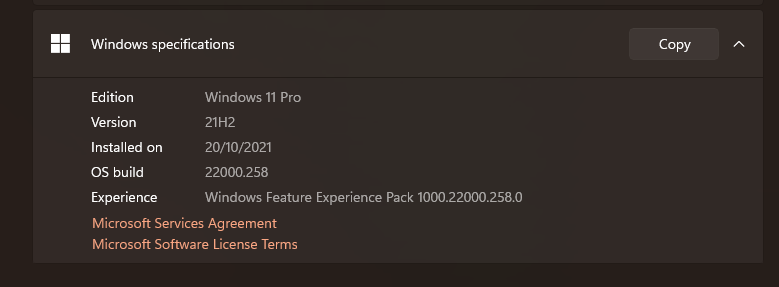
Are you planning to upgrade from Windows 10 to Windows 11? Don’t know what to do or your PC doesn’t meet the requirements? You may be in luck as we were able to upgrade our laptops to Windows 11.
Here is a video if you’re experiencing an issue with the PC not meeting all the Windows 11 requirements such as the TPM 2.0 or CPU speed, then you must watch this (yes! It’s possible to perform the upgrade so don’t give up):
If you have a newish PC then the process is much easier. Just follow this video and you’ll be able to upgrade your device to Windows 11 – it may take roughly 40-60 minutes depending on the speed of your computer and your Internet.
Here’s also a video of me testing the Windows 11 snapping feature with layouts:
Have you upgraded to Windows 11 yet?

Marco / admin / 30 Nov
Writing day to day ramblings about making money, business, technology, sharing awesome deals and everything else that I know I'll forget. Follow my personal blog https://marcotran.com.au
I've recently also turned Vegan and started this website Veggie Meals - check it out
"When technology speaks for itself, that is art" - MT
Affiliate Compensated: there are some articles with links to products or services that I may receive a commission.
OTHER ARTICLES YOU MAY LIKE

USING THE LATEST CLAUDE MODEL TO BUILD GREAT TOOLS
If you have ever had an idea for a small tool but stopped because coding felt too hard, the latest Claude model makes that gap much smaller. You can now describe what you want in plain English, ask Claude to plan it, build the first version, improve the design, write the logic, test the workflow, […]
read more
REVIEWING AND UNBOXING THE TOOCKI USB-C RIGHT ANGLE 1.2M CABLE
USB C cables are among the most ordinary accessories we own, yet they can make a surprisingly noticeable difference to how comfortable our devices are to use while charging. The Toocki USB C right angle cable is a good example of a simple accessory that tries to solve a very common irritation, because instead of […]
read more