
HOW TO USE GOOGLE WORKSPACE STUDIO FLOW IN GMAIL FOR SMART EMAIL AUTOMATION
March 21, 2026 / by Marco / Categories : BusinessGoogle keeps slipping new productivity features into Workspace, and sometimes the most useful ones are the tools you almost discover by accident while checking email. That is exactly the case with Studio Flow, a feature that has started appearing inside Gmail and wider Google Workspace environments, and it looks like Google is pushing further into practical automation for everyday business users who do not necessarily want to build complicated systems from scratch. If you run a small business, manage invoices, juggle admin, or simply want repetitive digital chores handled for you, this is the kind of feature worth paying attention to because it brings workflow automation closer to the place where many people already spend a large chunk of their working day.
In this test, the feature appears directly inside Gmail, where a new Studio icon opens access to existing flows and the option to create more. Rather than forcing users through a technical setup process first, Google is leaning on Gemini to help build workflows from plain language instructions. That matters because the biggest obstacle with automation has never really been the idea of automation itself. It has been the friction involved in setting it up, naming conditions, connecting services, deciding what happens first, and then debugging the whole thing when one field is missing. Studio Flow seems designed to reduce that barrier, while still allowing enough control to make the workflow useful for real work.
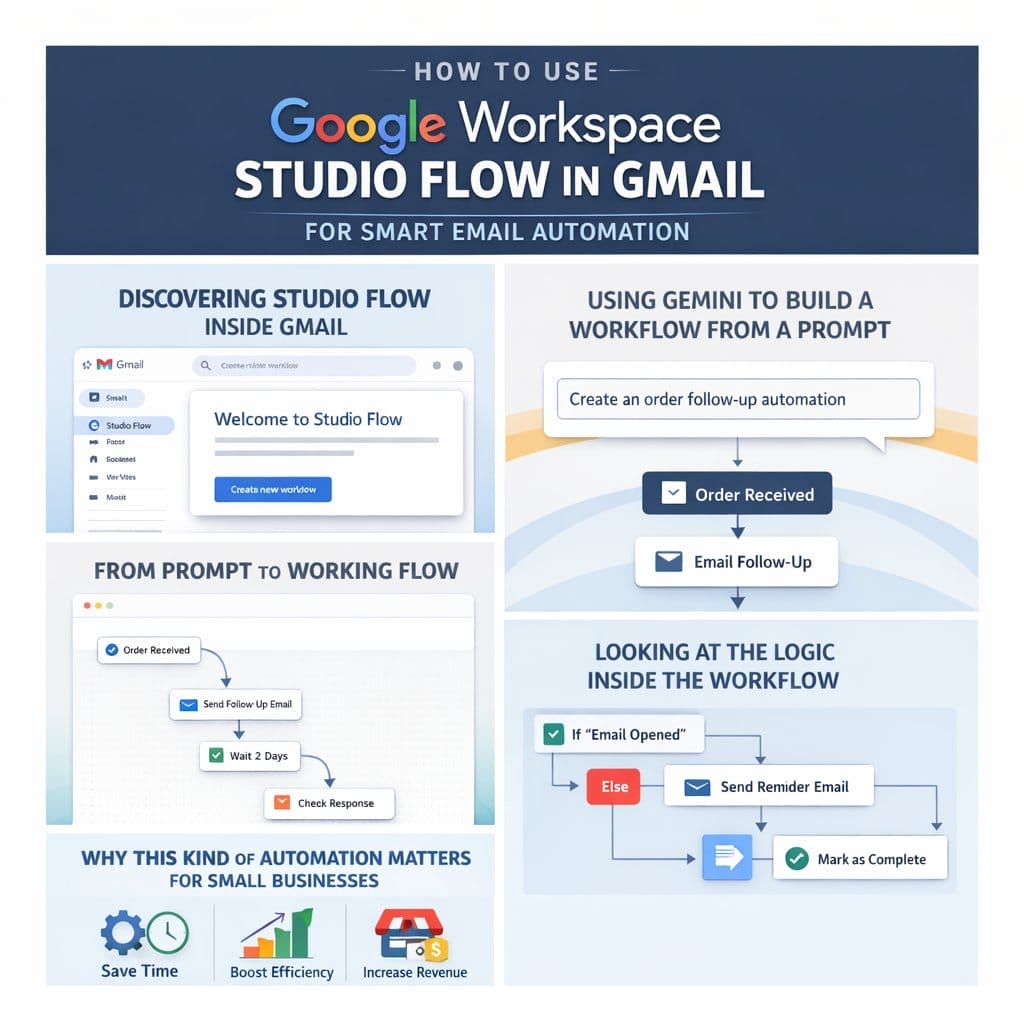
DISCOVERING STUDIO FLOW INSIDE GMAIL
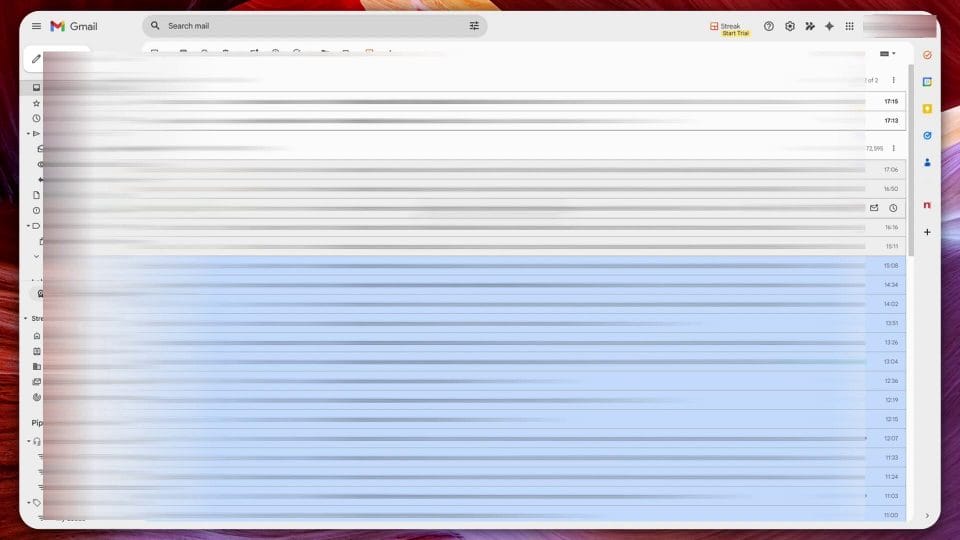
The first interesting thing about this feature is where it shows up. Instead of being hidden in some admin panel or advanced settings page, Studio Flow appears within Gmail itself, which is a smart move from Google because email remains the trigger point for countless business processes. Orders arrive by email, invoices arrive by email, approvals arrive by email, meeting requests arrive by email, and reminders often begin life as an email someone meant to deal with later. Putting a workflow tool inside Gmail makes immediate sense because it meets the user at the moment a process begins.
Once the Studio panel opens, you can see a list of flows that have already been created. That alone gives a useful hint about the direction of the product. This is not just a one off assistant command where Gemini answers a question and disappears. It is a repeatable automation layer that can sit quietly in the background and keep doing the same task whenever the trigger conditions are met. For business users, that distinction is important because the real value of automation is not in doing something clever once. It is in doing something boring correctly every single time without needing your attention.
The example flows already in use make the feature easier to understand. One delivers a daily summary of unread emails, which is practical for anyone dealing with a crowded inbox and wanting a quick overview rather than being dragged into constant message checking. Another identifies invoice emails, creates a task, extracts invoice information, and stores documents in Google Drive. These are not flashy automations, but they are exactly the kind that save time, reduce missed actions, and improve consistency across a working week.
USING GEMINI TO BUILD A WORKFLOW FROM A PROMPT
One of the most appealing parts of Studio Flow is the way it starts with a plain language prompt. Instead of opening with a technical diagram or a list of connectors and actions, Google encourages you to describe what you want Gemini to do. That simple change in approach could make workflow tools far more approachable for solo founders, freelancers, admin staff, small teams, and anyone who has previously looked at automation platforms and decided they were too fiddly to bother with.
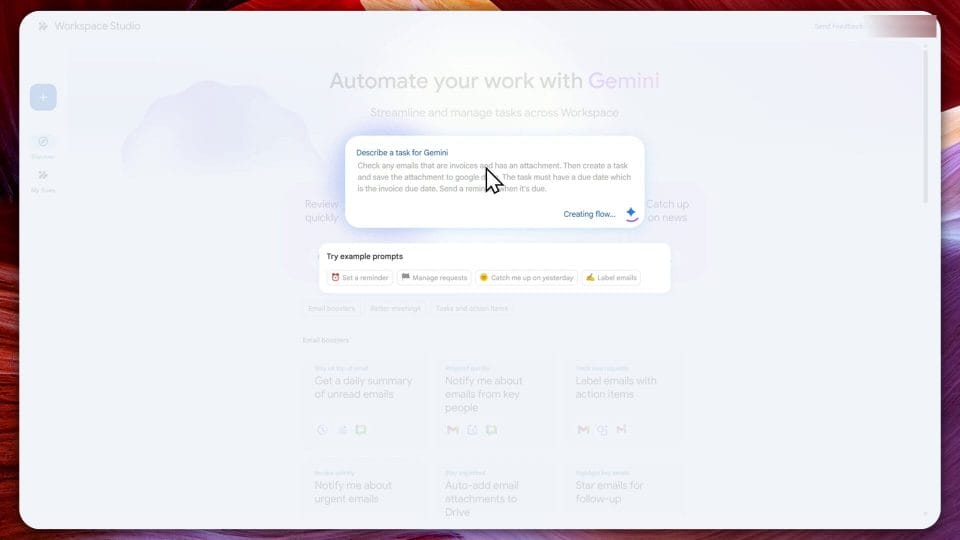
In the example being tested, the prompt is straightforward and useful. The request is to check any emails that are invoices and have an attachment, then create a task and save the attachment to Google Drive. On top of that, the task should include a due date based on the invoice due date and send a reminder when payment is due. That is a realistic business scenario because invoice processing is one of those recurring admin tasks that often becomes messy when handled manually. Files get left in inboxes, due dates get forgotten, and the same document ends up downloaded to the wrong place or not stored centrally at all.
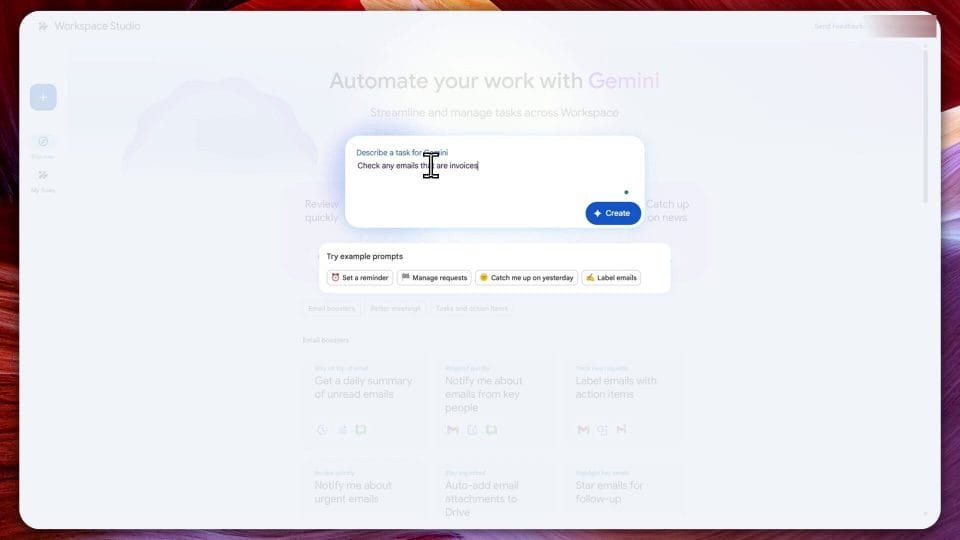
What makes this especially promising is that the prompt does not have to be written like code. It reads more like a natural instruction, similar to the way people now interact with AI chat tools. That lowers the entry barrier, although it does not eliminate the need for human review. In practice, prompt based automation is at its best when it gets you eighty percent of the way there quickly, and then you refine the remaining details manually. That appears to be exactly how Studio Flow works, which is probably the right balance for a tool built for business use rather than experimentation alone.
There is also a wider lesson here about where business software is going. More tools are moving away from rigid setup interfaces and toward AI assisted configuration. Instead of asking users to understand the software first and then tell it what to do, these systems increasingly ask users what outcome they want and then attempt to build the logic underneath. The software still needs structure, validation, and permissions, but the initial creation process becomes much less intimidating.
FROM PROMPT TO WORKING FLOW
After submitting the instruction, Gemini creates the workflow automatically. This is the moment where a feature like this either feels genuinely helpful or disappointingly shallow. If the generated workflow is sensible, editable, and easy to test, then it becomes a practical business tool. If it creates something vague and unusable, then it ends up as a gimmick. In this case, the result looks meaningful enough to continue with, and that is an encouraging sign.
The generated flow lays out the steps in a visual, structured way, which is useful for understanding the logic. You can see the trigger, the decision making step, the extraction of relevant information, the save to Drive action, and the task creation process. This matters because transparency is essential in workflow automation. People need to understand what the system is doing before they trust it with business admin. A black box assistant might be fine for drafting text, but it is far less acceptable when invoices, deadlines, files, and reminders are involved.
It is also immediately clear that generated does not mean finished. The workflow includes a required field that still needs to be specified before it can be activated. That is actually reassuring rather than disappointing. A completely automatic setup with no checks would sound convenient, but it would also increase the risk of errors, bad assumptions, and workflows running with incomplete or incorrect settings. By surfacing missing fields and forcing the user to complete them, Google is adding a necessary review stage that should help prevent broken automations from going live.
For business users, this is where attention still matters. AI can accelerate setup, but it should not replace verification. If a flow is saving files to the wrong folder, creating incomplete tasks, or misunderstanding what counts as an invoice, the time saved at setup quickly turns into more time spent cleaning up mistakes. The workflow builder appears to recognise this by making the review process part of the normal flow rather than an afterthought.
LOOKING AT THE LOGIC INSIDE THE WORKFLOW
Once inside the workflow editor, the step by step logic becomes more visible. The first stage begins when an email is received. That seems obvious, but it points to one of the strongest use cases for this feature. Email is often the input source for business activity, and if Studio Flow can reliably interpret and act on incoming messages, it can remove a lot of manual triage work. Instead of reading every message and deciding whether to file it, task it, ignore it, or save an attachment, the system can begin to handle those routine decisions based on your rules.
From there, the workflow checks whether the email requires payment or qualifies as an invoice. The transcript suggests this may be referencing a library of pre built logic, which would be a clever addition because invoice detection is not always as simple as spotting one exact phrase. Invoices can vary by sender, format, language style, and attachment type. If Google has built reusable intelligence into these checks, that could make the feature much more dependable than a simplistic keyword filter.
The ability to add more variables from the email body also stands out. This means the flow is not limited to just sender or subject line checks. It can potentially work with content inside the email itself, opening the door to richer automation. For example, a business might later use similar flows to route leads, flag urgent client requests, categorise support issues, or pull booking details from confirmations. The invoice example is a good place to start because it is concrete, but the underlying mechanics suggest much broader potential.
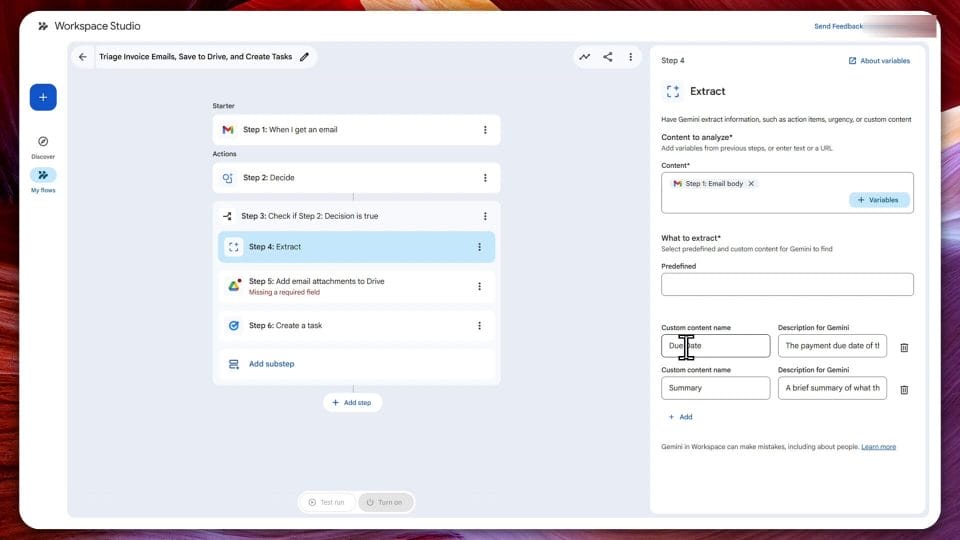
If the condition is true, meaning the email does look like an invoice and includes an attachment, the flow moves on to extraction. This is arguably one of the most useful parts because extracting the due date and a short summary turns a simple file saving action into something operational. A saved invoice in Drive is helpful, but a task with the correct due date is what actually helps ensure the bill gets paid on time. The more context the system can pull out accurately, the more the workflow shifts from storage automation to decision support.
Then comes a very practical step that should not be overlooked. You need to choose a Google Drive folder. It sounds minor, but this is exactly the sort of detail that makes the difference between useful automation and a mess. If documents are not going somewhere predictable and accessible, the process loses much of its value. In this example, the chosen folder is invoices, which is logical and easy to maintain. It also shows that Studio Flow is not trying to guess everything. It leaves certain organisational choices to the user, which is sensible because folder structures vary across businesses.
WHY THIS KIND OF AUTOMATION MATTERS FOR SMALL BUSINESSES
For larger organisations, workflow automation is nothing new. They have long used internal systems, finance tools, and custom software to route documents and trigger actions. What is different here is the level of accessibility. A small business owner working from Gmail and Drive can now experiment with useful automation without buying a separate enterprise platform or hiring a specialist to wire everything together. That makes tools like Studio Flow potentially significant, not because they are revolutionary in concept, but because they are being embedded in software people already use every day.
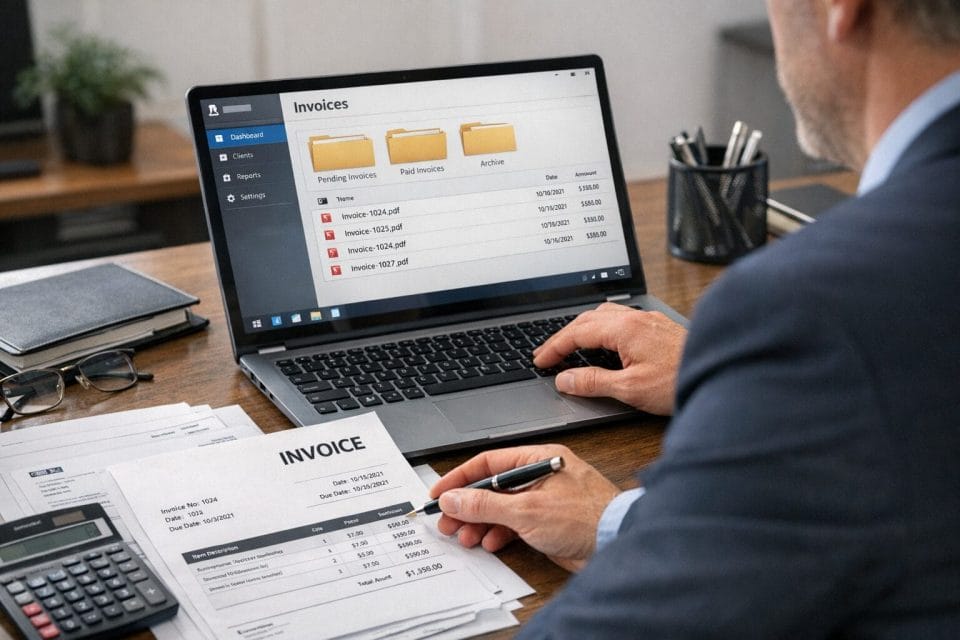
Invoice handling is a perfect example of where this matters. In many small businesses, invoices arrive at different times from different suppliers, and the task of dealing with them sits awkwardly between bookkeeping, admin, and operational work. It is easy for one attachment to get buried under other emails, especially when the person responsible is also handling sales, support, and planning. A workflow that captures the file, extracts the due date, creates a reminder, and places the document in a proper location reduces the chance of missed payments and last minute scrambles.
There is also a psychological benefit to this kind of automation. Routine admin creates mental clutter out of proportion to the time it actually takes. Even when an invoice only needs two minutes of attention, the fact that it remains unread in an inbox can nag at you all day. Turning that into an automatic process with a task and reminder removes that low level stress. Good automation does not just save minutes. It reduces background friction, which often improves focus on more valuable work.
Another practical benefit is consistency. Humans are variable, especially when busy. One day you save the invoice properly and note the due date. Another day you tell yourself you will do it later and then forget. Automation creates a repeatable pattern. That is useful not only for solo operators but also for teams, because standardised handling makes it easier to audit what happened, see where files are stored, and know that reminders are being created in the same way each time.
TESTING BEFORE TURNING IT ON
One of the better parts of the process shown here is the test run before activation. That is a feature every workflow tool should make easy, because the danger with automation is that mistakes can scale just as efficiently as successes. A broken flow can create clutter, duplicate tasks, misfile documents, or trigger unhelpful reminders. Testing gives you a chance to catch those issues before the workflow starts acting on live incoming messages.
In the transcript, once the missing issues are fixed and the task is labelled, the next step is to run a test. The system then triggers the flow and shows that it has completed. From there, you can review the results and confirm whether everything is behaving as expected. This review stage is where users should pay close attention. Did it correctly recognise the invoice email. Did it pull the due date accurately. Did the attachment land in the right Drive folder. Did the task get the information you actually need. These checks might sound obvious, but they are what determine whether a workflow remains useful after the novelty wears off.
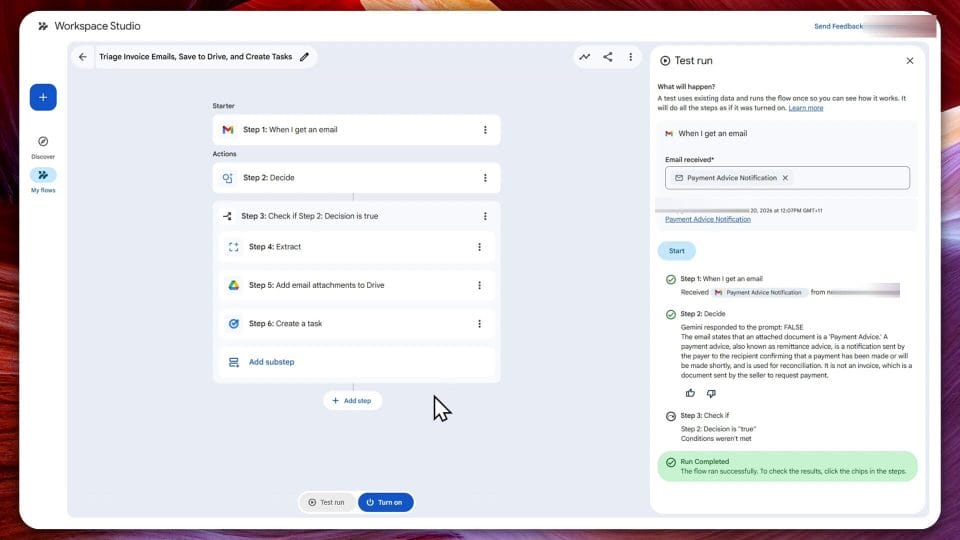
It would be wise for anyone setting up this type of automation to test with more than one example if possible. Invoice layouts differ. Some include due dates plainly in the text, while others hide them inside PDF attachments or phrase them in inconsistent ways. If the system performs well across a few realistic samples, confidence grows quickly. If it struggles, you still have the chance to refine the logic before relying on it.
That is really the right mindset for AI assisted workflow creation in general. Treat Gemini as a capable first draft builder, not an infallible operations manager. Let it construct the structure, then test, tweak, and verify. Used in that way, tools like Studio Flow can deliver real efficiency without creating hidden risk.
WHERE STUDIO FLOW COULD GO NEXT
Although this demonstration focuses on invoices, the broader potential is easy to see. If Studio Flow can detect patterns in incoming emails, extract key data, and trigger actions across Google services, then there are plenty of possible business use cases beyond accounts payable. You could imagine flows for lead capture, where enquiry emails become tasks or rows in a tracking sheet. You could set up client onboarding flows that save attachments, draft responses, or notify team members. Support requests could be categorised and prioritised automatically. Meeting related emails might trigger document creation or follow up reminders.
The key question will be how flexible and reliable the system becomes over time. Simplicity is a strength, but only if the available actions and conditions are rich enough to support real workflows. Users will eventually want branching logic, exceptions, better extraction controls, and visibility into failures. They may also want easier integration with Google Sheets, Calendar, Docs, and perhaps third party tools. If Google continues to develop Studio Flow in that direction, it could become one of the more practical additions to Workspace for business users.
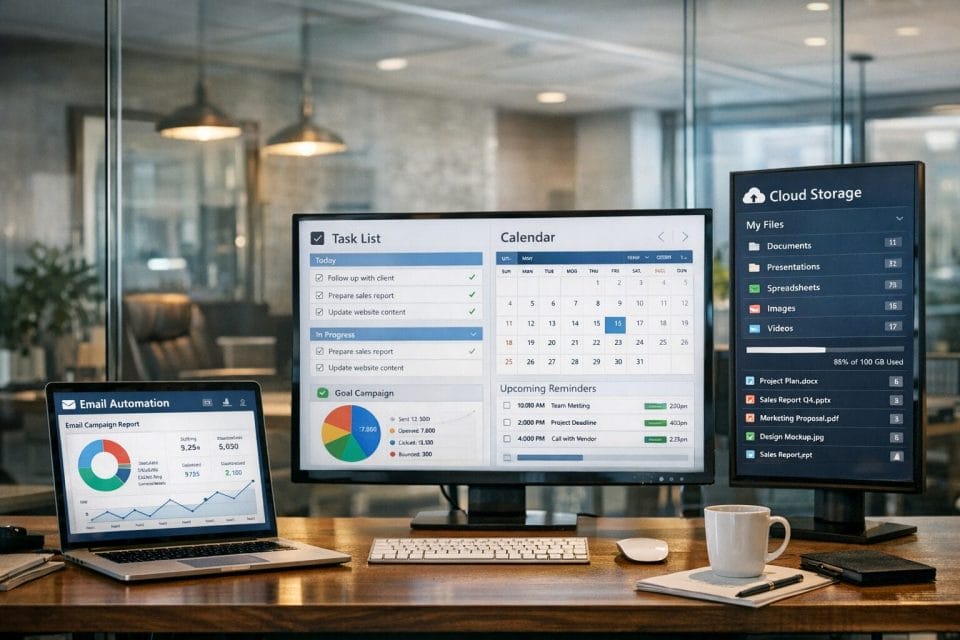
There is also the competitive angle. Businesses have no shortage of automation options, from dedicated no code tools to AI assistants and external integrations. Google has an advantage if it can keep everything close to where users already work. If the prompt, the logic, the files, the tasks, and the notifications all remain inside the Workspace ecosystem, adoption becomes much easier. People generally prefer fewer tools, fewer logins, and fewer moving parts, especially in smaller operations where simplicity often beats theoretical power.
A FEATURE WORTH KEEPING AN EYE ON
Studio Flow looks like one of those features that may start quietly but become genuinely valuable as more people notice it and experiment with real admin tasks. The invoice example shown here is simple enough to understand quickly, yet practical enough to demonstrate the point. You describe the workflow in plain English, Gemini builds the initial version, you fill in the missing required details, test it, and then switch it on. That is a sensible balance between AI convenience and user control, and for many business owners that may be exactly the level of automation they want.
What makes this especially appealing is that it does not feel like technology for technology’s sake. It addresses repetitive work that businesses actually have to deal with, and it does so inside tools they already rely on. If Google keeps improving the accuracy, flexibility, and ease of editing these flows, Studio Flow could become one of the more useful hidden gems in Workspace rather than just another experimental side feature. For anyone already using Gmail, Drive, Tasks, and Gemini, it is definitely worth opening that icon and seeing what repetitive process you can hand off next.

Marco / admin / 30 Nov
Writing day to day ramblings about making money, business, technology, sharing awesome deals and everything else that I know I'll forget. Follow my personal blog https://marcotran.com.au
I've recently also turned Vegan and started this website Veggie Meals - check it out
"When technology speaks for itself, that is art" - MT
Affiliate Compensated: there are some articles with links to products or services that I may receive a commission.
OTHER ARTICLES YOU MAY LIKE
HOW TO USE GOOGLE WORKSPACE STUDIO FLOW IN GMAIL FOR SMART EMAIL AUTOMATION
Google keeps slipping new productivity features into Workspace, and sometimes the most useful ones are the tools you almost discover by accident while checking email. That is exactly the case with Studio Flow, a feature that has started appearing inside Gmail and wider Google Workspace environments, and it looks like Google is pushing further into […]
read more
USE FUSEBASE TO AUTOMATE TEAMWORK AND COLLABORATION
If your business is growing, your team is juggling too many moving parts, and your client communication is spread across email threads, chat apps, documents, task boards, and endless follow ups, there is a good chance the real problem is not effort but fragmentation. Most businesses do not lose time because people are lazy. They […]
read more

