
Create Your Own Fonts with Glyphs Mini 2 for Mac – only $29!
August 8, 2017 / by Marco / Categories : Business, deals, design, entrepreneur, website

NOW ON: Create Your Own Fonts with Glyphs Mini 2 for Mac – only $29!
Expires: August 29, 2017, 11:59 pm EST

Take total control of your typefaces with Glyphs Mini 2 for Mac! This easy, lightweight and affordable app lets you turn your vectors into fonts, as well as easily whipping up your own Pixelfonts and Webfonts! Create as many letters, ligatures, figures symbols, emojis or icons as you want.
Highlights:
- Make letters, ligatures, figures, symbols, emojis or icons.
- Import drawings from vector apps such as Illustrator or Sketch.
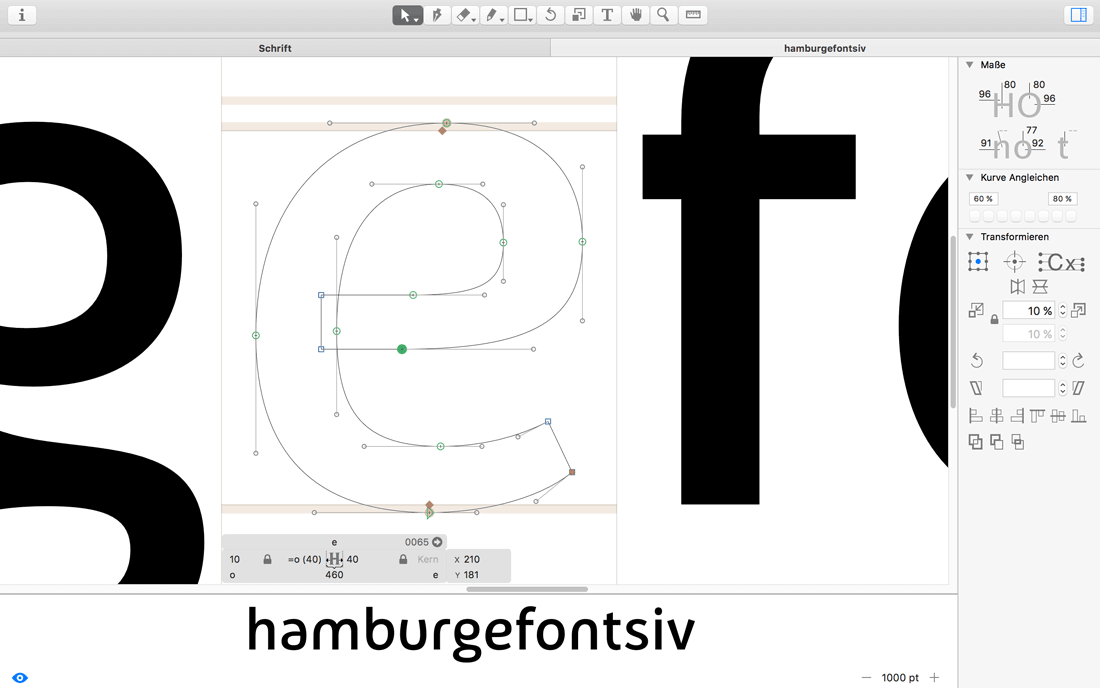
- Precise and intuitive vector editing tools optimized for type design.
- Built-in filters for transforming your outlines.
- Create your own pixelfont with the Pixel tool.
- Export as desktop font (OTF) or webfont (WOFF).
Download the fully functional trial version


Pricing:
Normally this awesome typeface creation tool sells for $49.99, but for a limited time only, you can nab Glyphs Mini 2 for Mac for just $29! That’s a savings of 42% off the regular price.
Click the BUY NOW button to grab these glyphs today!
Deal terms:
- You will receive a coupon code, after completing your purchase, to redeem at the vendor’s website, in order to download and register Glyphs Mini 2 instantly.
- Glyphs Mini 2 requires Mac OS X 10.9.5 or later (including macOS Sierra).
- You can use Glyphs Mini 2 to create as many fonts as you want.
- You are entitled to one perpetual personal license to use Glyphs Mini 2. You can install this software on as many computers as you personally use.
- You may license, sell, share, transfer, or otherwise distribute the fonts you personally created with Glyphs Mini 2. You may not sublicense, resell, share, transfer, or otherwise redistribute Glyphs Mini.

Marco / admin / 30 Nov
Writing day to day ramblings about making money, business, technology, sharing awesome deals and everything else that I know I'll forget. Follow my personal blog https://marcotran.com.au
I've recently also turned Vegan and started this website Veggie Meals - check it out
"When technology speaks for itself, that is art" - MT
Affiliate Compensated: there are some articles with links to products or services that I may receive a commission.
OTHER ARTICLES YOU MAY LIKE

REVIEWING AND UNBOXING THE TOOCKI USB-C RIGHT ANGLE 1.2M CABLE
USB C cables are among the most ordinary accessories we own, yet they can make a surprisingly noticeable difference to how comfortable our devices are to use while charging. The Toocki USB C right angle cable is a good example of a simple accessory that tries to solve a very common irritation, because instead of […]
read more
QUICK FIX TO CHANGE THE MAX SELL POWER TO LESS THAN 500W ON THE DEYE INVERTER
There are many reasons a home owner or installer might want to place a tight cap on how much solar power is exported to the public grid. Some households live under a strict export cap imposed by their local distribution network operator, others want to reduce export to focus on self consumption and battery charging, […]
read more

