
Razer Diamondback Collector’s Edition Gaming Mouse for $59
November 8, 2016 / by Marco / Categories : Business, deals, design, entrepreneur, website



KEY FEATURES
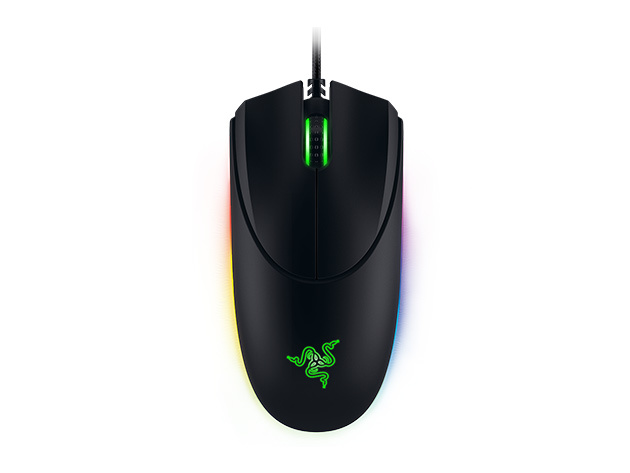
The Razer Diamondback made its debut at the World Cyber Games in 2004 and instantly became a legend in the world of gaming mice, eventually becoming one of the best-selling mice of all time. Now it’s back and better than ever, with an insane 16,000 DPI 5G laser sensor and more customizability than ever before.
4/5 Stars, PC World
85/100, PC Gamer
- Ambidextrous form supports a huge range of grip styles, hand dominance, & hand sizes
- 16,000 DPI 5G laser sensor & 50 g acceleration make this mouse insanely fast
- On-the-fly sensitivity adjustment ensures you’ll have total control at all times
- 7 programmable Hyperesponse buttons give you complete customizability
- Chroma customizable lighting effects give the mouse an awesome style
Note: You must redeem by 12/31/16
PRODUCT SPECS
Details & Requirements
- 16,000 DPI 5G laser snesor
- Up to 210 inches per second
- Acceleration: 50 g
- 1,000 Hz ultrapolling
- 2.1 m braided fiber cable
- Dimensions: 4.92″L x 2.64″W x 1.18″H
- Weight: 89 g
System Requirements
- PC or Mac with USB port
- Windows 10, 8, 7, Vista, XP (32-bit)
- Mac OS X 10.8-10.10
- Internet required
- 100 MB of hard disk space
- Razer Synapse registration, software download, and license acceptance
Includes
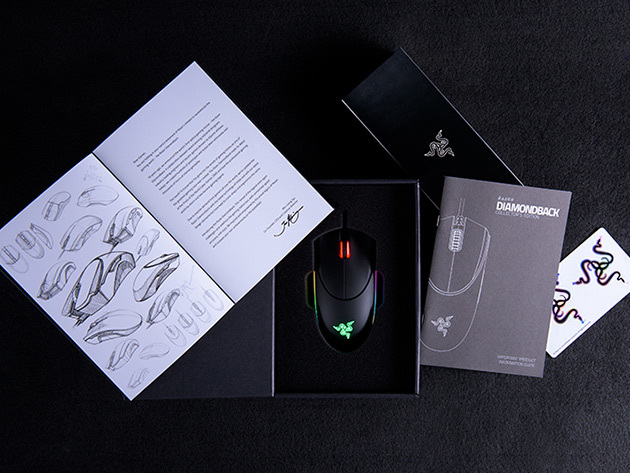
- Razer Diamondback Gaming Mouse
- History booklet

Marco / admin / 30 Nov
Writing day to day ramblings about making money, business, technology, sharing awesome deals and everything else that I know I'll forget. Follow my personal blog https://marcotran.com.au
I've recently also turned Vegan and started this website Veggie Meals - check it out
"When technology speaks for itself, that is art" - MT
Affiliate Compensated: there are some articles with links to products or services that I may receive a commission.
OTHER ARTICLES YOU MAY LIKE

REVIEWING AND UNBOXING THE TOOCKI USB-C RIGHT ANGLE 1.2M CABLE
USB C cables are among the most ordinary accessories we own, yet they can make a surprisingly noticeable difference to how comfortable our devices are to use while charging. The Toocki USB C right angle cable is a good example of a simple accessory that tries to solve a very common irritation, because instead of […]
read more
QUICK FIX TO CHANGE THE MAX SELL POWER TO LESS THAN 500W ON THE DEYE INVERTER
There are many reasons a home owner or installer might want to place a tight cap on how much solar power is exported to the public grid. Some households live under a strict export cap imposed by their local distribution network operator, others want to reduce export to focus on self consumption and battery charging, […]
read more


