
REVIEW AND TESTING OF THE SPELLING TEST APP WEBSITE
January 13, 2026 / by Marco / Categories : Business
Strong spelling skills are not only about getting words right on paper. They help with clearer communication, reading comprehension, and confidence in everyday writing. In this review, I explored the Spelling Test App, a website designed to help users practise and refine their spelling. It is Australian based and uses Australian English spelling conventions, which is especially helpful for learners in Australia and anyone who wants to align with British style spelling rather than American. From audio supported prompts to customisable tests, the app aims to make practice focused, accessible, and adaptable across different ages and abilities.
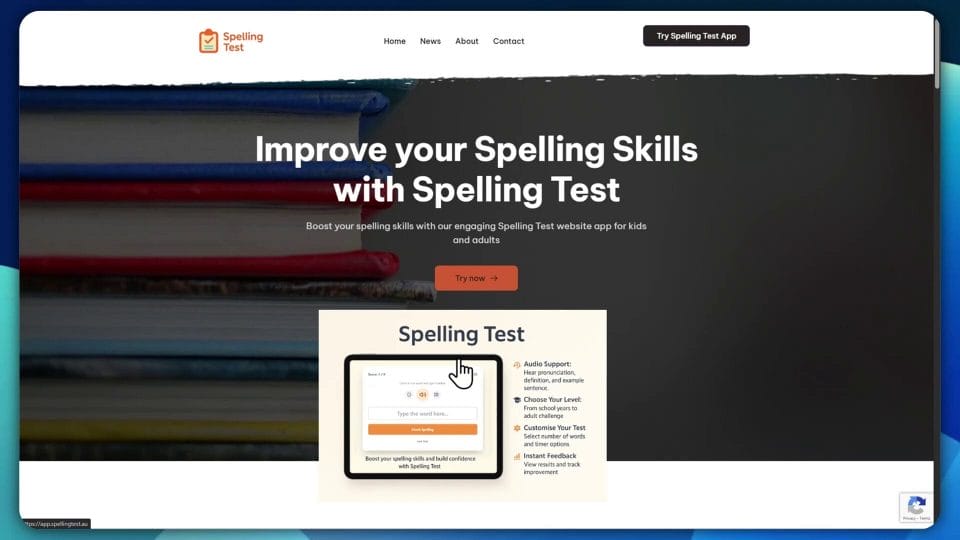
Watch this video that reviews and tests the Spelling Test app.
First Impressions and Key Features
At a glance, the site feels straightforward to navigate with an emphasis on keeping distractions to a minimum. One of the standout features is audio support. This means each word can be played aloud, and you can hear clear pronunciation, access a definition, and read an example sentence that shows the word in context. In spelling practice, hearing the word and seeing it used in a sentence engages more than one learning pathway, which can improve recall and understanding.
The app lets you choose levels ranging from school year groups to adult, which makes it relevant for classroom use and self study. If you are supporting a child at home, you can match the year level and then adjust the number of words to keep sessions short and focused. If you are an adult learner or a professional brushing up on spelling, the adult level provides more challenging vocabulary often seen in formal writing and workplace communication.
There is also customisation for test length and timing. You can select the number of words and set different time options, or turn off the timer altogether. This is important for learners who benefit from a pressure free environment, and equally valuable for those who enjoy timed challenges to simulate exam conditions. A flexible approach to timing supports a wider range of learning strategies and reduces anxiety for those who prefer paced practice.

Setting Up a Test
To get started, I clicked on Try Spelling Test App Now and set a short adult test with five words and no timer. Choosing a small batch first is a good way to get a feel for difficulty and how the interface presents each prompt. The timer options are clearly displayed, making it easy to switch between timed and untimed practice.
When you begin, the app reminds you to use speakers or a headset. This is not just a technical suggestion. Good audio clarity is essential when working with words that may sound similar, or when learning unfamiliar vocabulary. Wearing headphones can help you focus, reduce background noise, and pick up subtle differences in pronunciation. Clear audio is also helpful for learners who rely on verbal input to anchor spelling patterns, especially when they mentally map sound to letter combinations.
Trying Challenging Words
The first word presented is obfuscate. For many learners, this is a word they may have seen in formal writing or law, but not necessarily used often. The app lets you repeat the word and access its definition and an example sentence. This step is valuable because spelling without context can be frustrating. Understanding the meaning and typical use not only enriches vocabulary but also creates mental connections that can aid retention. The example sentence given, The lawyer’s deliberate use of legalese served only to obfuscate the simple facts of the case, shows how the word operates in a realistic scenario.
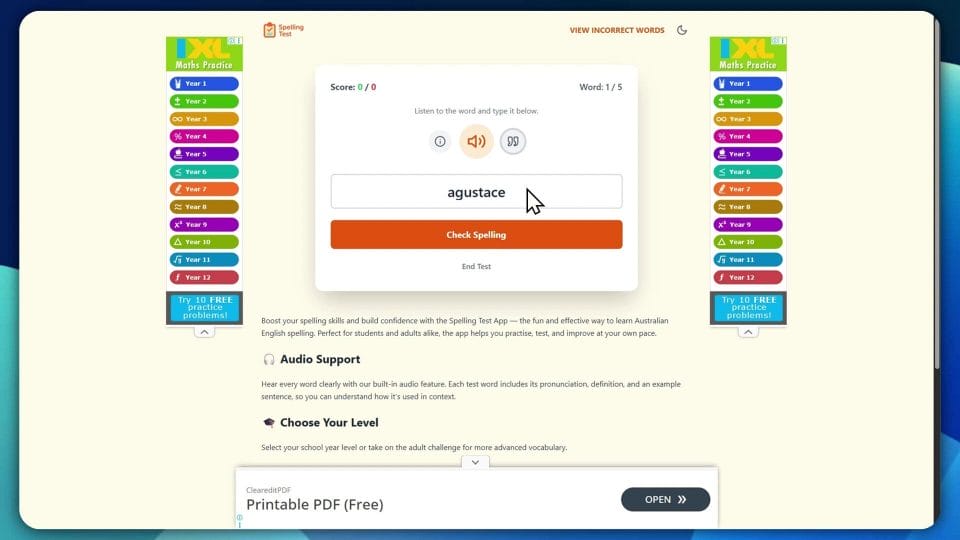
If you are unsure how to spell obfuscate, you can listen again, then attempt your best guess before checking. A helpful memory tip for this word is to focus on the ob prefix and the fus sound which maps to the letters f u s rather than a ph sound. The tail ends with cate, which is a common suffix pattern in English for words derived from Latin roots. Breaking it into chunks ob fu scate can help reduce the cognitive load during recall.
Next comes pernicious. This is a word that appears in academic writing and debates around policy or health topics. The app provides a definition such as having a harmful effect especially in a gradual or subtle way and a sentence that clarifies the nuance. Here the example shows pernicious rumours slowly eroding a public image, which helps you associate the word with slow damage rather than sudden harm. To remember the spelling, pay attention to the per prefix, then ni, then cious. The ending cious is common in English adjectives, and recognising these patterns supports consistent spelling across similar words like malicious and judicious.
Then there is mellifluous. This one trips many people up because of its double l, the i followed by flu, and the ending ous. It refers to a sound that is pleasingly smooth and musical, often used for voices or instruments. An approach here is to visualise honey, since the Latin root mell means honey, and flu suggests flowing. Honey flowing is a mental image that matches the sense of smooth sound, which can make recall easier when you next encounter the word.
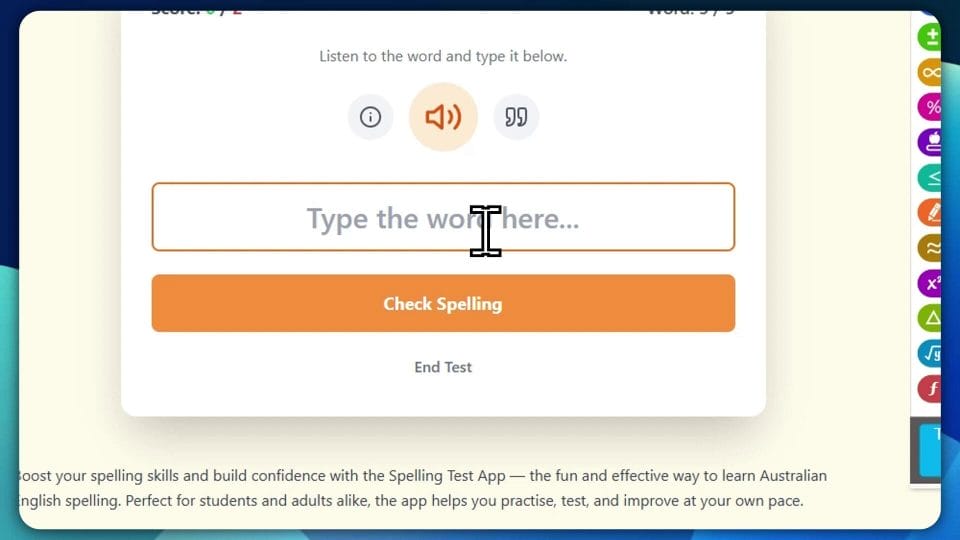
Sagacious follows, a word that means wise or shrewd in judgement. The second syllable is ga, and the ending cious appears again. Recognising these recurring endings is one of the strongest supports for spelling accuracy. Finally, cacophony, which refers to a harsh mixture of sounds, has that double c in the opening and the ph that maps to the f sound. A strategy is to think of caco which signals bad or harsh in Greek roots, and phony which is a sound related ending, though here it is not about a phone but sound itself.

Feedback and Learning Loop
At the end of the test, the app presents a summary showing each word and the correct spelling. Seeing a list of obfuscate, pernicious, mellifluous, sagacious, and cacophony side by side reinforces the session’s focus. This stage is where reflection happens. You can compare your attempts, note which letter combinations caused trouble, and set an intention for the next practice round. The app also displays accuracy, which gives a simple metric for progress. For ongoing improvement, consider keeping a personal log of words that consistently challenge you and revisit them in future sessions.
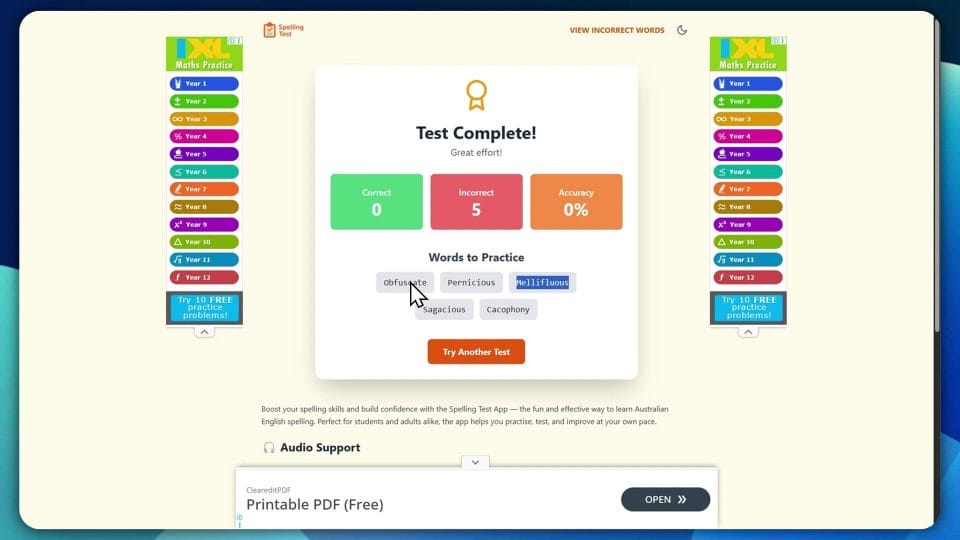
A useful next step is to run the same five words again to see if immediate repetition improves recall. Many learners benefit from spaced practice, where you return to tricky words after a short gap, then again after a longer interval. This builds durable memory rather than short term familiarity. You can vary the test by increasing the number of words or introducing a gentle timer to simulate exam timing conditions, as long as this does not create undue stress.
Exploring the Incorrect Word List
One of the more intriguing parts of the site is the incorrect word list. This is a collection of words that users most frequently misspell in the app. It effectively becomes a map of common trouble spots. If many people regularly stumble on certain words, it is worth adding them to your practice routine. Working through a shared list helps you anticipate patterns that often lead to mistakes, such as silent letters, doubled consonants, or unusual vowel combinations.
Using this list strategically can turn a casual practice session into a targeted learning plan. You might select a small subset of words from the list and create micro sessions focused on patterns like cious endings, or the ph sound in words like cacophony and metaphor. If you are a teacher, these lists can inform classroom mini lessons that address the most frequent errors. For parents, the list can guide home support by showing where extra attention is needed.
Why Australian English Matters
Because the app is built around Australian English usage, it aligns with British spelling conventions rather than American. That means colour rather than color, organise rather than organize, and centre rather than center. For learners preparing for school assessments or exams in Australia and the United Kingdom, these distinctions can be crucial. Using a resource that matches local standards prevents the confusion that arises when switching between dialects.
For adults who write in international contexts, it is valuable to recognise regional spellings and choose the appropriate form for the audience. The app’s level choices from school years to adult reflect this need. Students get words that are age appropriate, while adults are presented with vocabulary used in formal writing and professional communication. This range also supports progression over time. A user can begin with foundational words, then move into more advanced vocabulary as confidence grows.
Practical Tips for Making the Most of the App
To maximise learning, try the following approach.
- Use headphones for clear audio and to reduce distractions. Play the word more than once, then repeat it softly yourself before typing. This mimics dictation practice and strengthens the link between listening and spelling.
- Read the definition and the example sentence before you attempt the spelling. Context helps anchor the correct form and enriches your understanding of the word.
- Start with a small number of words. Aim for consistent practice rather than long, infrequent sessions.
- Record tricky words in a personal list and review them using spaced practice. Revisit after ten minutes, one day, three days, and one week.
- Study patterns. Notice common endings such as cious, ous, and ic. These patterns appear often and once learned, they transfer across many words.
- Experiment with the timer. If you feel comfortable, introduce a mild time limit to build focus. If it adds stress, return to untimed practice.
- Use the incorrect word list to focus your efforts. Target the top five words you find most difficult and review until you reach solid accuracy.
User Experience and Accessibility Considerations
From a design perspective, the site aims for clarity. Because pronunciation and context are integral to the experience, the audio and text pairing supports diverse learners. For future improvement, it would be helpful to see adjustable audio speed for users who benefit from slower pronunciation, or a repeat loop option that plays the word several times automatically.
Other possible enhancements could include visual supports such as highlighting syllables when displaying the word at the end of the test, or offering an optional phonetic hint that does not reveal the spelling outright but guides the learner toward the right letter patterns. Accents and pronunciation differences can also affect perception of vowels and consonants, so offering regional audio options might further refine the experience for learners across different parts of Australia.
Classroom and Home Use
In schools, teachers can use the app for short warm up activities at the start of a literacy lesson. Select the year appropriate level, choose a small set of words, and let students practise with headphones. The audio feature ensures that learners engage with the spoken form, and the example sentences build comprehension. Over time, teachers can track common errors in the class and build mini lessons around them.
At home, parents can set a comfortable routine with untimed practice. Five to ten words per session is often enough for primary year levels, while older students or adults might prefer longer sets. It is also useful to talk through the meaning of each word and think of a personal sentence that reflects something familiar. Personal connection strengthens memory and makes practice more enjoyable.
Working with Advanced Vocabulary
The adult level words reviewed here highlight how the app supports deeper learning beyond simple spelling. Words like obfuscate, pernicious, mellifluous, sagacious, and cacophony are not only about letter sequences. They are rich in nuance and context. For learners preparing for formal writing, presentations, or competitive exams, this kind of practice helps build a broader vocabulary that can elevate style and clarity.
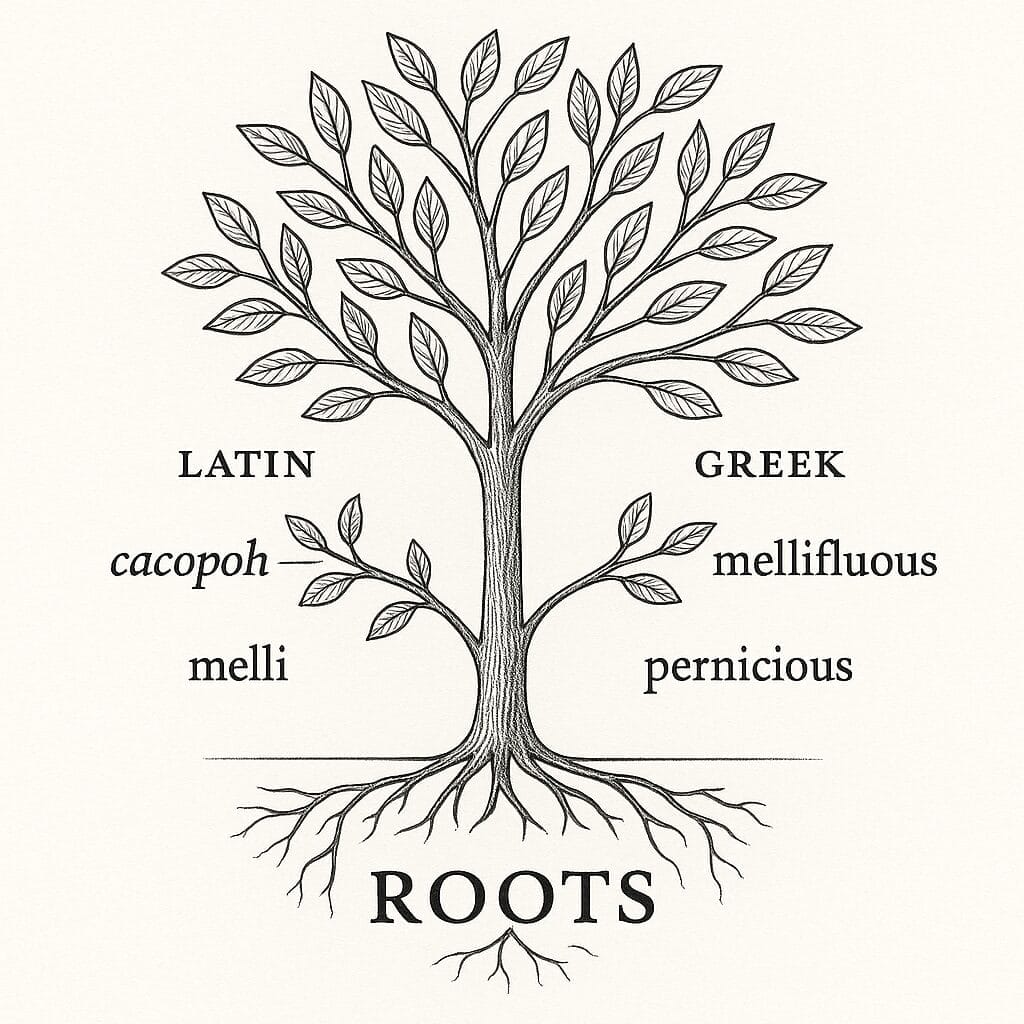
When facing advanced words, combine spelling practice with a quick study of etymology. Recognising Latin and Greek roots can turn puzzling words into logical patterns. For example, cacophony comes from kakos meaning bad and phone meaning sound. Mellifluous connects mell honey and fluere to flow. These insights aid spelling because they make the letter choices meaningful rather than arbitrary.
Suggestions for Future Development
While the app is already strong in its core design, there are several ideas that could enhance the experience. A simple progress tracker with weekly summaries would help learners see trends over time and celebrate improvements. The ability to bookmark words or create custom lists would support targeted revision for exams or projects.
Accessibility features such as a dyslexia friendly font option, adjustable text size, and high contrast modes would broaden usability. Audio speed controls, as mentioned, would assist learners who prefer slower or faster playback. A gentle challenge mode that introduces similar sounding words could train listening acuity while reinforcing spelling distinctions. Finally, printable review sheets, or a quick export of learned words, would be useful for offline study.
Final Thoughts
The Spelling Test App delivers a focused, practical environment for improving spelling with clear audio, contextual definitions, and flexible test settings. The adult level vocabulary is demanding but rewarding, and the incorrect word list adds a smart layer of guided practice. Most importantly, the site supports various learning styles by pairing listening, reading, and writing, which together create a strong foundation for spelling mastery.
If you are aiming to align with Australian English and British style spelling, this app provides well chosen word sets across school levels through to adult practice. Whether you are a student, a professional polishing your written communication, or a lifelong learner who enjoys words, the combination of audio led prompts and immediate feedback makes it a worthwhile addition to your study toolkit. Give it a try, explore the levels, and use the incorrect word list to focus your efforts. With steady practice and attention to patterns, spelling confidence grows quickly and translates into clearer, more effective writing.

Marco / admin / 30 Nov
Writing day to day ramblings about making money, business, technology, sharing awesome deals and everything else that I know I'll forget. Follow my personal blog https://marcotran.com.au
I've recently also turned Vegan and started this website Veggie Meals - check it out
"When technology speaks for itself, that is art" - MT
Affiliate Compensated: there are some articles with links to products or services that I may receive a commission.
OTHER ARTICLES YOU MAY LIKE

REVIEWING AND UNBOXING THE TOOCKI USB-C RIGHT ANGLE 1.2M CABLE
USB C cables are among the most ordinary accessories we own, yet they can make a surprisingly noticeable difference to how comfortable our devices are to use while charging. The Toocki USB C right angle cable is a good example of a simple accessory that tries to solve a very common irritation, because instead of […]
read more
QUICK FIX TO CHANGE THE MAX SELL POWER TO LESS THAN 500W ON THE DEYE INVERTER
There are many reasons a home owner or installer might want to place a tight cap on how much solar power is exported to the public grid. Some households live under a strict export cap imposed by their local distribution network operator, others want to reduce export to focus on self consumption and battery charging, […]
read more

