
Sticky Password Premium: 3-Yr Subscription – 5 Users for $29
April 12, 2020 / by Marco / Categories : Business, deals, design, entrepreneur, website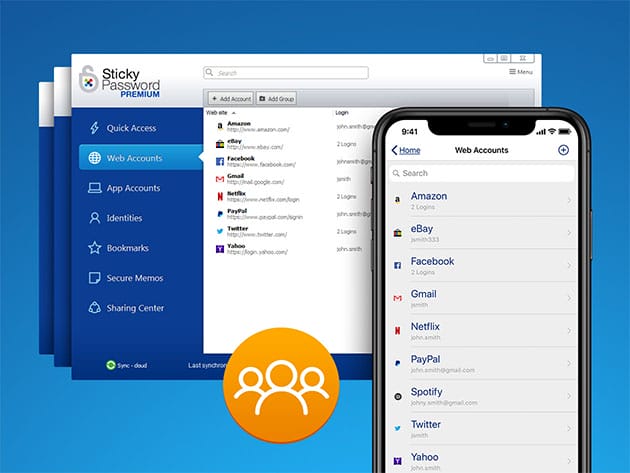


KEY FEATURES
Sticky Passwords: The ultra-secure password manager remembers all of your passwords so you don’t have to. Perfect for small teams, the premium subscription allows you to share passwords and logins securely, grant, remove and manage access for different users, and set permissions for your organization. Sticky also automatically fills out forms and logs you into all your frequently-visited sites, while also remembering data while you fill out forms & storing it for future use. All of your credit cards and payment information can be saved securely in an encrypted vault for faster checkout, along with licenses, passport information and more. Plus, it works on all your devices and browsers, so you can access important information no matter where you are while still maintaining the highest level of military-grade security.
- Protect your passwords, credit cards, and other sensitive information in secured vaults w/ government-level AES-256 bit encryption
- Securely share passwords, logins & other data with other users
- Grant, manage & remove access to your online accounts and set individual permissions for each user
- Practice better digital security with superstrong generated passwords to avoid potential data hacks
- Fill out forms & make purchases faster w/ autofill function
- Never get locked out of your accounts again w/ only one master password to remember — Sticky does the rest
Reviews
- PC Mag: “Sticky Password does everything you’d expect from a password manager and more. New biometric authentication and no‑cloud Wi‑Fi sync make it an even better choice.”
- CNET: “Sticky Password takes security seriously with a comprehensive set of tools (Virtual KB, PW Generator) and government level AES-256 bit encryption”
PRODUCT SPECS
System Requirements
- Internet required, mobile or desktop access available
- Desktop: Windows VIsta or above, Mac OS X 10.12 or above
- Mobile: iOS 9 and above, Android 4.1 and above, BlackBerry, Amazon Kindle Fire & Nokia X
Important Details
- Length of access: 3 years
- Max number of devices: Unlimited
- Number of users: 5
- Access options: desktop & mobile
- Number of languages: 5 (all current languages)
- Updates included

Marco / admin / 30 Nov
Writing day to day ramblings about making money, business, technology, sharing awesome deals and everything else that I know I'll forget. Follow my personal blog https://marcotran.com.au
I've recently also turned Vegan and started this website Veggie Meals - check it out
"When technology speaks for itself, that is art" - MT
Affiliate Compensated: there are some articles with links to products or services that I may receive a commission.
OTHER ARTICLES YOU MAY LIKE

REVIEWING AND UNBOXING THE TOOCKI USB-C RIGHT ANGLE 1.2M CABLE
USB C cables are among the most ordinary accessories we own, yet they can make a surprisingly noticeable difference to how comfortable our devices are to use while charging. The Toocki USB C right angle cable is a good example of a simple accessory that tries to solve a very common irritation, because instead of […]
read more
QUICK FIX TO CHANGE THE MAX SELL POWER TO LESS THAN 500W ON THE DEYE INVERTER
There are many reasons a home owner or installer might want to place a tight cap on how much solar power is exported to the public grid. Some households live under a strict export cap imposed by their local distribution network operator, others want to reduce export to focus on self consumption and battery charging, […]
read more


