
FIXED METABOX DOESN’T GO TO STANDBY OR SLEEP
April 22, 2018 / by Marco / Categories : Business, Windows
After a few months of struggling with this issue, I managed to fix the problem. The issue was the Metabox wouldn’t go to standby or sleep mode after x minutes that was set on the Power Settings in Windows 10. I basically changed all the settings in the Power and Sleep Additional Power Settings and nothing would fix it.
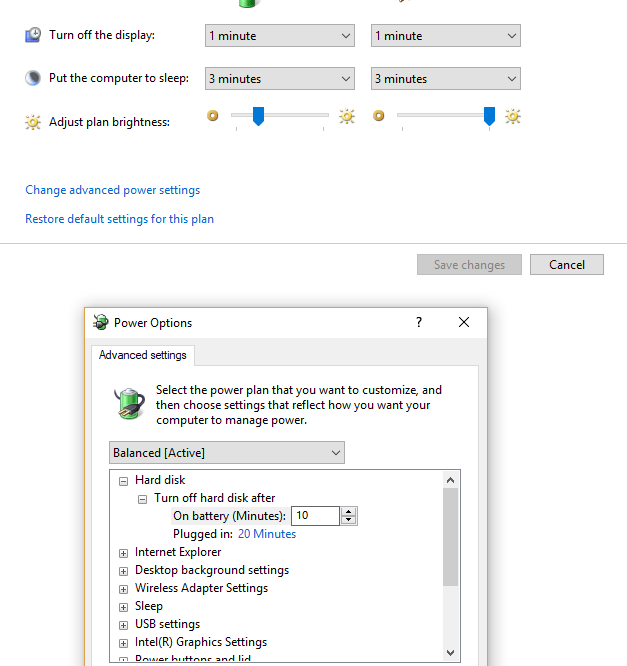
The fix was to use a command line I never knew existed (I’ve been using windows since Windows 3.11).
The command was:
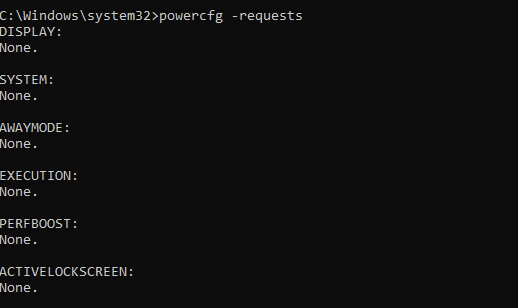
powercfg -requests
You have to use that in an Administrator command prompt. When I entered that command it returned the following:
C:\Windows\system32>powercfg -REQUESTSOVERRIDE DRIVER "Realtek High Definition Audio" SYSTEM

C:\Windows\system32>powercfg -requests
DISPLAY:
None.

SYSTEM:
[DRIVER] Realtek High Definition Audio (HDAUDIO\FUNC_01&VEN_10EC&DEV_1220&SUBSYS_15589501&REV_1000\4&27ae6d24&0&0001)
An audio stream is currently in use.

AWAYMODE:
None.

EXECUTION:
None.

PERFBOOST:
None.

ACTIVELOCKSCREEN:
None.
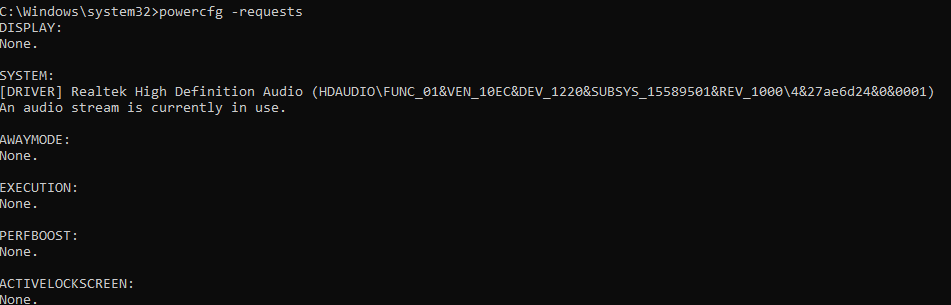
So the Realtek High Definition Audio showed that it was in use and needed to be removed. To do this:
powercfg -REQUESTSOVERRIDE DRIVER "Realtek High Definition Audio" SYSTEM
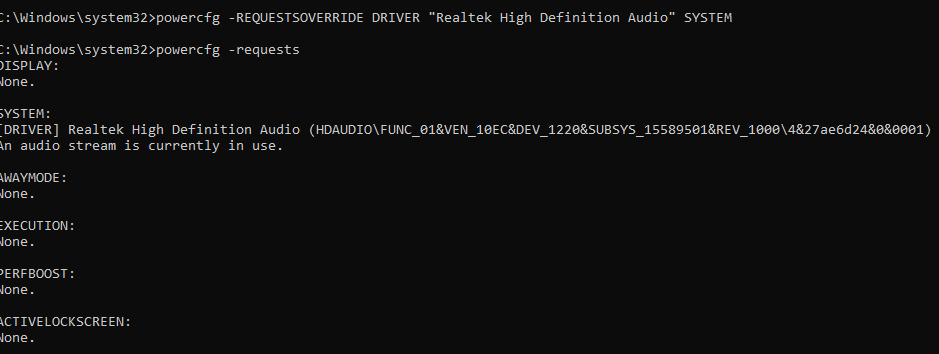
Check again and it’s now removed. Yuppie!!!

Marco / admin / 30 Nov
Writing day to day ramblings about making money, business, technology, sharing awesome deals and everything else that I know I'll forget. Follow my personal blog https://marcotran.com.au
I've recently also turned Vegan and started this website Veggie Meals - check it out
"When technology speaks for itself, that is art" - MT
Affiliate Compensated: there are some articles with links to products or services that I may receive a commission.
OTHER ARTICLES YOU MAY LIKE

REVIEWING AND UNBOXING THE TOOCKI USB-C RIGHT ANGLE 1.2M CABLE
USB C cables are among the most ordinary accessories we own, yet they can make a surprisingly noticeable difference to how comfortable our devices are to use while charging. The Toocki USB C right angle cable is a good example of a simple accessory that tries to solve a very common irritation, because instead of […]
read more
QUICK FIX TO CHANGE THE MAX SELL POWER TO LESS THAN 500W ON THE DEYE INVERTER
There are many reasons a home owner or installer might want to place a tight cap on how much solar power is exported to the public grid. Some households live under a strict export cap imposed by their local distribution network operator, others want to reduce export to focus on self consumption and battery charging, […]
read more

