
iKlips II Lightning iOS Flash Drive for $69
August 11, 2018 / by Marco / Categories : Business, deals, design, entrepreneur, website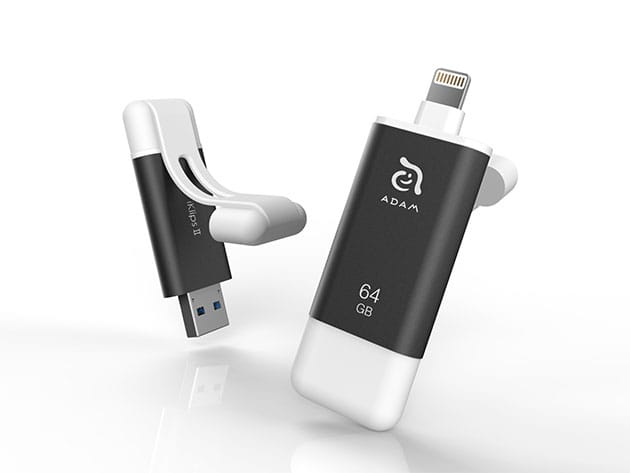

KEY FEATURES
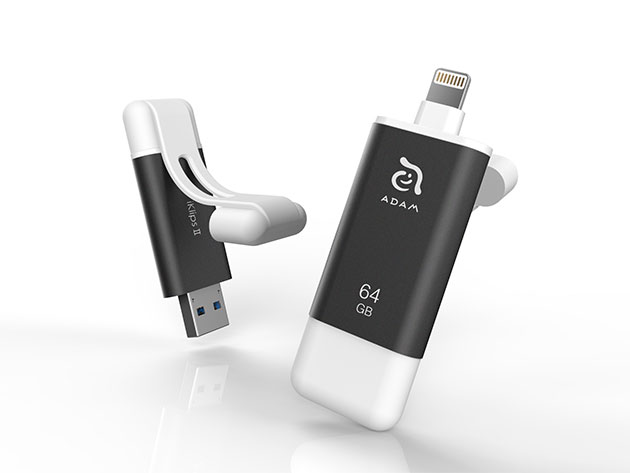
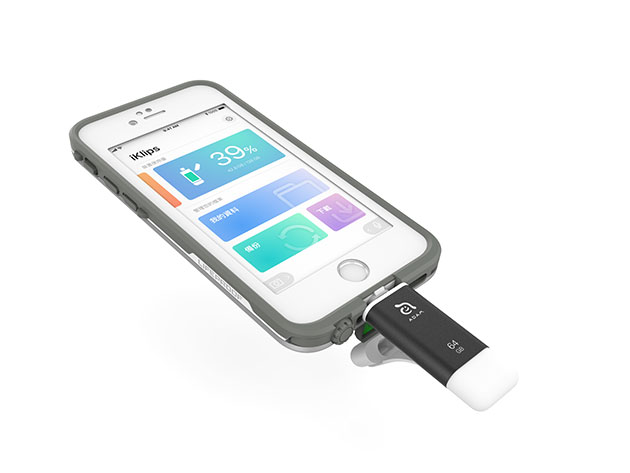
The iKlips II is far more advanced than your average flash drive. Housed inside a high-strength aluminum shell, the iKlips II is the only external flash drive to support the ex-FAT file format, which allows you to transfer files of any size from your iPhone or iPad to your computer. What’s more, this flash drive comes loaded with blazing-fast memory for 4K and 1080p HD videos, so you can put those fancy new iPhone cameras to use and easily offload your media for convenient storage and safekeeping.
- Transfer files of all sizes between iOS & PC or Mac
- Take anywhere thanks to its compact size & high-strength aluminum shell
- Use the extended connector to plug into your iPhone without removing its case
- Rapidly transfer 4K & 1080p videos
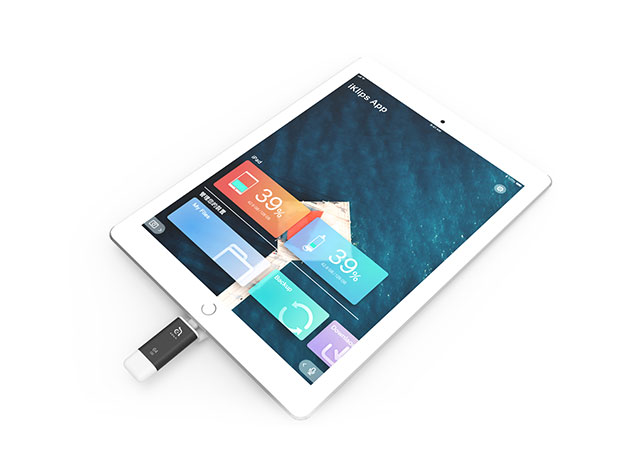
- Easily manage your files via the free iKlips iOS app
- Record videos & take pictures and store them directly to the flash drive via the iKlips app
- Use the iKlips app to secure your files w/ touch ID
PRODUCT SPECS
Specs
- Color: dark grey
- Size: 64GB
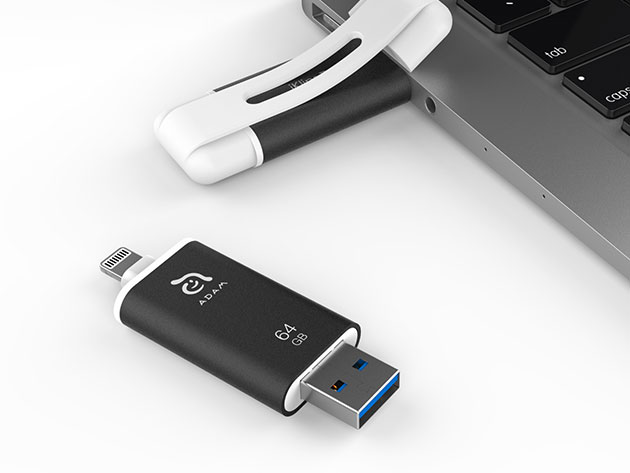
- Input interface: Lightning connector; USB type-A connector for USB 3.1
- Note: the two connectors cannot be plugged into any device simultaneously.
- Transfer speed: Lightning read/write speed up to 35/20 MB/s; USB 3.1 read/write speed up to 130/50 MB/s
- MFi-certified
- Certificates: CE/FCC/BSMI/C-tick/WEEE
- Memory solution: flash memory
- Format: FAT32, ex-FAT
- App requirement: free iKlips app
- Dimensions: 2.5″H x 0.7″L x 0.3″W
- Weight: 0.5oz
Compatibility
- iPhone X, 8, 8 Plus, 7, 7 Plus, SE, 6s, 6s Plus, 6, 6 Plus, 5s, 5c, and 5
- iPad Pro, mini 4, Air 2, mini 3, Air, mini 2, mini, and iPad (4th gen.)
- iPod touch 5 and 6th generations
- iOS 8 or above, macOS, Windows XP/7/8/10
- iKlips iOS companion app: iOS 8 or later
Includes
- iKlips II iOS Flash Drive (64GB/Dark Grey)
- Manufacturer’s 3-year warranty

Marco / admin / 30 Nov
Writing day to day ramblings about making money, business, technology, sharing awesome deals and everything else that I know I'll forget. Follow my personal blog https://marcotran.com.au
I've recently also turned Vegan and started this website Veggie Meals - check it out
"When technology speaks for itself, that is art" - MT
Affiliate Compensated: there are some articles with links to products or services that I may receive a commission.
OTHER ARTICLES YOU MAY LIKE

REVIEWING AND UNBOXING THE TOOCKI USB-C RIGHT ANGLE 1.2M CABLE
USB C cables are among the most ordinary accessories we own, yet they can make a surprisingly noticeable difference to how comfortable our devices are to use while charging. The Toocki USB C right angle cable is a good example of a simple accessory that tries to solve a very common irritation, because instead of […]
read more
QUICK FIX TO CHANGE THE MAX SELL POWER TO LESS THAN 500W ON THE DEYE INVERTER
There are many reasons a home owner or installer might want to place a tight cap on how much solar power is exported to the public grid. Some households live under a strict export cap imposed by their local distribution network operator, others want to reduce export to focus on self consumption and battery charging, […]
read more


