
OPENING THE JABRA ROX HEADSET – WHERE IS THE BATTERY!
May 28, 2019 / by Marco / Categories : Business, Technology
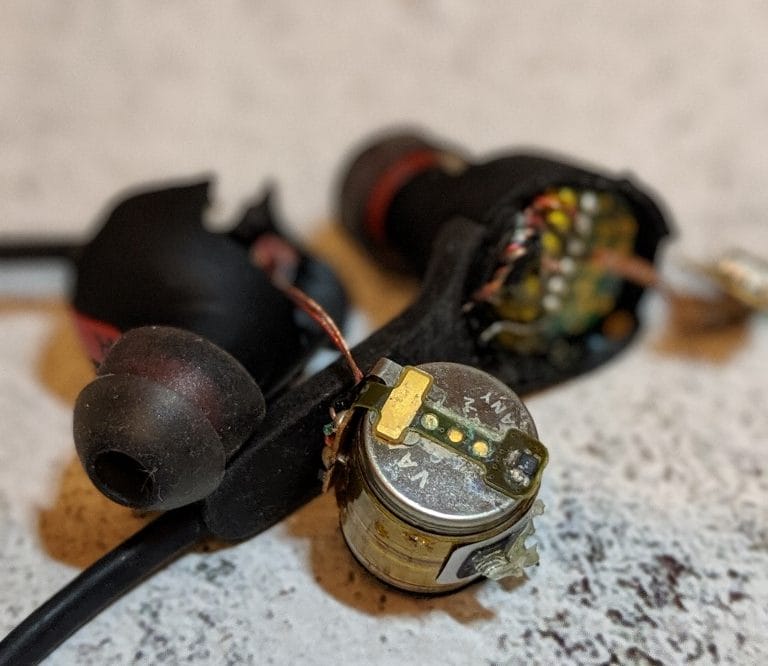
My Jabra Rox headset wasn’t charging anymore so I decided to find out where the battery was located and to see if it was easy to replace. I was advised by Jabra support the battery cannot be replaced and after opening up the unit I can see why.
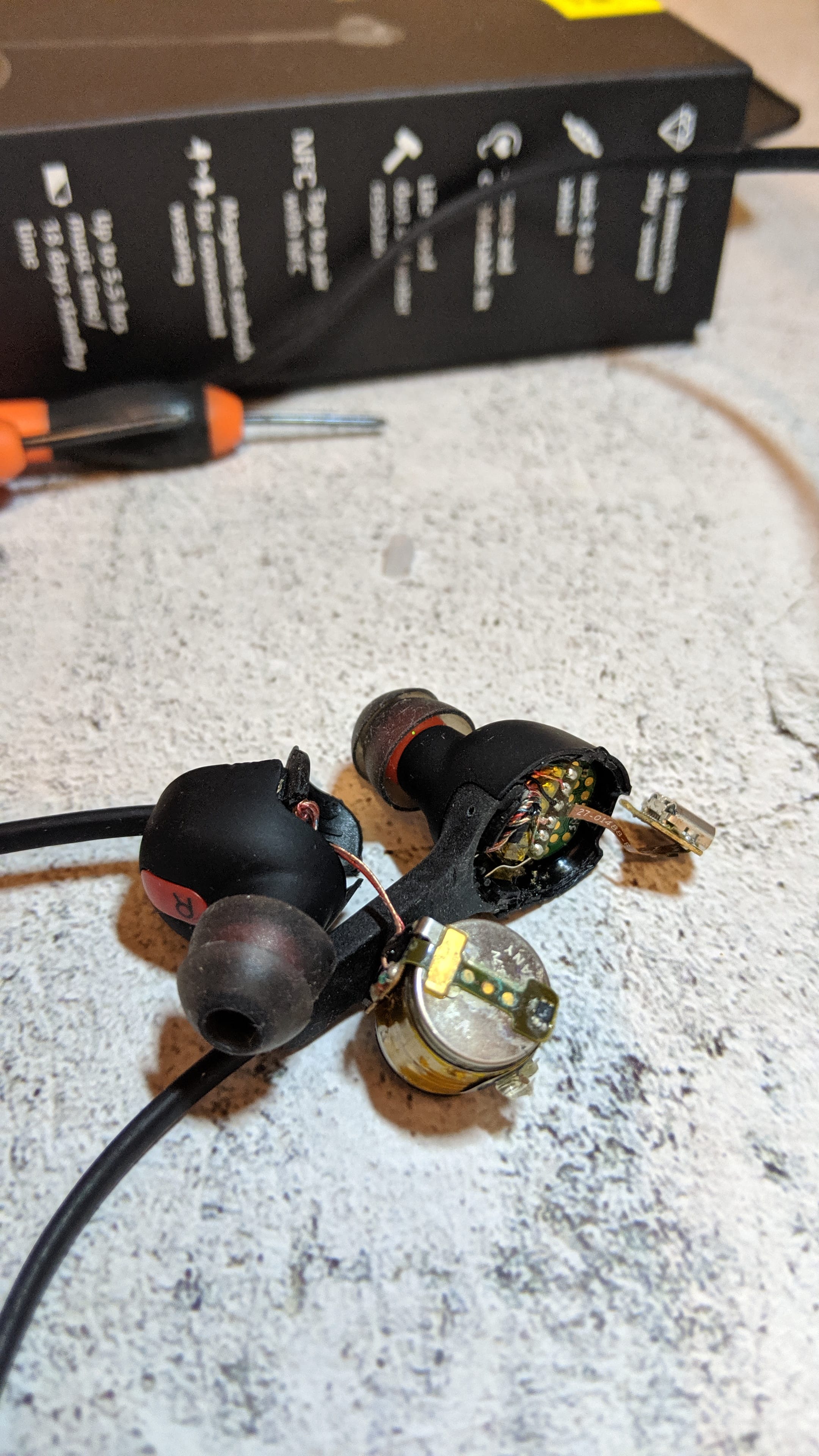
There were a few steps I used to determine the unit was no longer charging the battery:
- when connecting the power cable, the light would turn red but after leaving it charged overnight it still wouldn’t power on
- connecting the micro USB cable to a laptop shows that it connects and the red light remains on
I couldn’t figure out an easy way to remove the battery and replace it but if you want to find out where it’s located then check out the video. Note, I had to use brute force to open up the plastic covers and they sort of broke.
The battery is located on the right-hand side earpiece.
If you just want to replace the complete unit have a look at these Jabra options: https://amzn.to/2MaJbnm


Marco / admin / 30 Nov
Writing day to day ramblings about making money, business, technology, sharing awesome deals and everything else that I know I'll forget. Follow my personal blog https://marcotran.com.au
I've recently also turned Vegan and started this website Veggie Meals - check it out
"When technology speaks for itself, that is art" - MT
Affiliate Compensated: there are some articles with links to products or services that I may receive a commission.
OTHER ARTICLES YOU MAY LIKE

REVIEWING AND UNBOXING THE TOOCKI USB-C RIGHT ANGLE 1.2M CABLE
USB C cables are among the most ordinary accessories we own, yet they can make a surprisingly noticeable difference to how comfortable our devices are to use while charging. The Toocki USB C right angle cable is a good example of a simple accessory that tries to solve a very common irritation, because instead of […]
read more
QUICK FIX TO CHANGE THE MAX SELL POWER TO LESS THAN 500W ON THE DEYE INVERTER
There are many reasons a home owner or installer might want to place a tight cap on how much solar power is exported to the public grid. Some households live under a strict export cap imposed by their local distribution network operator, others want to reduce export to focus on self consumption and battery charging, […]
read more

