
Changing the default index file in VestaCP hosting
July 3, 2015 / by Marco / Categories : Technology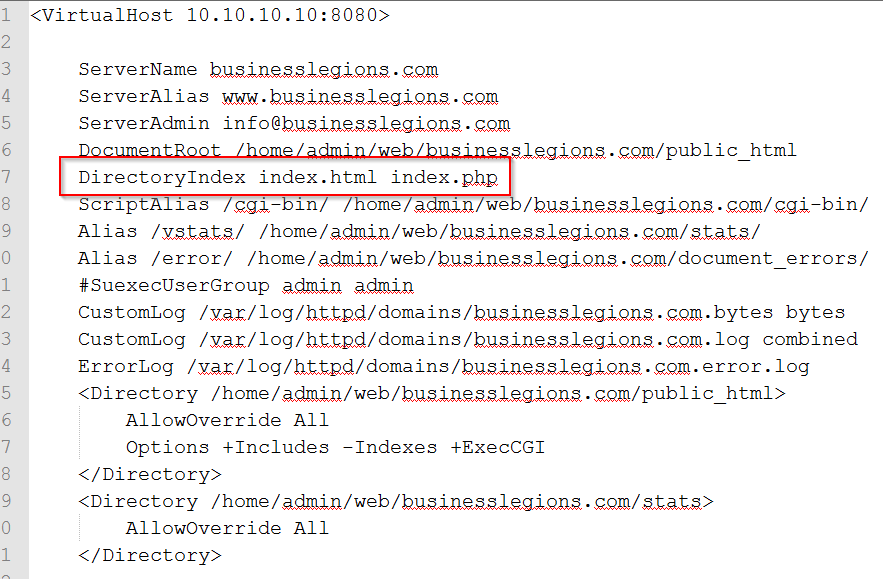
I had to launch a new website and needed to display the index.html file instead of the default index.php file.
The index.html file is use as a coming soon page whereas the index.php is part of the Content Management System. In order to resolve this issue I had to use these steps:
NOTE: I use CentOS with nginx so these steps may be different for you
1. Locate your httpd.conf file. In my case it was located in /home/admin/conf/web
2. Open the httpd.conf file and go to the section that has VirtualHost and find the relevant website address. eg if your website is businesslegions.com then go to that section.
Example:


<VirtualHost 10.10.10.10:8080>

ServerName businesslegions.com
ServerAlias www.businesslegions.com
ServerAdmin info@businesslegions.com
DocumentRoot /home/admin/web/businesslegions.com/public_html
ScriptAlias /cgi-bin/ /home/admin/web/businesslegions.com/cgi-bin/
Alias /vstats/ /home/admin/web/businesslegions.com/stats/
Alias /error/ /home/admin/web/businesslegions.com/document_errors/
#SuexecUserGroup admin admin
CustomLog /var/log/httpd/domains/businesslegions.com.bytes bytes
CustomLog /var/log/httpd/domains/businesslegions.com.log combined
ErrorLog /var/log/httpd/domains/businesslegions.com.error.log
<Directory /home/admin/web/businesslegions.com/public_html>
AllowOverride All
Options +Includes -Indexes +ExecCGI
</Directory>
<Directory /home/admin/web/businesslegions.com/stats>
AllowOverride All
</Directory>
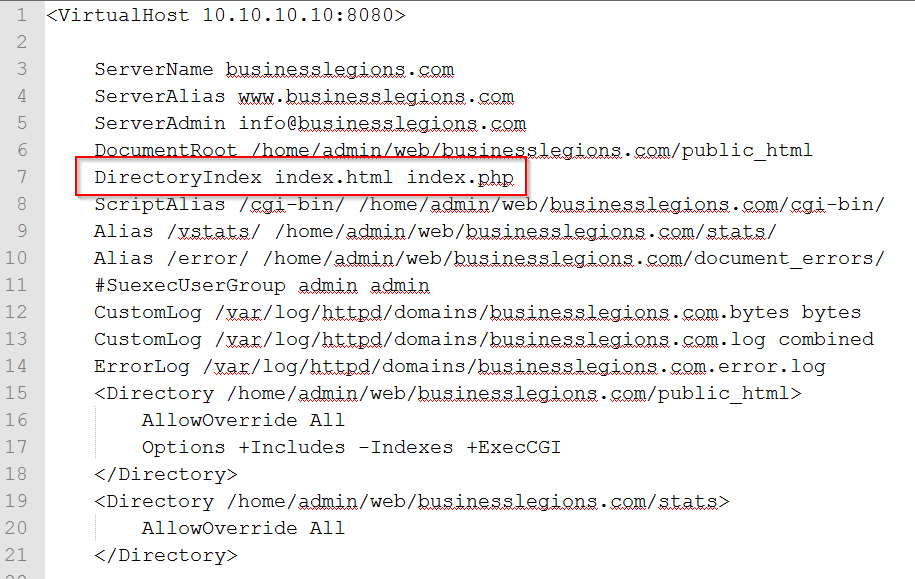
3. What you need to do now is add the following line:
DirectoryIndex index.html index.php4. This makes the webserver display index.html first before index.php. So the final configuration should look like this:

Marco / admin / 30 Nov
Writing day to day ramblings about making money, business, technology, sharing awesome deals and everything else that I know I'll forget. Follow my personal blog https://marcotran.com.au
I've recently also turned Vegan and started this website Veggie Meals - check it out
"When technology speaks for itself, that is art" - MT
Affiliate Compensated: there are some articles with links to products or services that I may receive a commission.
OTHER ARTICLES YOU MAY LIKE

USE FUSEBASE TO AUTOMATE TEAMWORK AND COLLABORATION
If your business is growing, your team is juggling too many moving parts, and your client communication is spread across email threads, chat apps, documents, task boards, and endless follow ups, there is a good chance the real problem is not effort but fragmentation. Most businesses do not lose time because people are lazy. They […]
read more
USING REAP FOR VIDEO CLIPS
Short form video is now one of the most effective ways to reach new audiences, grow brand awareness, and turn long form content into a steady stream of social media assets. For creators, marketers, consultants, educators, and business owners, the challenge is rarely a lack of content. The real problem is time. Editing long videos […]
read more

