
HOW TO GET 48GB OF ADDITIONAL SPACE ON DROPBOX
October 31, 2015 / by Marco / Categories : Business, Free, Technology
If you’re a Samsung Smart Phone or Tablet user then you may be in luck. They are running a promotion that gives your Dropbox an additional whopping 48GB of storage for 2 Years. You must have a Samsung Smartphone or Tablet to get this and there are also several conditions. Even though it’s only for 2 year, it’s still plenty of storage. If you don’t have Dropbox just sign up to Dropbox , it’s free and you will receive 2GB of storage but with this promotion you will get another 48GB.
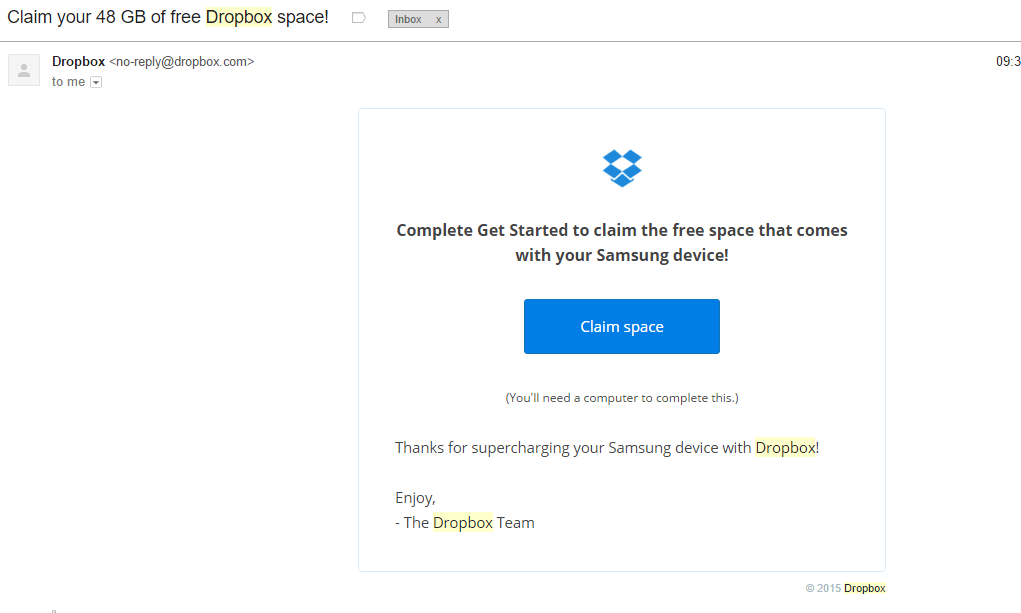
To be honest I didn’t really know about this promotion until I accidentally logged in on the Samsung Galaxy S5 Dropbox App after receiving an email from my brother to download a shared Dropbox file – also check this post Beware Dropbox Virus before clicking on any links from Dropbox emails. The first email from Dropbox had the subject Claim your 48GB of free Dropbox space. All I needed to do was press the Claim Space button.
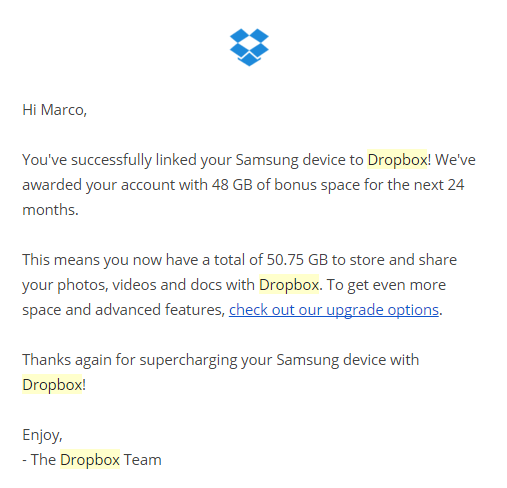
Then that’s when I received another email saying that I have now a total of 50.75GB of storage. Wow! I normally use Gmail Drive that has storage of 15GB but this is almost running out because it combines my email storage with files.
I was pretty happy about this and thought I’d better share it with you all. If you don’t have Dropbox then click on this link https://db.tt/Psp1ckZ2 and we will both get an extra 500MB of space! Only applies to new users.
Our Sponsors
- Advertise Me Pty Ltd

Digital Signage Solutions


Marco / admin / 30 Nov
Writing day to day ramblings about making money, business, technology, sharing awesome deals and everything else that I know I'll forget. Follow my personal blog https://marcotran.com.au
I've recently also turned Vegan and started this website Veggie Meals - check it out
"When technology speaks for itself, that is art" - MT
Affiliate Compensated: there are some articles with links to products or services that I may receive a commission.
OTHER ARTICLES YOU MAY LIKE

EASY TYRE PRESSURE SENSOR RESET TUTORIAL | RENAULT KOLEOS & SIMILAR CARS
If you have recently adjusted your tyres, topped up the air pressure, or seen a warning appear on your dashboard, knowing how to reset the tyre pressure monitoring system on a Renault Koleos can save you time and unnecessary worry. The process is quite straightforward once you know where to look in the vehicle menu, […]
read moreHOW TO USE GOOGLE WORKSPACE STUDIO FLOW IN GMAIL FOR SMART EMAIL AUTOMATION
Google keeps slipping new productivity features into Workspace, and sometimes the most useful ones are the tools you almost discover by accident while checking email. That is exactly the case with Studio Flow, a feature that has started appearing inside Gmail and wider Google Workspace environments, and it looks like Google is pushing further into […]
read more

