
Movavi Multimedia Editing Bundle for Mac for $43
December 25, 2016 / by Marco / Categories : Business, deals, design, entrepreneur, website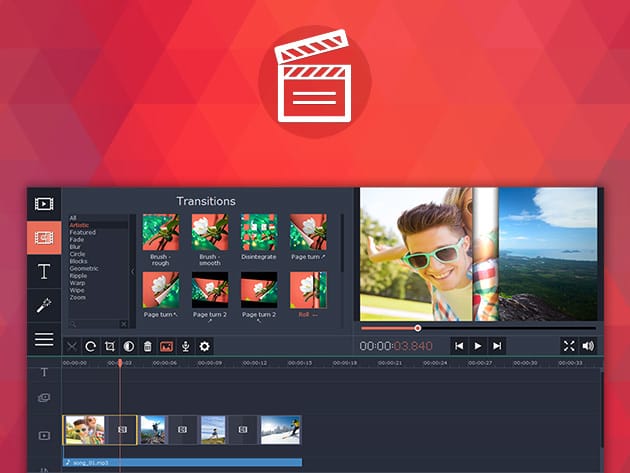


KEY FEATURES
Make your home movies faster and easier with Movavi Video Editor for Mac! Simply import your videos and photos and take advantage of Movavi’s intuitive editing capabilities to produce incredible videos you can be proud of. You can learn Movavi in just minutes, before have hours of fun creating more and more videos!
4.5/5 Stars, CNET
- Import videos, photos, or folders & choose the right aspect ratio for your projects
- Trim & crop fragments, cut footage into parts, rotate frames & more
- Choose from over 90 animated transitions for videos & still images
- Improve image quality automatically w/ the Magic Enhance function
- Apply special effects like flying objects, pop art & more
- Add music, creative titles, & title styles
PRODUCT SPECS
Details & Requirements
- Version 4.1
- Languages: English, Russian, German, Italian, French, Spanish, Dutch, Polish, Portuguese, Turkish, Japanese, Chinese, Korean
Compatibility
- Intel-based Mac computer
- Mac OS X 10.6-10.10
- Display graphics minimum resolution of 1280x800x32-bit color
- 256 MB of RAM
- 1 GB of hard disk space

KEY FEATURES
The simplest and fastest media converter for Mac is Movavi Video Converter, allowing you to save media files in any format so you can play them on any device. Upload your movies, songs, or images, choose the desired format, and just click go. It’s that simple!
- Save media as FLV, AVI, MPEG-1,2, MPEG-4, WMV, MKV, MOV, SWF, VOB, 3GP, WEBM, MP3, WAV, AAC, & more
- Process songs or entire albums w/ a single click
- Rip DVDs & watch them on your Mac or a mobile device
- Save your files in online video formats for trouble-free uploading to popular websites
- Convert video files up to 81x faster, w/o loss of quality, in SuperSpeed mode
- Export files for viewing on iPhone, iPod, iPad, Android & more
- Perform basic editing tasks like cropping, rotating, trimming, stabilizing, improving image quality & more
- Find a complete list of supported formats here
PRODUCT SPECS
Details & Requirements
- Version 7.1
- Languages: English, Russian, German, Italian, French, Spanish, Dutch, Polish, Portuguese, Turkish, Japanese, Chinese, Korean
Compatibility
- Intel-based Mac computer
- Mac OS X 10.6 or later
- 1024×768 display resolution, 32-bit color
- 128 MB of RAM
- 750 MB of hard disk space

KEY FEATURES
Recording video on your Mac is easier than ever with Movavi Screen Capture. This user-friendly recording software lets you capture any activity from your desktop with just a few clicks. With Movavi Screen Capture, you’ll be able to record tutorials of how to use software, record games, or just keep a digital record so you can remember how you performed a certain function on your Mac.
9.1/10 from over 1,700 reviews on TrustPilot
- Capture video at up to 60 fps or as low as 5 fps & save directly to your hard drive
- Record keyboard & mouse actions
- Record Skype calls & program sounds by managing audio sources from system audio, to headphones, to microphones & more
- Trim & save videos in any popular format
PRODUCT SPECS
Details & Requirements
- Version 4.0
- Languages: English, Russian, German, Italian, French, Spanish, Dutch, Polish, Portuguese, Turkish, Japanese, Chinese, Korean
Compatibility
- Intel-based Mac computer
- Mac OS X 10.6-10.10
- Display graphics minimum resolution of 1280x800x32-bit color
- 256 MB of RAM
- 1 GB of hard disk space

Marco / admin / 30 Nov
Writing day to day ramblings about making money, business, technology, sharing awesome deals and everything else that I know I'll forget. Follow my personal blog https://marcotran.com.au
I've recently also turned Vegan and started this website Veggie Meals - check it out
"When technology speaks for itself, that is art" - MT
Affiliate Compensated: there are some articles with links to products or services that I may receive a commission.
OTHER ARTICLES YOU MAY LIKE
HOW TO USE GOOGLE WORKSPACE STUDIO FLOW IN GMAIL FOR SMART EMAIL AUTOMATION
Google keeps slipping new productivity features into Workspace, and sometimes the most useful ones are the tools you almost discover by accident while checking email. That is exactly the case with Studio Flow, a feature that has started appearing inside Gmail and wider Google Workspace environments, and it looks like Google is pushing further into […]
read more
USE FUSEBASE TO AUTOMATE TEAMWORK AND COLLABORATION
If your business is growing, your team is juggling too many moving parts, and your client communication is spread across email threads, chat apps, documents, task boards, and endless follow ups, there is a good chance the real problem is not effort but fragmentation. Most businesses do not lose time because people are lazy. They […]
read more

