
HOW TO USE OPTUS PREPAID SIM WITH ZTE MF60
April 5, 2017 / by Marco / Categories : Hardware, Technology
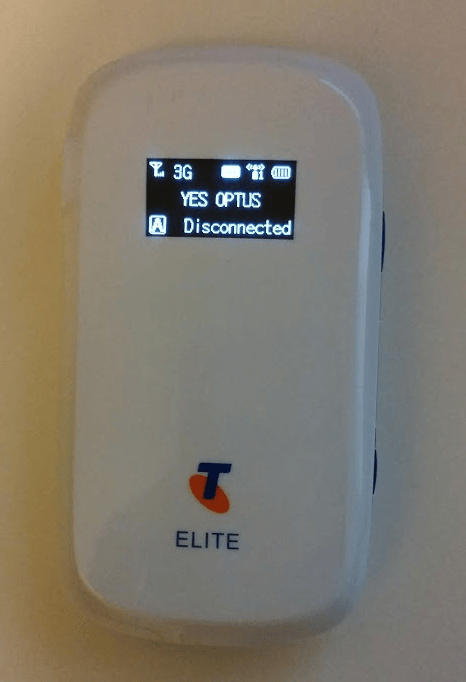
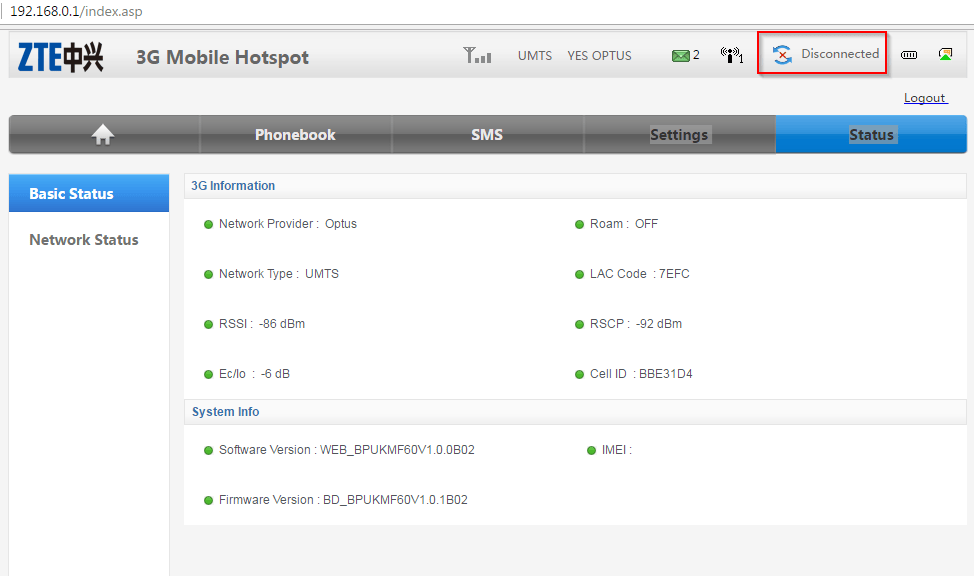
In a previous post, I talked about how to unlock the ZTE MF60 for free. Quite a number of people found this useful and I’m glad it helped them. I recently had to use the ZTE MF60 with an Optus Prepaid Mobile Broadband SIM and the status of the modem kept saying DISCONNECTED, just like this picture:
THE FIX
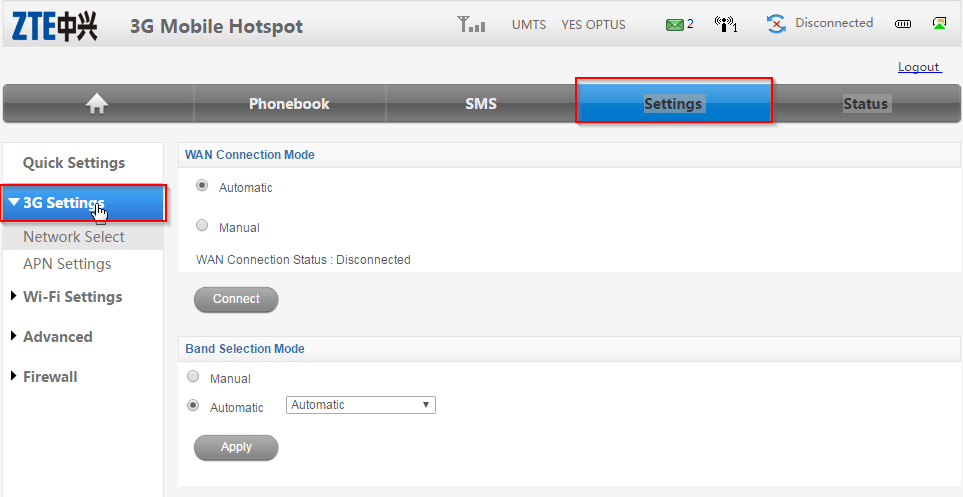
The solution was to change the APN settings in the MF60. To do this, you need to login to the modem by firstly connecting to it via WiFi. Then use the IP address 192.168.0.1 and enter the password (default is admin). Once logged in click on Settings – 3G Settings
Click on APN Settings
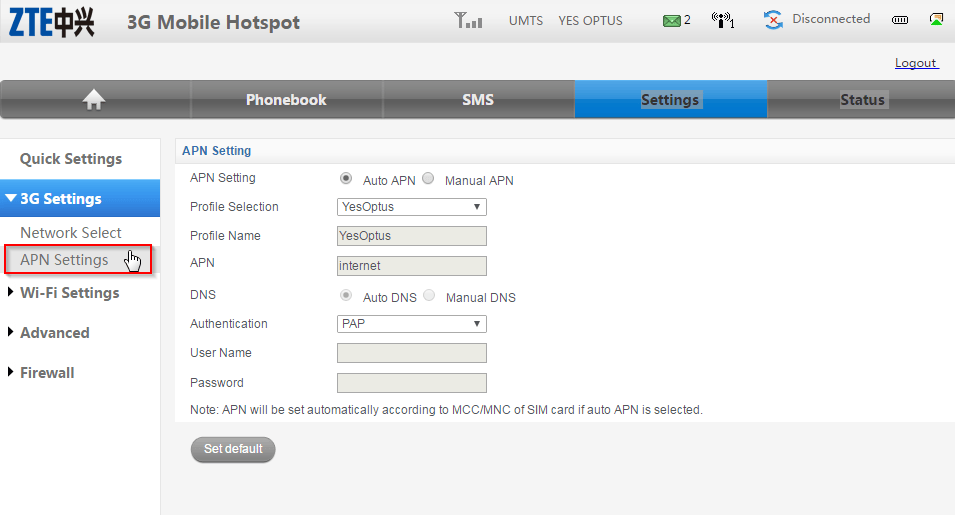
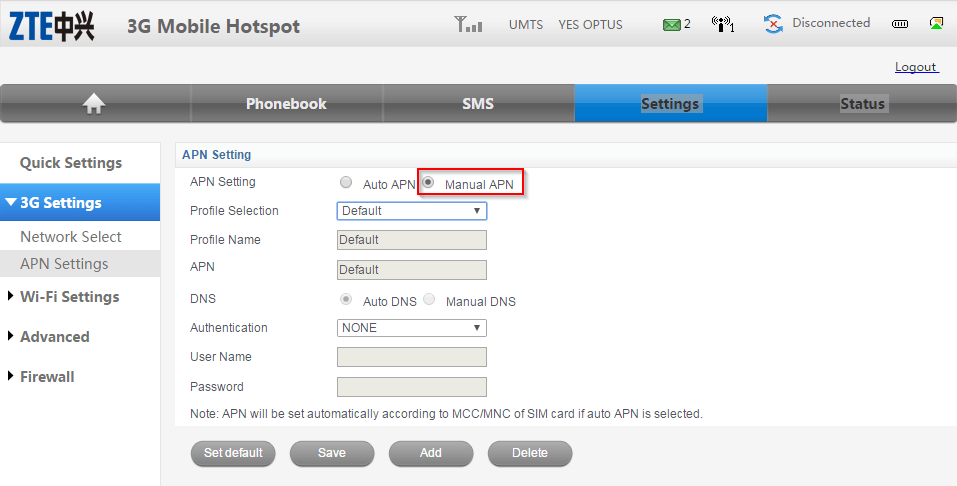
You will notice that Auto APN is selected and the APN it detected is internet. We need to change this so select Manual APN.
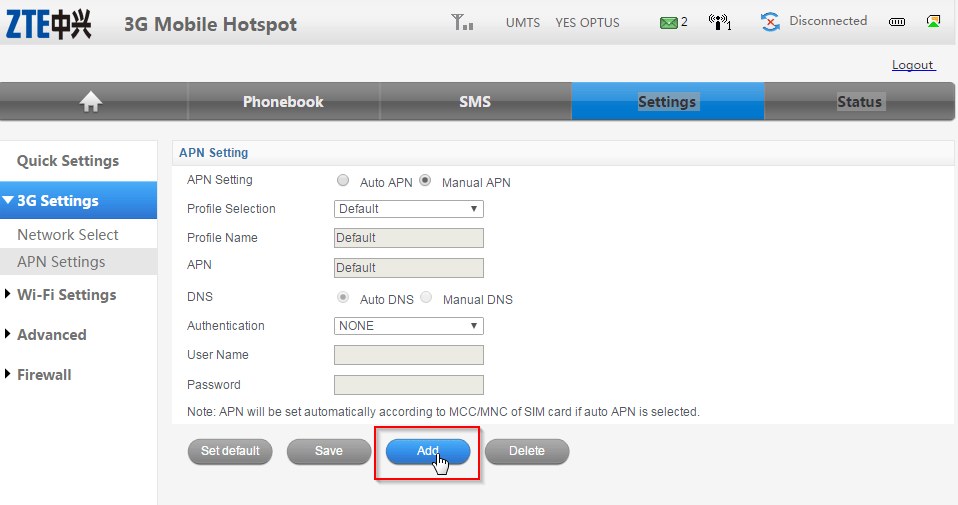
Click on Add
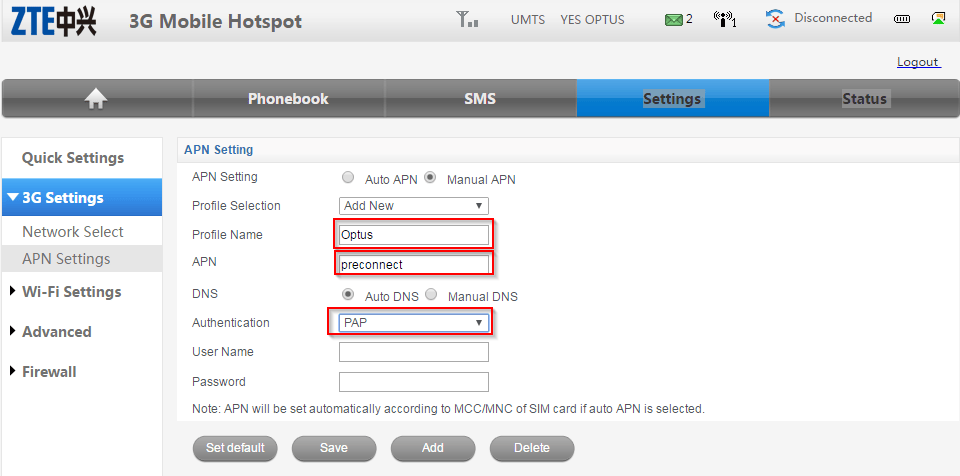
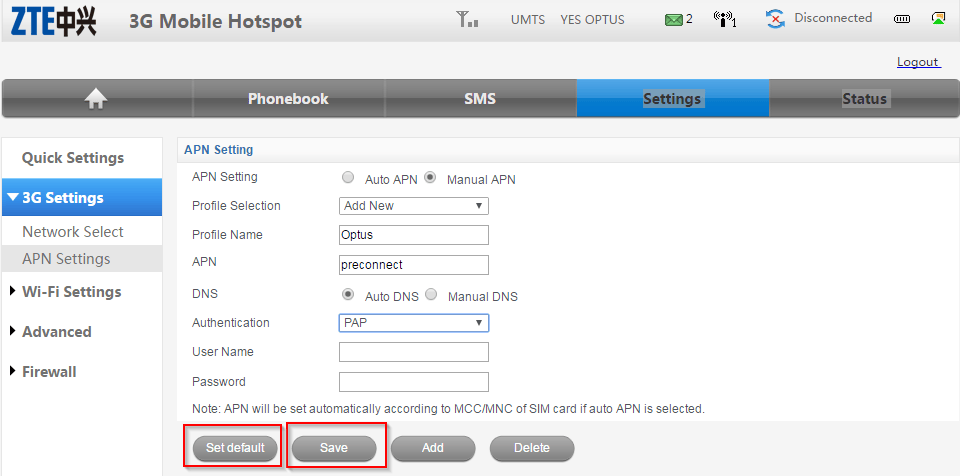
Add the APN settings as shown below. Note the APN is preconnect and the authentication set to PAP.
Click on Save then Set Default
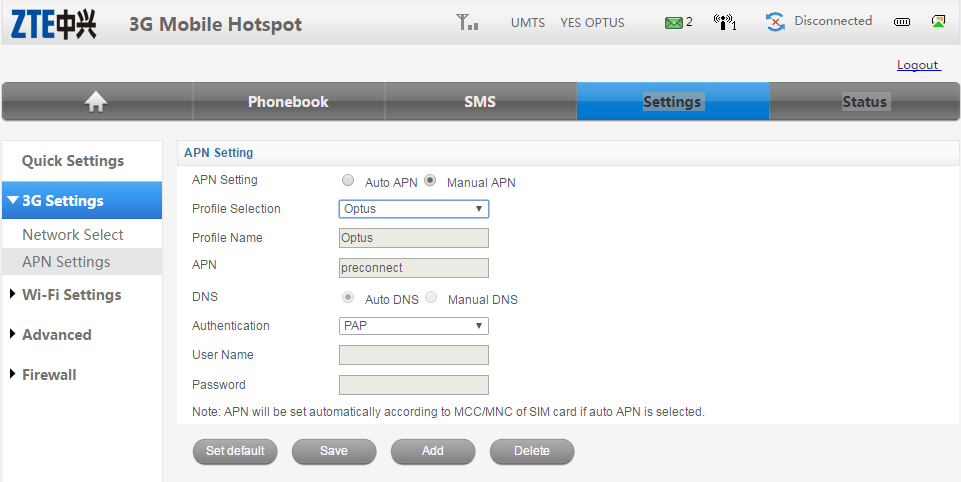
Once saved you should see the following:
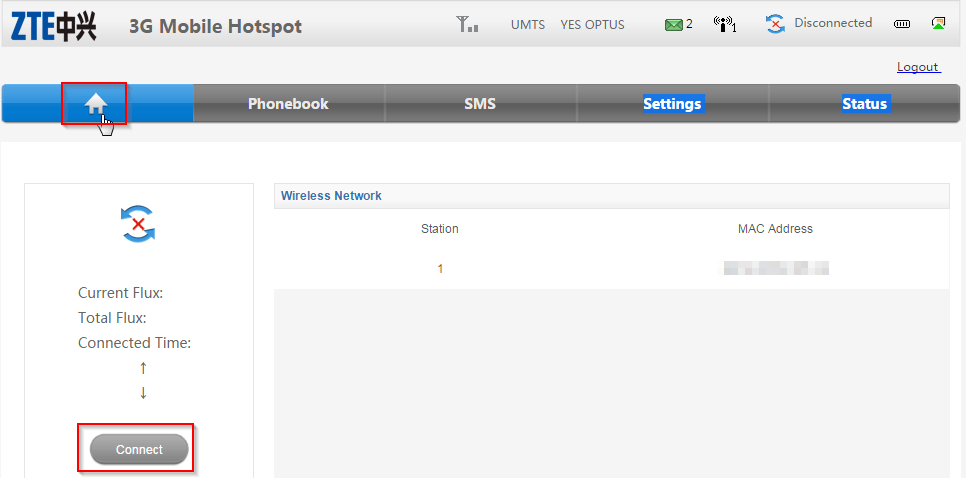
Click on the home button and then click connect
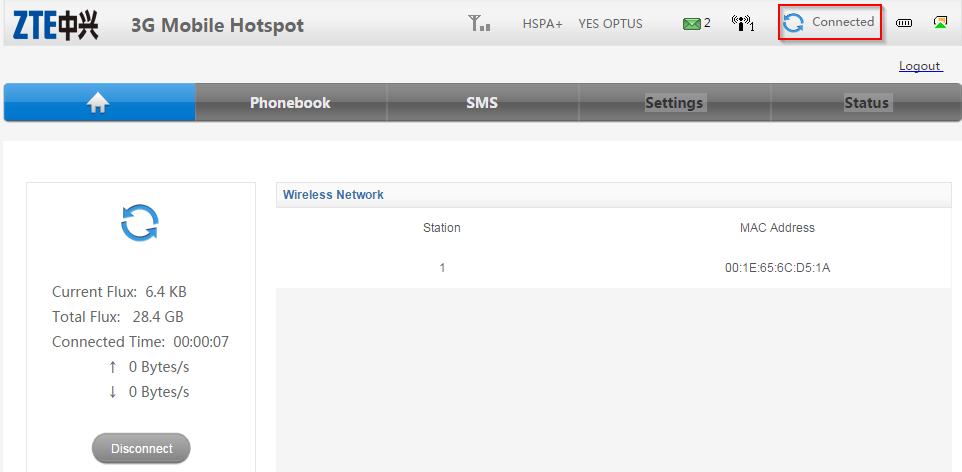
The status will now change to Connected
Our Sponsors
- Advertise Me Pty Ltd

Digital Signage Solutions
- Fitness Mania
Everything to do with fitness products ranging from gym equipment, fitness clothing, protein powder and lots more.
- My Healthy App
My Healthy App curates all the best and latest mobile health apps.




Marco / admin / 30 Nov
Writing day to day ramblings about making money, business, technology, sharing awesome deals and everything else that I know I'll forget. Follow my personal blog https://marcotran.com.au
I've recently also turned Vegan and started this website Veggie Meals - check it out
"When technology speaks for itself, that is art" - MT
Affiliate Compensated: there are some articles with links to products or services that I may receive a commission.
OTHER ARTICLES YOU MAY LIKE

USE FUSEBASE TO AUTOMATE TEAMWORK AND COLLABORATION
If your business is growing, your team is juggling too many moving parts, and your client communication is spread across email threads, chat apps, documents, task boards, and endless follow ups, there is a good chance the real problem is not effort but fragmentation. Most businesses do not lose time because people are lazy. They […]
read more
USING REAP FOR VIDEO CLIPS
Short form video is now one of the most effective ways to reach new audiences, grow brand awareness, and turn long form content into a steady stream of social media assets. For creators, marketers, consultants, educators, and business owners, the challenge is rarely a lack of content. The real problem is time. Editing long videos […]
read more

