
YourTime Productivity & Time Manager for $19
July 31, 2018 / by Marco / Categories : Business, deals, design, entrepreneur, website

KEY FEATURES
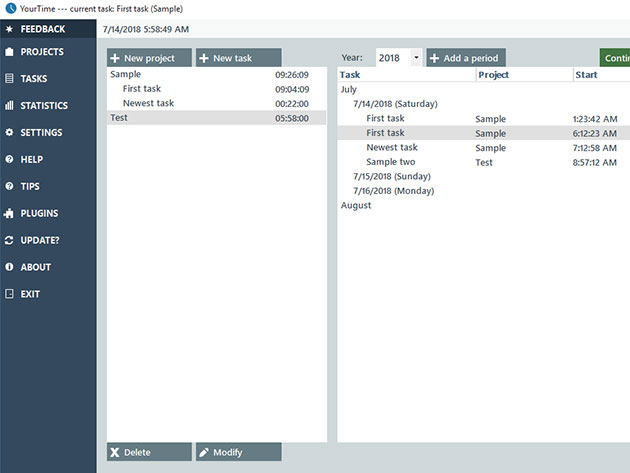
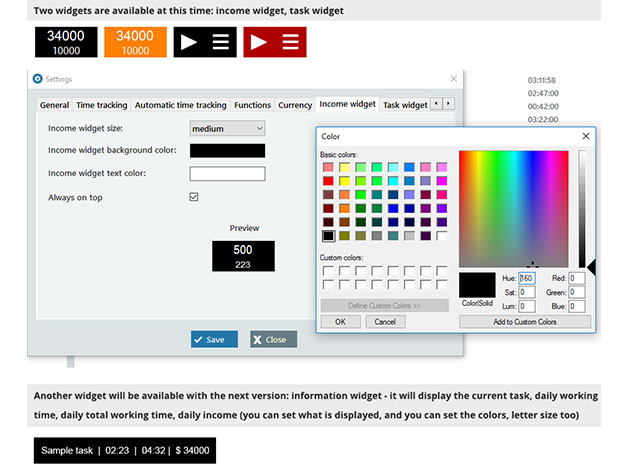
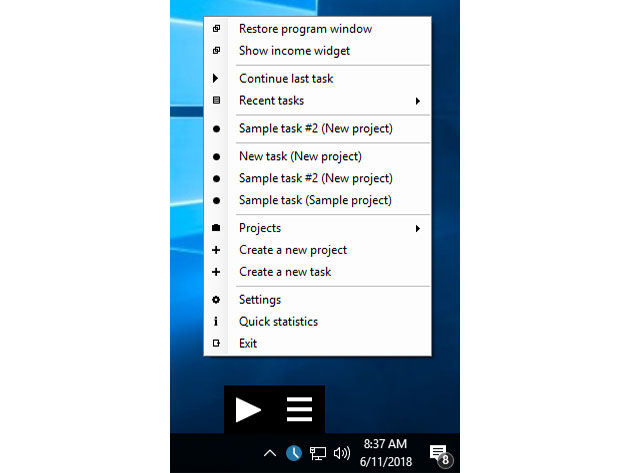
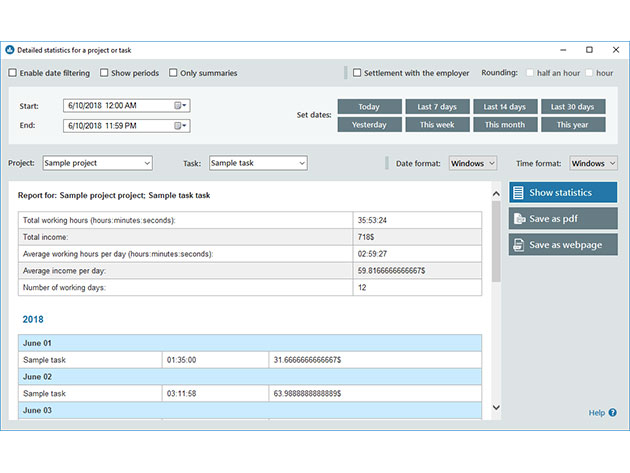
So much to do; so little time to do it all—or so you think. YourTime is the multi-purpose time management tool that makes it easy to visualize your productivity and better understand how much time you’re putting into your daily to-dos. Using the modernized interface, you can easily track your time spent on tasks or projects and generate statistics, so you can better prioritize where your time is being spent. Background functionality and mini widgets make it easy to keep tabs on your productivity, and YourTime is even capable of cataloguing your time into statements for accounting and billing purposes.
- Seamlessly track your time spent on particular tasks & projects
- Set goals & visualize your productivity w/ statistics
- Enjoy even easier use w/ background operation & intuitive widgets
- Adjust more than 50 app settings for a more personalized experience
- Simply navigate & access key features using the clean, modern interface
- Use without the need for a resource-demanding browser or high computer memory
- Windows 7 (at least SP1), Windows 8, Windows 8.1, or Windows 10
- Resolution of at least 1280 x 720 is recommended
- Length of access: lifetime
- Redemption deadline: redeem your code within 30 days of purchase
- Number of users: 1
- Access option: desktop
- Updates included
- Supported languages (more will come): English and Hungarian
- Income and billing tools
- Mini applications (widgets)
- Modern user interface
- Lifetime free upgrades
- Strong privacy protection
PRODUCT SPECS
System Requirements
Important Details
What’s New
Total working times will be displayed in project and task lists for every project and task. “Stop time tracking” icon is now fixed in right-click context menu.

Marco / admin / 30 Nov
Writing day to day ramblings about making money, business, technology, sharing awesome deals and everything else that I know I'll forget. Follow my personal blog https://marcotran.com.au
I've recently also turned Vegan and started this website Veggie Meals - check it out
"When technology speaks for itself, that is art" - MT
Affiliate Compensated: there are some articles with links to products or services that I may receive a commission.
OTHER ARTICLES YOU MAY LIKE

HOW TO USE SPLIT VIEW IN GOOGLE CHROME
Google Chrome is full of useful features that many people never notice until they appear by accident during everyday browsing. One of those quietly helpful tools is Split View, a feature that makes it much easier to work with two tabs side by side in the same browser window. If you regularly compare documents, read […]
read more
Mootion in 2026: The Essential Tool for Social Media and Presentation Success
Mootion in 2026 revolutionizes social media and presentations with innovative features, enhancing engagement and visual storytelling for impactful communication.
read more

