
SCRIPT TO BACKUP ALL MYSQL DATABASES IN VESTACP
December 11, 2019 / by Marco / Categories : Business
If you have multiple databases hosted on VestaCP the easiest way I found to backup all the databases is to use a script. The first thing you need to do is create a backup account in mySQL that has view only access to all the databases.
CREATE USER 'backupuser'@'localhost'
    IDENTIFIED BY 'xxx';
GRANT SELECT, SHOW VIEW, LOCK TABLES, RELOAD,
    REPLICATION CLIENT
    ON *.* TO 'backupuser'@'localhost';
FLUSH PRIVILEGES;
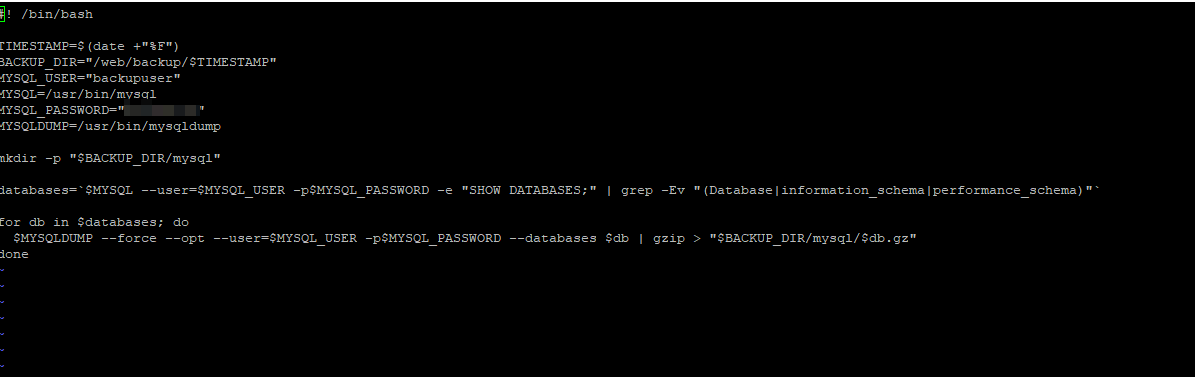
Then use this bash script. You can change the variables accordingly but the most important is the backup location, username and password which was created above:
#! /bin/bash
TIMESTAMP=$(date +”%F”)
BACKUP_DIR=”/web/backup/$TIMESTAMP”
MYSQL_USER=”xxx”
MYSQL=/usr/bin/mysql
MYSQL_PASSWORD=”xxx”
MYSQLDUMP=/usr/bin/mysqldump
mkdir -p “$BACKUP_DIR/mysql”
databases=`$MYSQL –user=$MYSQL_USER -p$MYSQL_PASSWORD -e “SHOW DATABASES;” | grep -Ev “(Database|information_schema|performance_schema)”`
for db in $databases; do
$MYSQLDUMP –force –opt –user=$MYSQL_USER -p$MYSQL_PASSWORD –databases $db | gzip > “$BACKUP_DIR/mysql/$db.gz”
done
Hopefully, this has helped someone.

Marco / admin / 30 Nov
Writing day to day ramblings about making money, business, technology, sharing awesome deals and everything else that I know I'll forget. Follow my personal blog https://marcotran.com.au
I've recently also turned Vegan and started this website Veggie Meals - check it out
"When technology speaks for itself, that is art" - MT
Affiliate Compensated: there are some articles with links to products or services that I may receive a commission.
OTHER ARTICLES YOU MAY LIKE

EASY TYRE PRESSURE SENSOR RESET TUTORIAL | RENAULT KOLEOS & SIMILAR CARS
If you have recently adjusted your tyres, topped up the air pressure, or seen a warning appear on your dashboard, knowing how to reset the tyre pressure monitoring system on a Renault Koleos can save you time and unnecessary worry. The process is quite straightforward once you know where to look in the vehicle menu, […]
read moreHOW TO USE GOOGLE WORKSPACE STUDIO FLOW IN GMAIL FOR SMART EMAIL AUTOMATION
Google keeps slipping new productivity features into Workspace, and sometimes the most useful ones are the tools you almost discover by accident while checking email. That is exactly the case with Studio Flow, a feature that has started appearing inside Gmail and wider Google Workspace environments, and it looks like Google is pushing further into […]
read more


