
Have you noticed the Reading List option in Google Chrome? It’s located on the top right hand side of the Chrome bookmark bar and it seems to have appears after Google Chrome version 89. Most of you probably don’t know what it is or does so let me quickly explain.
Reading list is a new feature that lists articles you’ve saved to read later. I To save an article (or website page), just click the “star” button and the article will be added to your reading list, which you can find through the bookmarks menu.
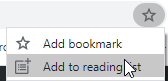
Then to save the article to the list, click on Add to reading list. It will then be displayed in the Reading List menu.
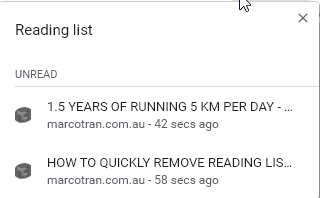
If you read the article you can mark it as read and it will be removed from the list.
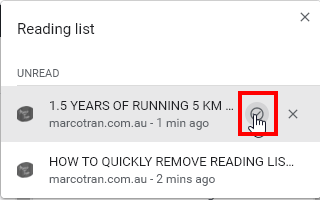
The article will then be moved into the Read section.
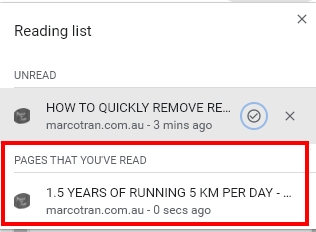
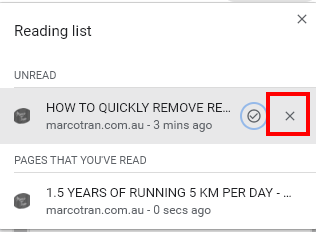
If you want to remove it permanently from the list click on the X.
Now will you be using this feature and I wonder how many people will be using it. If you’re like me you can remove this feature by following the instructions detailed in this article: HOW TO QUICKLY REMOVE READING LIST IN CHROME VERSION 89 AND VERSION 90
Here’s also a video showing you how to disable the Chrome Reading List. Hope it helps.

Marco / admin / 30 Nov
Writing day to day ramblings about making money, business, technology, sharing awesome deals and everything else that I know I'll forget. Follow my personal blog https://marcotran.com.au
I've recently also turned Vegan and started this website Veggie Meals - check it out
"When technology speaks for itself, that is art" - MT
Affiliate Compensated: there are some articles with links to products or services that I may receive a commission.
OTHER ARTICLES YOU MAY LIKE

HOW TO USE SPLIT VIEW IN GOOGLE CHROME
Google Chrome is full of useful features that many people never notice until they appear by accident during everyday browsing. One of those quietly helpful tools is Split View, a feature that makes it much easier to work with two tabs side by side in the same browser window. If you regularly compare documents, read […]
read more
Mootion in 2026: The Essential Tool for Social Media and Presentation Success
Mootion in 2026 revolutionizes social media and presentations with innovative features, enhancing engagement and visual storytelling for impactful communication.
read more


