
HOW TO USE OPTUS PREPAID SIM WITH ZTE MF60
April 5, 2017 / by Marco / Categories : Hardware, Technology
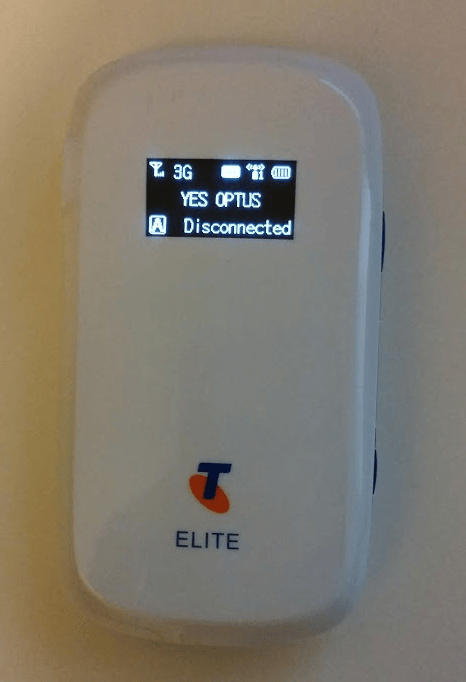
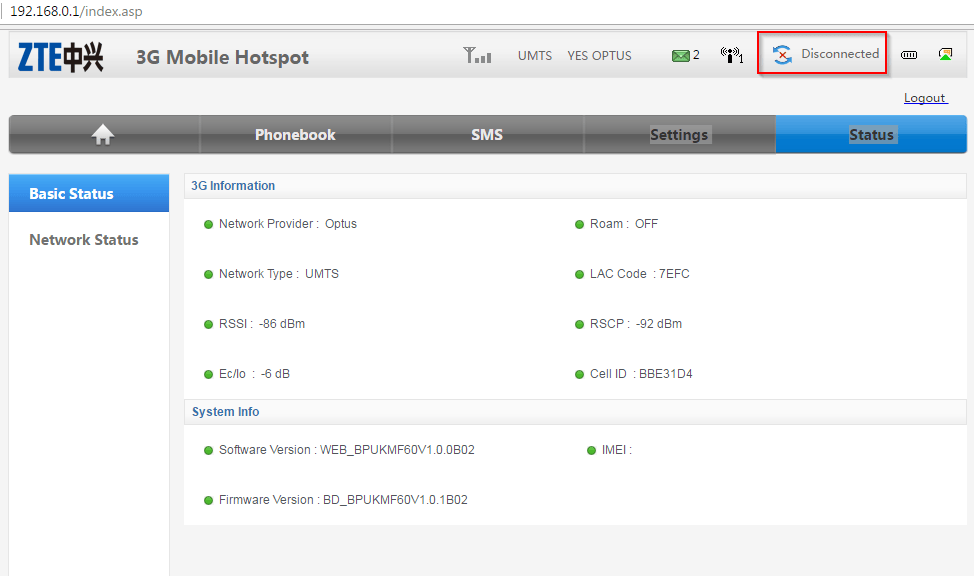
In a previous post, I talked about how to unlock the ZTE MF60 for free. Quite a number of people found this useful and I’m glad it helped them. I recently had to use the ZTE MF60 with an Optus Prepaid Mobile Broadband SIM and the status of the modem kept saying DISCONNECTED, just like this picture:
THE FIX
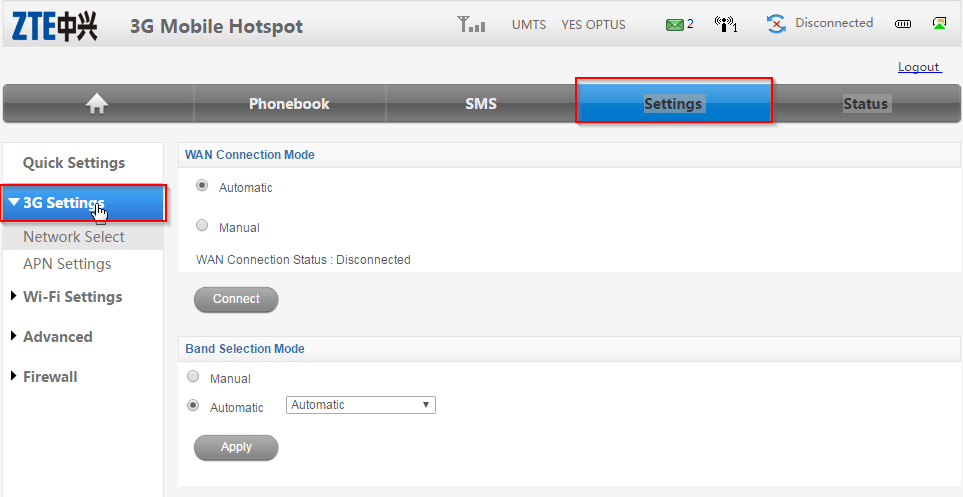
The solution was to change the APN settings in the MF60. To do this, you need to login to the modem by firstly connecting to it via WiFi. Then use the IP address 192.168.0.1 and enter the password (default is admin). Once logged in click on Settings – 3G Settings
Click on APN Settings
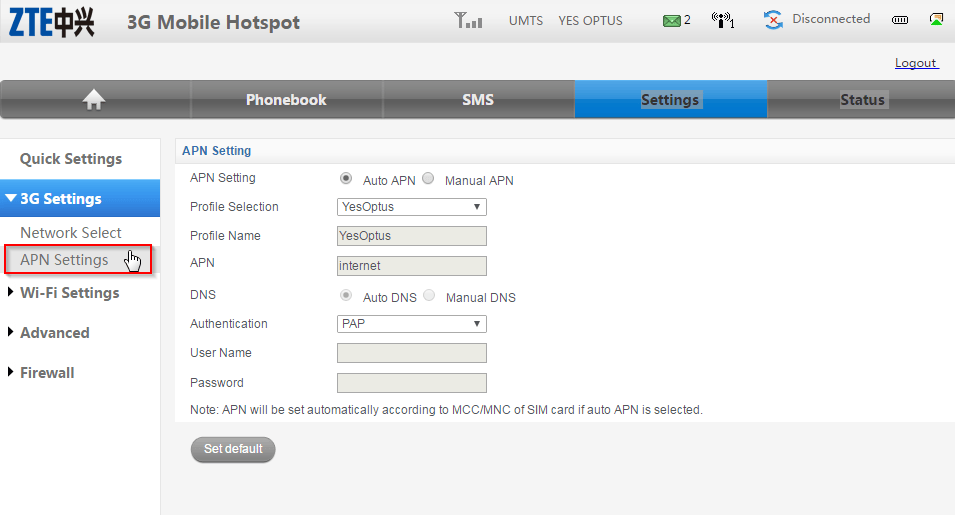
You will notice that Auto APN is selected and the APN it detected is internet. We need to change this so select Manual APN.
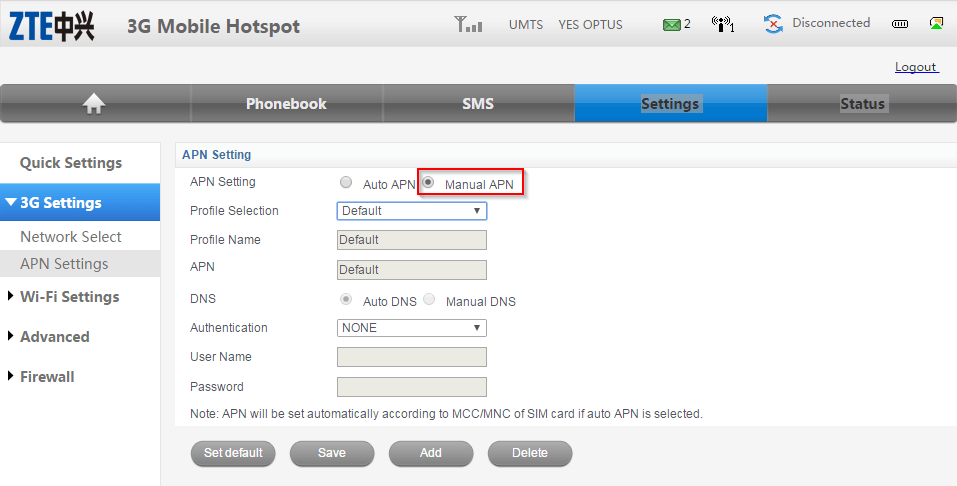
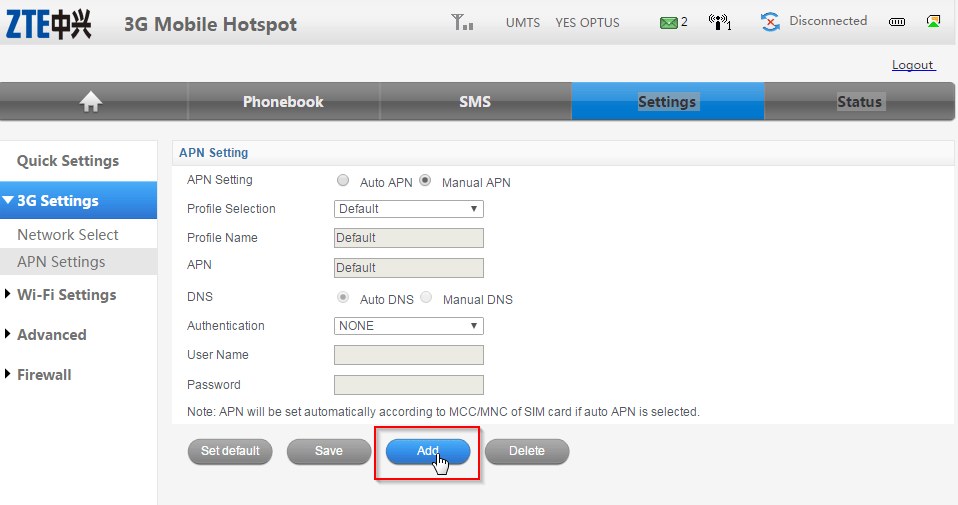
Click on Add
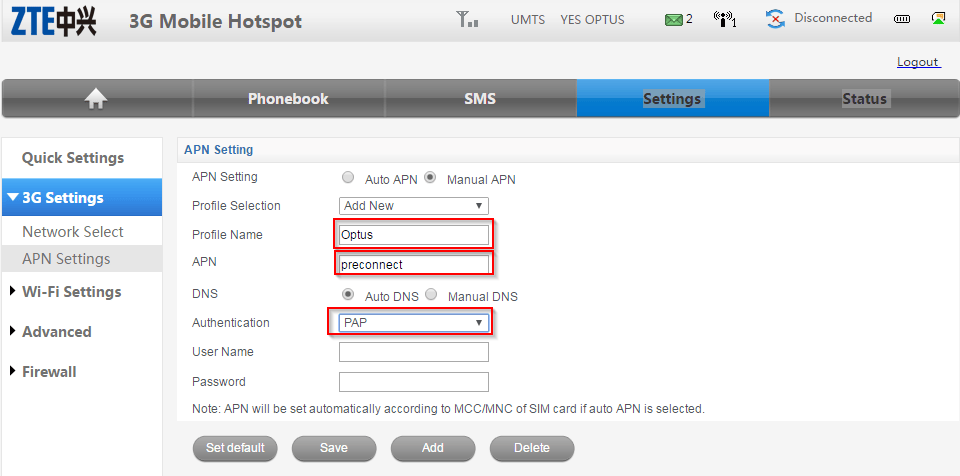
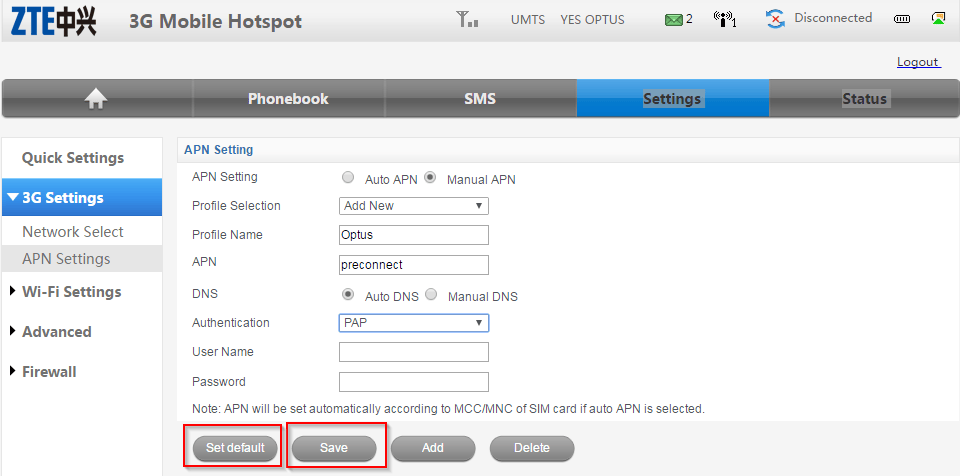
Add the APN settings as shown below. Note the APN is preconnect and the authentication set to PAP.
Click on Save then Set Default
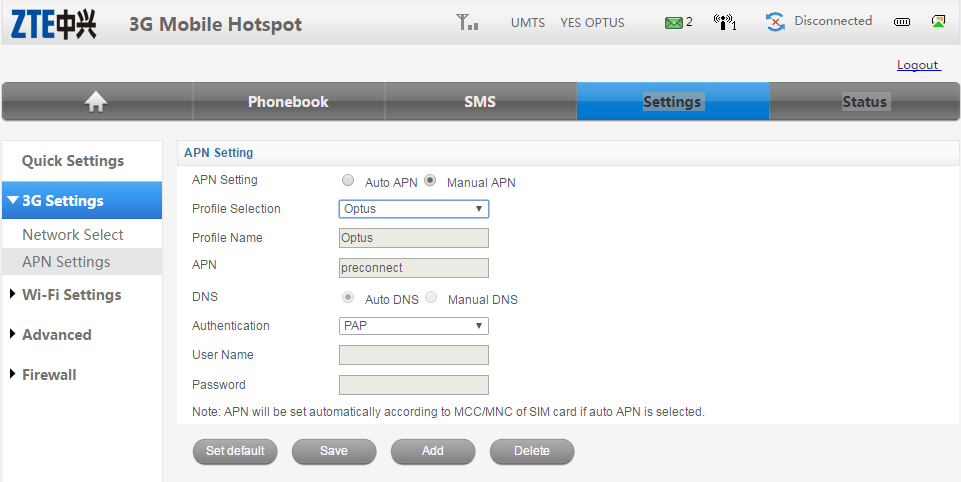
Once saved you should see the following:
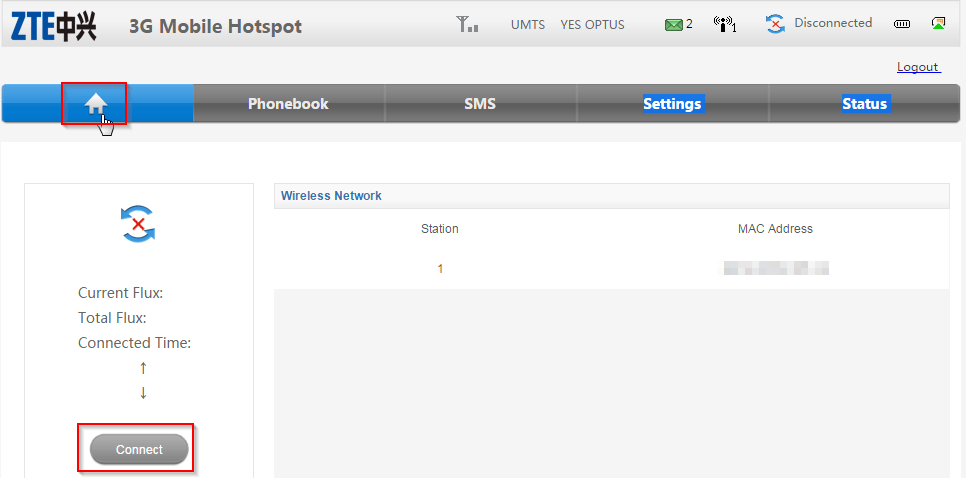
Click on the home button and then click connect
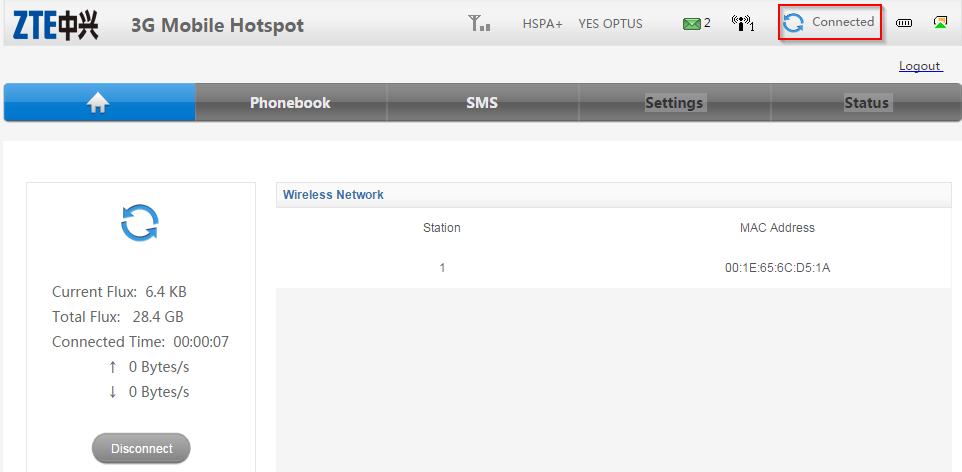
The status will now change to Connected
Our Sponsors
- Advertise Me Pty Ltd

Digital Signage Solutions
- Fitness Mania
Everything to do with fitness products ranging from gym equipment, fitness clothing, protein powder and lots more.
- My Healthy App
My Healthy App curates all the best and latest mobile health apps.




Marco / admin / 30 Nov
Writing day to day ramblings about making money, business, technology, sharing awesome deals and everything else that I know I'll forget. Follow my personal blog https://marcotran.com.au
I've recently also turned Vegan and started this website Veggie Meals - check it out
"When technology speaks for itself, that is art" - MT
Affiliate Compensated: there are some articles with links to products or services that I may receive a commission.
OTHER ARTICLES YOU MAY LIKE

REVIEWING AND UNBOXING THE TOOCKI USB-C RIGHT ANGLE 1.2M CABLE
USB C cables are among the most ordinary accessories we own, yet they can make a surprisingly noticeable difference to how comfortable our devices are to use while charging. The Toocki USB C right angle cable is a good example of a simple accessory that tries to solve a very common irritation, because instead of […]
read more
SUPABASE BACKUP TUTORIAL: USE DBEAVER TO EXPORT YOUR DATABASE SAFELY
If you are building anything serious on Supabase, whether that is a client portal, a SaaS app, an internal dashboard, or even a small side project that is starting to get traction, having a reliable database backup process is one of those tasks that quickly moves from optional to essential. Supabase makes a lot of […]
read more


