
HOW TO DELETE CERTAIN FILES IN CENTOS VPS
January 10, 2016 / by Marco / Categories : Software, TIP AND TRICKS
The easiest way to delete files based on the filename and extension in CentOS VPS is to use the following syntax: find . -name "[part of the file]*.bak" -type f -delete
find . -name "businesslegions*.jpg" -type f -delete
find . -name "[part of the file]*.bak" -type f
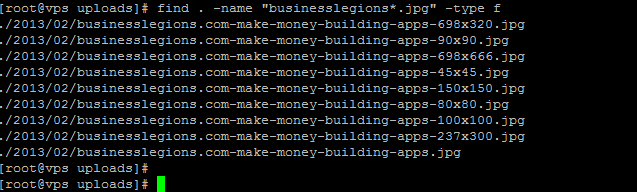 Hope this helped as I found this very useful.


Marco / admin / 30 Nov
Writing day to day ramblings about making money, business, technology, sharing awesome deals and everything else that I know I'll forget. Follow my personal blog https://marcotran.com.au
I've recently also turned Vegan and started this website Veggie Meals - check it out
"When technology speaks for itself, that is art" - MT
Affiliate Compensated: there are some articles with links to products or services that I may receive a commission.
OTHER ARTICLES YOU MAY LIKE

SUPABASE BACKUP TUTORIAL: USE DBEAVER TO EXPORT YOUR DATABASE SAFELY
If you are building anything serious on Supabase, whether that is a client portal, a SaaS app, an internal dashboard, or even a small side project that is starting to get traction, having a reliable database backup process is one of those tasks that quickly moves from optional to essential. Supabase makes a lot of […]
read more
FILMORA 15.2.3 UPDATE: DID IT FIX PLAYBACK JITTER? A PRACTICAL TEST WITH GPU SETTINGS
Wondershare Filmora has received a new point release, and for many editors the first question is simple. Has this update finally fixed that annoying playback jitter in the preview window. If you have felt a stutter during editing that makes your footage look as if frames are being skipped or shuffled rather than played smoothly, […]
read more

