
Solved: Can’t connect to local MySQL server through socket ‘/var/lib/mysql/mysql.sock’
June 28, 2015 / by Marco / Categories : Technology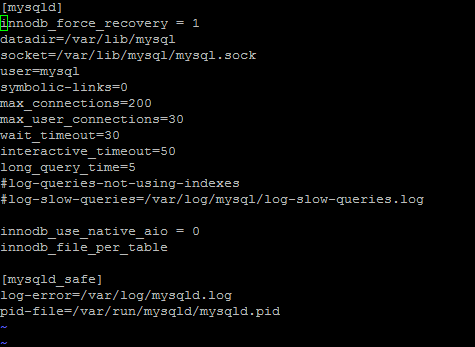
My VPS server experienced an issue with mySQL server and thought I’d better document how to resolve it in case it happens again.
The symptoms
- An Error message saying unable to connect to the database comes up when trying to access websites using WordPress
- Manually starting the mysqld came back with “Failed”- using the command


service mysqld restart- Rebooting didn’t fix the problem
- When trying to run “mysql” an error message came back with
The solution
For some reason this worked for me – it may not work for you. All you have to do is run the database in recovery mode so follow these instructions:
SSH into your VPS server
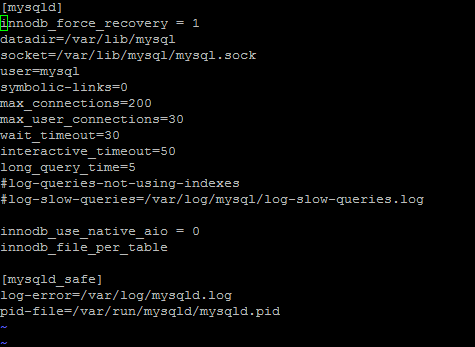
Edit the my.cnf file in the folder /etc and add the following line:
innodb_force_recovery = 1Then save the file
Restart mysqld by using the following command:
service mysqld restartIt should now work. If the server started with OK then it worked.
Go back and disable the innodb recovery by either removing the line or just adding a # at the front.
Hopefully this has fixed your issue.
More information about innodb force recovery: Click here

Marco / admin / 30 Nov
Writing day to day ramblings about making money, business, technology, sharing awesome deals and everything else that I know I'll forget. Follow my personal blog https://marcotran.com.au
I've recently also turned Vegan and started this website Veggie Meals - check it out
"When technology speaks for itself, that is art" - MT
Affiliate Compensated: there are some articles with links to products or services that I may receive a commission.
OTHER ARTICLES YOU MAY LIKE
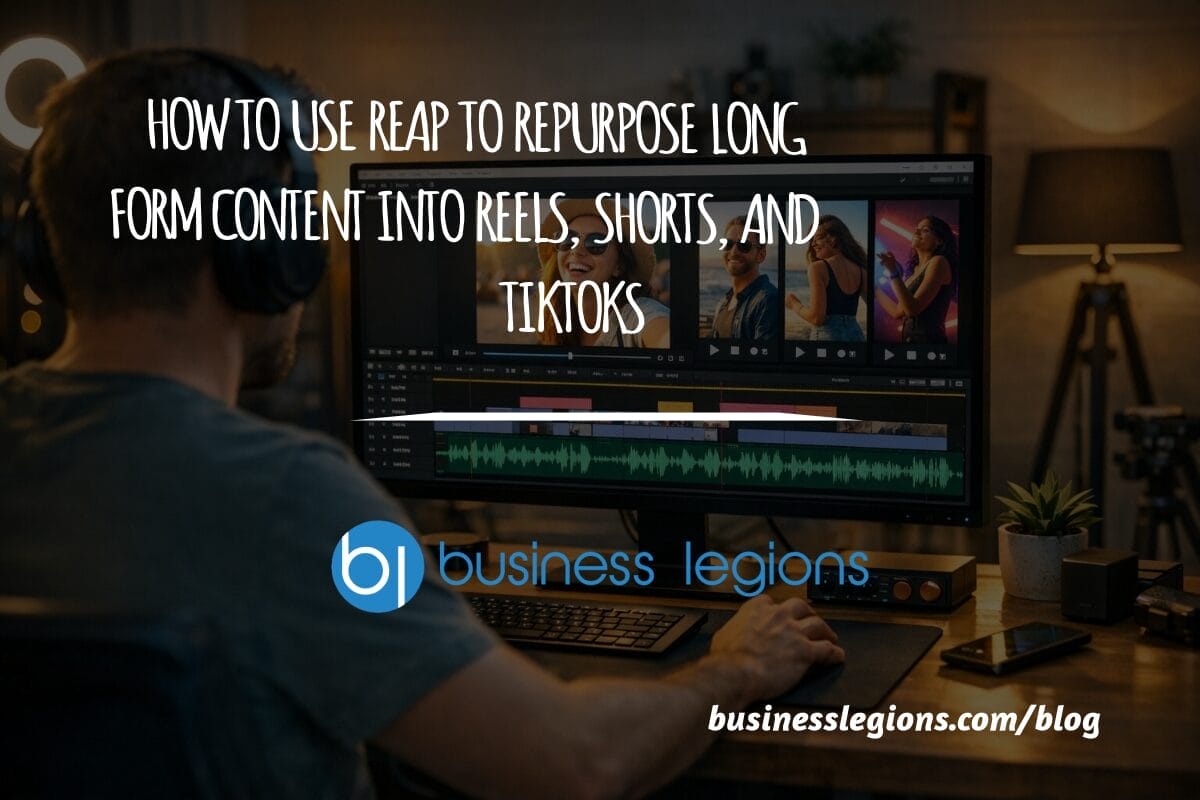
USING REAP FOR VIDEO CLIPS
Short form video is now one of the most effective ways to reach new audiences, grow brand awareness, and turn long form content into a steady stream of social media assets. For creators, marketers, consultants, educators, and business owners, the challenge is rarely a lack of content. The real problem is time. Editing long videos […]
read more
WHEN TO HIRE YOUR FIRST EMPLOYEE (AND WHEN NOT TO)
For many entrepreneurs, hiring the first employee is a major milestone. It represents growth, momentum, and the possibility that your business is evolving from a solo operation into something larger. At the same time, it can feel intimidating. Bringing someone onto your team introduces new responsibilities, financial commitments, and operational challenges. The decision to hire […]
read more


