
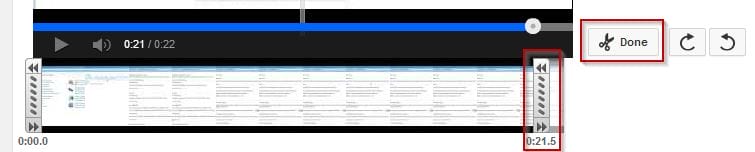
Here’s a quick and easy way to trim your Youtube videos. Especially if you have already uploaded the video and just want to remove part of the ending.
You can watch the video or follow the below instructions:
The steps are:
Login to your Youtube Account
Click on the Wheel at the top right hand side
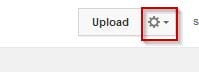
Youtube Wheel Settings
Click on Video Manager
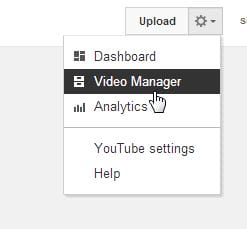
Youtube Video Manager
Click on the edit button of the video you want to trim
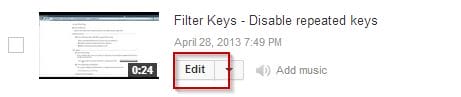
- Youtube Edit Button
Click Enhancements

Youtube Enhacements
You will see the trim button on the bottom right hand corner of the video
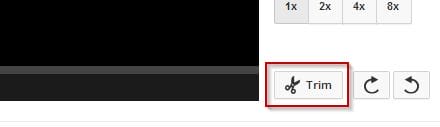
Youtube Trim Button
Slide the bottom bar to trim the video
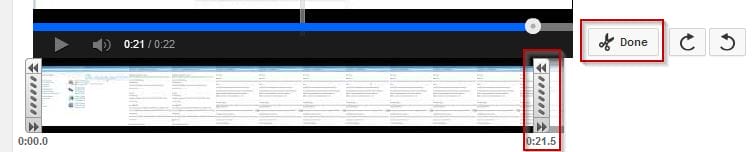
Youtube Trim Slider and Done
Click done
Click save
Also don’t forget to monetise with ads and don’t add Audio to the video. Here’s a previous post talking about these two areas: https://www.businesslegions.com/blog/2012/10/02/earn-money-on-youtube/

Marco / admin / 30 Nov
Writing day to day ramblings about making money, business, technology, sharing awesome deals and everything else that I know I'll forget. Follow my personal blog https://marcotran.com.au
I've recently also turned Vegan and started this website Veggie Meals - check it out
"When technology speaks for itself, that is art" - MT
Affiliate Compensated: there are some articles with links to products or services that I may receive a commission.
OTHER ARTICLES YOU MAY LIKE

HOW TO USE SPLIT VIEW IN GOOGLE CHROME
Google Chrome is full of useful features that many people never notice until they appear by accident during everyday browsing. One of those quietly helpful tools is Split View, a feature that makes it much easier to work with two tabs side by side in the same browser window. If you regularly compare documents, read […]
read more
STOP NOISY CALLS: THE ANDROID SETTING YOU SHOULD SWITCH ON TODAY
Phone calls still matter. Whether you’re speaking to a client, checking in with family, or handling something urgent on the move, clarity can make or break the conversation. If you’ve ever found yourself apologising for the construction noise behind you, the wind across your microphone, or the café chatter muddling your words, there’s an Android […]
read more


